

Sources
A Project collects changes from one or more sources: GitHub repositories, GitLab projects, Linear teams, and Jira Cloud projects. GitHub, GitLab, and Linear deliver signed webhooks; Jira is polled. Every change is recorded once, by its source and the source's own ID for it, whether it arrived by webhook, poll, or history import.
Connect a source
Administrators connect sources on the Projects page, or through REST:
GET  /api/projects/{projectId}/sources                       (every member)
POST /api/projects/{projectId}/sources                       (administrator; 201)
PUT  /api/projects/{projectId}/sources/{sourceId}/token      (administrator; 204)
The body of POST depends on the type:
| Type | Body | What comes back |
|---|---|---|
| GitHub | {"type": "GITHUB", "owner", "repository"} | The webhook path and a signing secret, shown once |
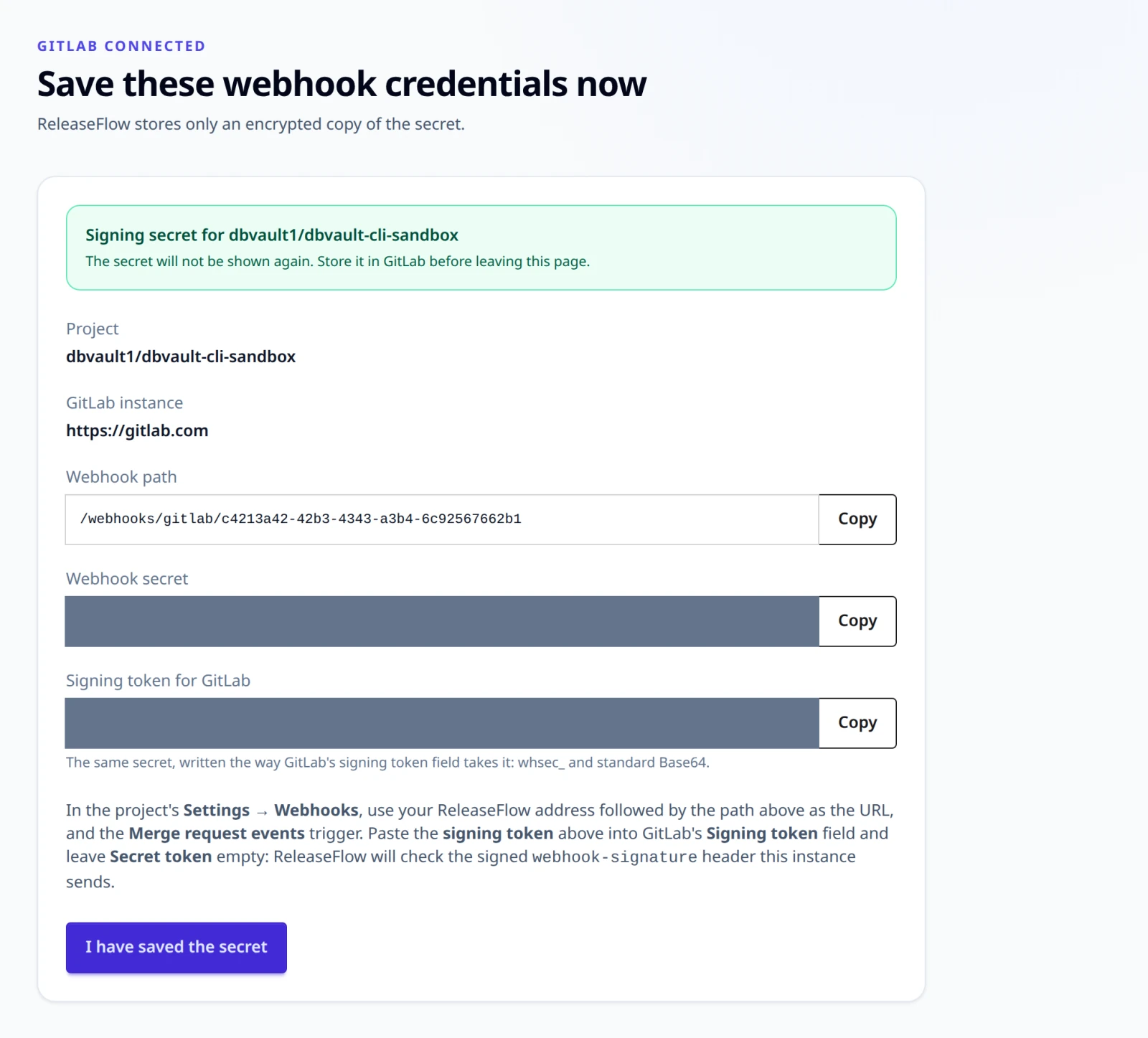
| GitLab | {"type": "GITLAB", "apiBaseUrl", "projectPath", "webhookAuthMode"} | The webhook path and a signing secret, shown once; with signed headers, also signingToken, the same secret in the form GitLab's signing token takes |
| Linear | {"type": "LINEAR", "teamId", "webhookSecret", "apiToken"} | The webhook path; Linear mints the secret, so you supply it and nothing secret is returned |
| Jira | {"type": "JIRA", "siteUrl", "projectKey", "accountEmail", "apiToken"} | Nothing secret; Jira has no webhook |
Save a returned secret immediately: it is stored encrypted with AES-256-GCM and never shown again. Repository owners, repository names, and GitLab project paths are canonicalized to lowercase. A repository or project can be connected to one Project per Organization, while different Organizations may connect the same one, and the same name on two providers is two separate sources. A source can be disconnected and reconnected, and its webhook secret rotated without changing its path.
An unknown source returns 404 source_not_found, and one already connected returns
409 github_repository_already_connected, 409 gitlab_project_already_connected,
409 linear_team_already_connected, or 409 jira_project_already_connected. One the
same Project holds disconnected returns 409 source_reconnect_required: reconnect it
instead, which keeps its changes. Members get 403 for the administrator endpoints.
Receive GitHub webhooks
In the GitHub repository, open Settings → Webhooks → Add webhook and enter:
- Payload URL: the public ReleaseFlow address followed by the webhook path
shown for the Project, for example
https://releaseflow.example.com/webhooks/github/<webhook-id>; - Content type:
application/json; - Secret: the signing secret saved when the repository was connected;
- Events: Let me select individual events → Pull requests.
POST /webhooks/github/{webhookId} needs no session or CSRF token. ReleaseFlow
verifies X-Hub-Signature-256 with that integration's own secret before it
reads the payload, and takes the Organization and Project from the integration,
never from the payload. It answers:
| Delivery | Response |
|---|---|
| Larger than 1 MiB | 413 webhook_payload_too_large |
| Unknown webhook ID, missing or wrong signature | 401 webhook_signature_invalid |
repository.full_name is not the configured repository | 422 webhook_repository_mismatch |
Verified delivery with invalid JSON, no X-GitHub-Event, or a merged pull request missing fields or X-GitHub-Delivery | 400 webhook_payload_malformed |
ping | 200 {"outcome":"pong"} |
Merged pull request (closed with merged: true) | 200 recorded, or duplicate when already recorded |
| Any other event or action | 200 ignored |
Each merged pull request is stored once per repository, so GitHub redeliveries
are harmless, and two repositories of one Project may both have a pull request #12.
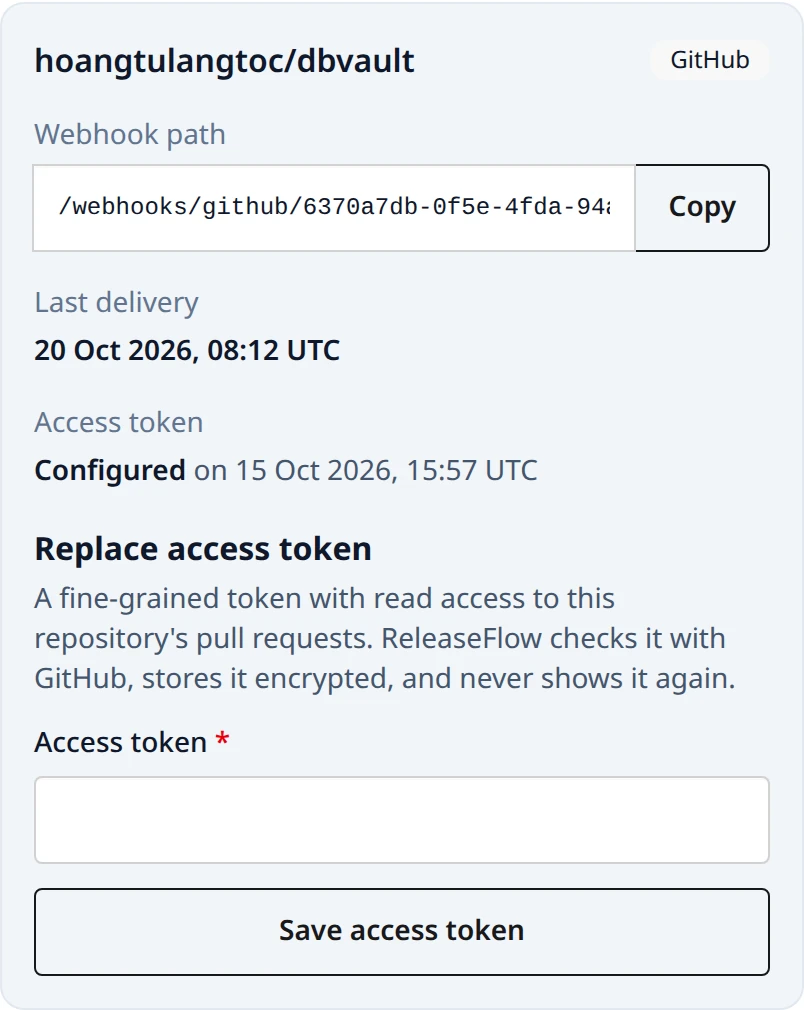
The Projects page shows the time of the last accepted delivery,
which appears as soon as GitHub sends its initial ping, and so do the Change Inbox and
the overview, with the source's health.
To exercise the endpoint locally without GitHub, sign the exact bytes you send:
WEBHOOK_PATH=/webhooks/github/replace-with-the-webhook-id
WEBHOOK_SECRET='replace-with-the-saved-secret'
BODY='{"zen":"Keep it logically awesome.","repository":{"full_name":"owner/repository"}}'
SIGNATURE="sha256=$(printf '%s' "$BODY" | openssl dgst -sha256 -hmac "$WEBHOOK_SECRET" | awk '{print $NF}')"
curl -sS -X POST "http://localhost:8080$WEBHOOK_PATH" \
  -H 'Content-Type: application/json' \
  -H 'X-GitHub-Event: ping' \
  -H "X-GitHub-Delivery: $(uuidgen)" \
  -H "X-Hub-Signature-256: $SIGNATURE" \
  --data-binary "$BODY"
Receive GitLab webhooks
In the GitLab project, open Settings → Webhooks → Add new webhook and enter:
- URL: the public ReleaseFlow address followed by the webhook path shown for
the source, for example
https://releaseflow.example.com/webhooks/gitlab/<webhook-id>; - with signed headers (the default): the signing token shown when the
project was connected in GitLab's Signing token field (
signing_tokenin the hooks API), and Secret token left empty; - with a secret token header: the saved secret in Secret token;
- Trigger: Merge request events.
GitLab clears a hook's secret token whenever its URL changes, so whenever you edit the
URL, enter the token again in the same save, or send url and the token together
through the hooks API (see Rotate a webhook secret).
The signing token is the secret written the way Standard Webhooks, and so GitLab,
expects it: whsec_ followed by the standard, padded Base64 of the secret's 32 bytes.
The secret itself is unpadded Base64url of the same bytes, which GitLab refuses as a
signing token. Both are shown once, on the page and in the signingToken field of
the response that connects the source. To write the signing token from a saved
secret:
printf 'whsec_%s\n' "$(printf '%s=' "$WEBHOOK_SECRET" | tr '_-' '/+' | base64 -d | base64 -w0)"
POST /webhooks/gitlab/{webhookId} needs no session or CSRF token, and
ReleaseFlow proves the delivery with that source's own secret before it reads
the payload. Which check applies is chosen when the source is connected:
- Signed headers (Standard Webhooks), the default:
webhook-id,webhook-timestamp, andwebhook-signaturemust all be present, the signature must bev1,followed by the Base64 HMAC-SHA256 ofid.timestamp.bodyunder the secret — any one of several space-separated candidates may match — and the timestamp must be within five minutes of ReleaseFlow's clock. - Secret token header:
X-Gitlab-Tokenmust equal the secret.
The Organization and Project come from the source, never from the payload:
| Delivery | Response |
|---|---|
| Larger than 1 MiB | 413 webhook_payload_too_large |
| Unknown webhook ID, a source of another type, missing, stale, or wrong proof | 401 webhook_signature_invalid |
project.path_with_namespace is not the connected project | 422 webhook_repository_mismatch |
| Proven delivery with invalid JSON, or a merged merge request missing fields | 400 webhook_payload_malformed |
Merged merge request (object_kind: merge_request with action: merge) | 200 recorded, or duplicate when already recorded |
| Any other event or action | 200 ignored |
Each merge request is stored once per source, so redeliveries are harmless.
GitLab identifies a delivery only in its signing mode, so a change records
X-Gitlab-Event-UUID when it is a GUID and nothing otherwise.
Only instances named in RELEASEFLOW_GITLAB_ALLOWED_HOSTS (default
gitlab.com) can be connected. An entry is host or host:port, which means
HTTPS, or a full origin such as http://gitlab.internal:8080; writing the
scheme is the only way to accept an instance reached without TLS. A URL with
credentials, a query, or a fragment is refused with
400 gitlab_base_url_invalid, and any other host with
400 gitlab_host_not_allowed. ReleaseFlow never follows a redirect from a
GitLab instance.
To exercise the endpoint locally without GitLab, sign the exact bytes you send:
WEBHOOK_PATH=/webhooks/gitlab/replace-with-the-webhook-id
SIGNING_TOKEN='whsec_replace-with-the-signing-token'
BODY='{"object_kind":"push"}'
DELIVERY_ID="$(uuidgen)"
TIMESTAMP="$(date +%s)"
SIGNATURE="v1,$(printf '%s' "$DELIVERY_ID.$TIMESTAMP.$BODY" \
  | openssl dgst -sha256 -mac HMAC -macopt "hexkey:$(printf '%s' "${SIGNING_TOKEN#whsec_}" \
      | base64 -d | xxd -p -c 256)" -binary | base64)"
curl -sS -X POST "http://localhost:8080$WEBHOOK_PATH" \
  -H 'Content-Type: application/json' \
  -H "webhook-id: $DELIVERY_ID" \
  -H "webhook-timestamp: $TIMESTAMP" \
  -H "webhook-signature: $SIGNATURE" \
  --data-binary "$BODY"
Receive Linear webhooks
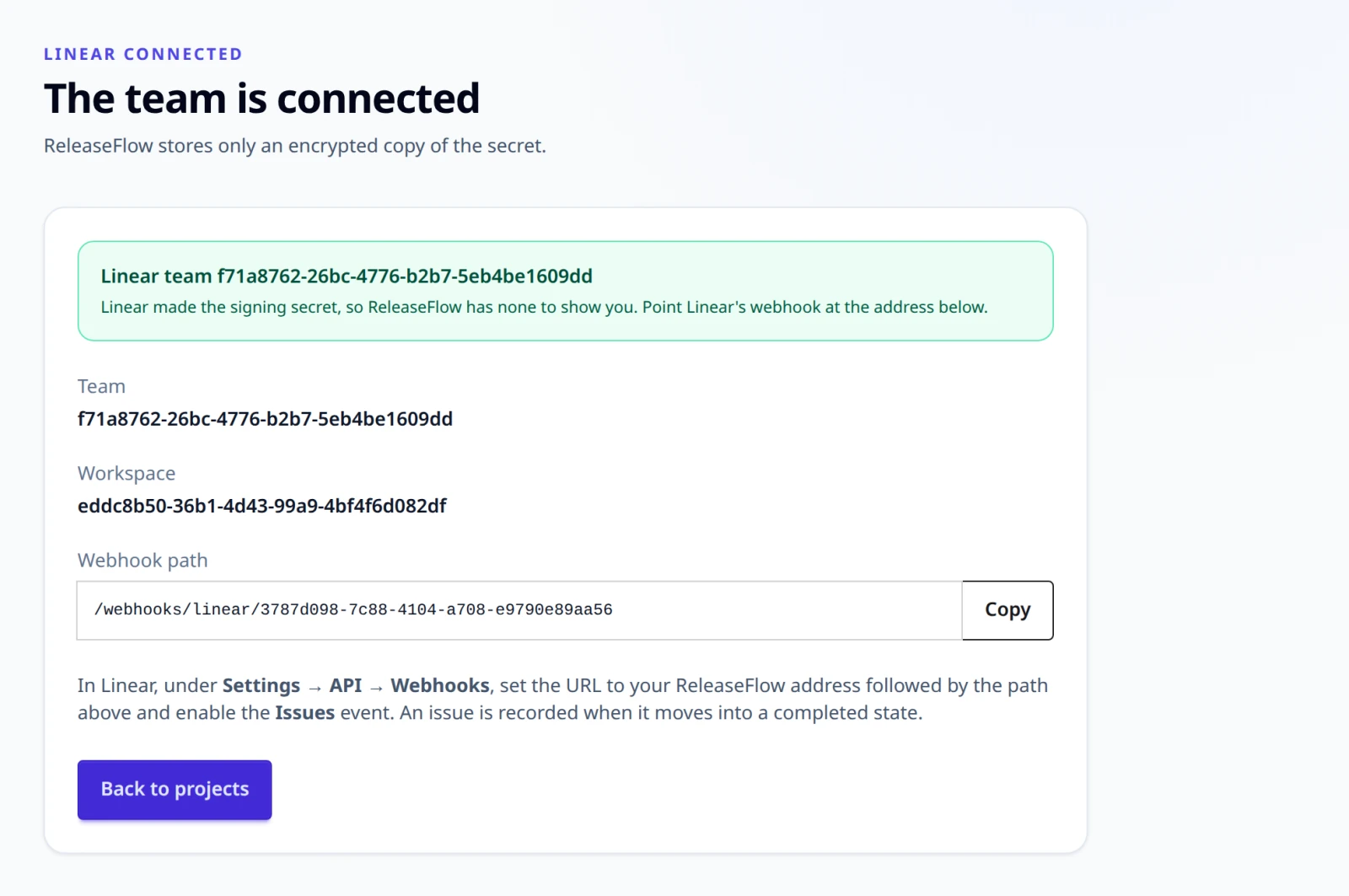
Linear mints the signing secret itself, and a source's webhook path does not exist until the source is connected. So the webhook is made first, at a holding address, and pointed at its path last:
-
Create the webhook in Linear for the team, with the Issues event, disabled, at your ReleaseFlow address followed by a path ReleaseFlow does not know, such as
/webhooks/linear/pending-ops. ReleaseFlow answers such a path401and records nothing, so the team's issues are never sent to anyone else. Linear allows one webhook for a URL, so each team gets a holding path of its own. Creating a webhook disabled takes Linear's GraphQL API, with an API key of a workspace administrator:graphqlmutation {webhookCreate(input: {url: "https://releaseflow.example.com/webhooks/linear/pending-ops"teamId: "<team-id>"resourceTypes: ["Issue"]enabled: false}) {successwebhook { id secret enabled }}}A webhook created under Settings → API → Webhooks starts enabled. At the same holding address that is safe as well, because ReleaseFlow refuses whatever arrives, but Linear may disable a webhook that keeps being refused.
-
Connect the team in ReleaseFlow with the webhook's signing secret, which is
secretin the answer above and on the webhook's detail page, and an API key. ReleaseFlow then shows the source's path. -
Change the webhook's URL to your ReleaseFlow address followed by that path, and enable it. Linear's documentation does not say whether the webhook's page lets you edit the URL;
webhookUpdatedoes, and leaves the secret and the events as they are:graphqlmutation {webhookUpdate(id: "<webhook-id>", input: {url: "https://releaseflow.example.com/webhooks/linear/<path-id>"enabled: true}) {successwebhook { url enabled }}}
POST /webhooks/linear/{webhookId} needs no session or CSRF token. A delivery
proves itself with four things, all of which must hold:
- a
Linear-Deliveryheader; - a
webhookTimestamp, the time Linear sent the delivery, withinRELEASEFLOW_LINEAR_WEBHOOK_CLOCK_SKEW(60 seconds) of ReleaseFlow's clock, in epoch milliseconds as Linear sends it, or as epoch seconds or ISO-8601.createdAt, the time of the issue's change, is not checked, so a delivery Linear sends late is accepted; - an
organizationIdequal to the workspace the team belongs to, which ReleaseFlow learned when the team was connected; - a hex HMAC-SHA256 of the raw body in
Linear-Signature.
| Delivery | Response |
|---|---|
| Larger than 1 MiB | 413 webhook_payload_too_large |
| Unknown webhook ID, a source of another type, a missing header, a stale stamp, another workspace, or a wrong signature | 401 webhook_signature_invalid |
| A body that is not a JSON object, even with a correct signature: the stamp and the workspace are read from the body, so it can never be proven | 401 webhook_signature_invalid |
| An issue of a team other than the connected one | 422 webhook_repository_mismatch |
| A proven delivery whose issue is missing fields | 400 webhook_payload_malformed |
| An issue that has just moved into a completed state | 200 recorded, or duplicate when already recorded |
| Any other event, action, or state change | 200 ignored |
An issue counts only when it really moved into being done: type Issue,
action update, an updatedFrom that carries a state, a new state of
completed, and an old state that is not. Editing an issue that was already
completed changes nothing.
Linear names no delivery ReleaseFlow can record as a GUID, so a Linear change carries no delivery ID. Each issue is still stored once per source, by its UUID, so redeliveries are harmless.
Every refusal answers the same 401, and the source's page counts it once. The server
log says which proof failed, in one line with the source's ID: no Linear-Delivery or
Linear-Signature header, a signature that does not match the body, a body that is not
a JSON object, no webhookTimestamp that can be read, a webhookTimestamp outside the
skew with its offset in seconds, another workspace, or a stored secret that cannot be
decrypted. The line never holds the body, a header's value, the secret, or the caller.
So a skewed clock reads differently from a wrong secret:
Refused a Linear delivery to source 6f1c…: webhookTimestamp is -75 s from this server's clock, beyond the allowed 60 s.
Refused a Linear delivery to source 6f1c…: Linear-Signature does not match the body.
A source writes at most one line per reason a minute, so a flood cannot fill the log. The refusals in between are counted, and the next line for that reason says how many, either with the next refusal or, once refusals stop, by itself within about ten seconds of the minute's end:
Refused a Linear delivery to source 6f1c…: Linear-Signature does not match the body. Left out 41 more for the same reason since 2026-11-19T04:10:02Z.
Left out 2 more refused Linear deliveries to source 6f1c… since 2026-11-19T04:10:02Z: webhookTimestamp outside the allowed skew.
The signature is checked first, so a stale stamp or another workspace is named only for a body the source's secret signed.
A refused delivery is not sent again. Linear's documentation says it retries a failed delivery after a minute, an hour, and six hours, but on the dbvault lab it sent no retry of a delivery ReleaseFlow refused with
401, at any of those marks. ReleaseFlow cannot import Linear's history either, so an issue whose delivery was refused, for any reason, is recorded only if it is completed again.
Poll Jira
Jira needs nothing configured on its side. Connect a Jira Cloud project with its
site (https://your-site.atlassian.net), its project key (APP), the email of
the account ReleaseFlow signs in as, and an
Atlassian API token
for that account that can browse the project. ReleaseFlow asks Jira to confirm
them before storing anything, and answers 400 jira_site_invalid for a site that
is not an HTTPS atlassian.net address with no port, credentials, query, or
fragment, 400 jira_token_rejected when Jira refuses the account and token, and
503 jira_unavailable when it cannot be reached.
From then on, ReleaseFlow reads the project every
RELEASEFLOW_JIRA_POLL_INTERVAL (five minutes). Each read asks for the issues in
a Done status category that were updated since the previous read, reaching back
RELEASEFLOW_JIRA_POLL_OVERLAP (ten minutes) so nothing at the edge is lost, and
records each issue that was resolved in that window once. Issues resolved before
the project was connected are never read. A change from Jira:
- is numbered after its key —
APP-123is#123— and titledAPP-123: summary, with the reporter as its author and{site}/browse/APP-123as its link; - has no changed files, so it is checked with the same sensitive-word scan as a Linear issue;
- starts with its key, so the Conventional Commit title rule never matches it: without AI, a Jira change is Unknown and needs review.
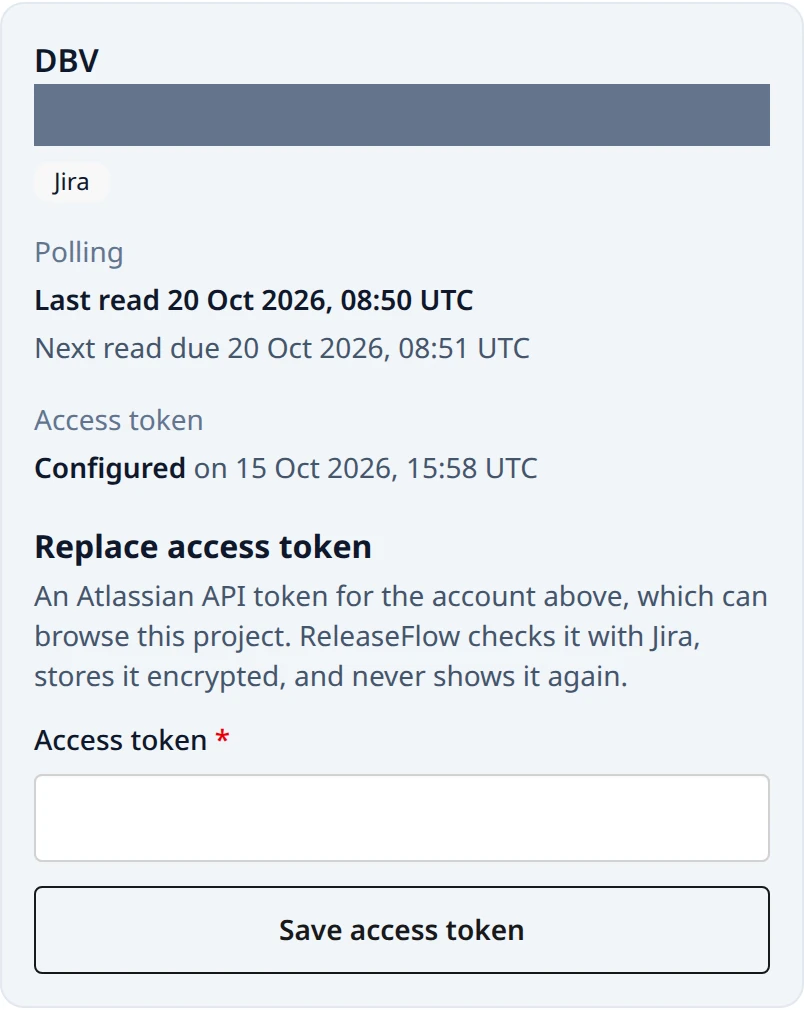
A read that fails keeps its place and tries again, and the source shows
Connection failing until one succeeds. A failure Jira may get over, such as a
rate limit or an outage, is tried up to five times, after the wait Jira asked for (at
most an hour) or after 2, 4, 8 … seconds (at most five minutes). A read that still
fails, or that Jira refused outright, such as a token it rejected, books the next read
15 minutes later rather than after RELEASEFLOW_JIRA_POLL_INTERVAL. That wait is
fixed in ReleaseFlow, not configured, and neither saving a new token nor restarting
brings the booked read forward. The Change Inbox shows each Jira project's last and next
read; a Jira project has no history import.
Linked issues
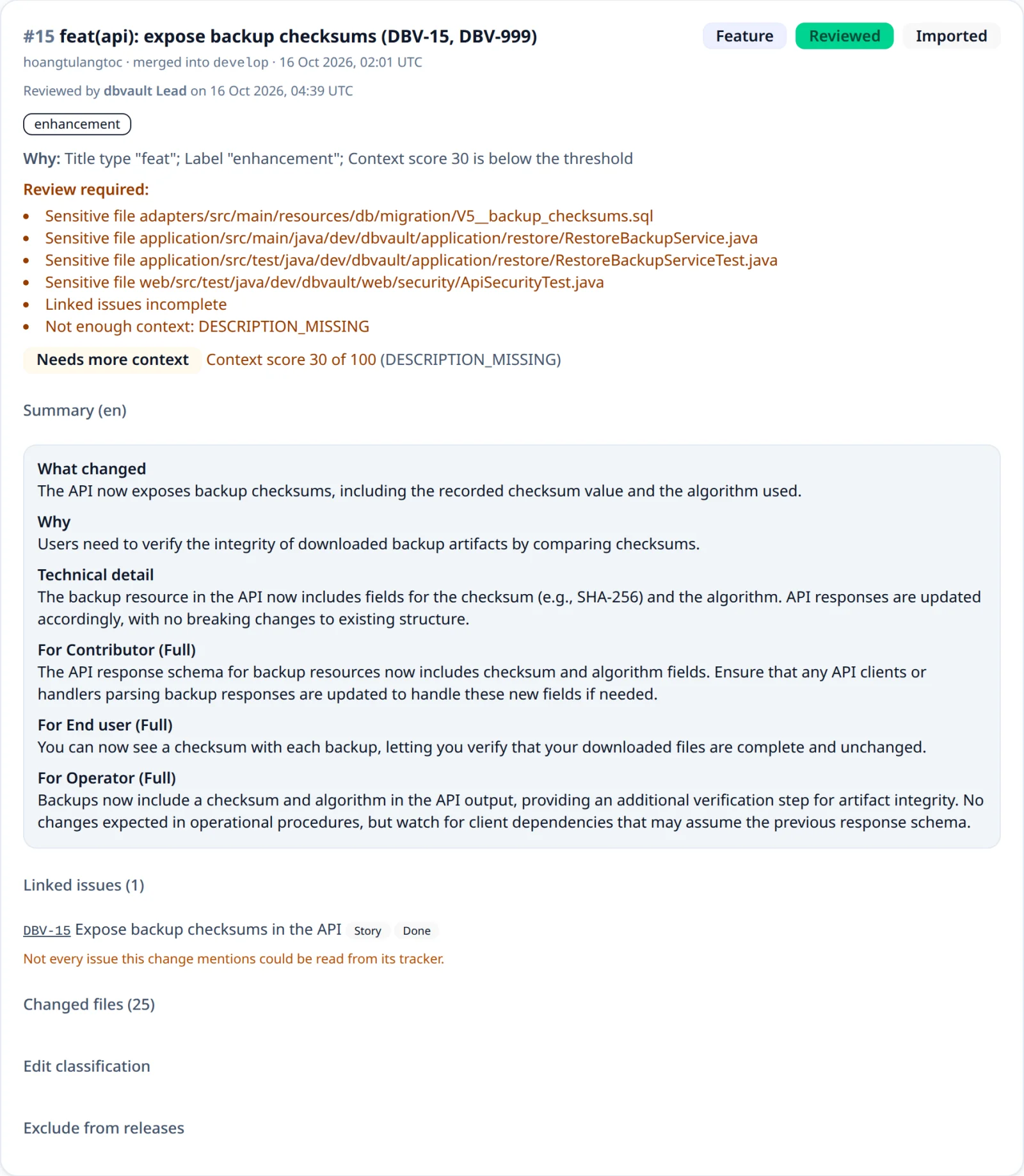
When a Project has a Jira source or a Linear source with its token, each GitHub or GitLab
change is checked for the issues it mentions: keys of the Jira project, such as APP-12,
and identifiers of the Linear team, such as OPS-7, matched without regard to case. It
looks in the change's title, description, target branch, head branch (the branch the pull
or merge request came from), and up to 250 commit messages. At most ten keys of each
tracker are read, each from its own tracker, and shown under Linked issues on the
change, given to the AI as untrusted evidence, and available to audience templates:
{{#linkedIssues}} [{{key}}]({{url}}) {{title}} ({{type}}{{#status}}, {{status}}{{/status}}){{/linkedIssues}}
What counts as a mention depends on where the key is:
| Where | Counts | Does not count |
|---|---|---|
| Head branch | feature/APP-47-retention-preview, APP-47/preview, bugfix/app-47_restore | release/2026-APP-47x, APP-047 |
| Description, commit message | Spec: APP-12-quartz: a key followed by a hyphen and a lowercase word | APP-12-3, APP-12-Q, and ISO-8601-compliant, whose prefix is no tracker of the Project |
| Title, target branch | APP-3 standing alone | feature/APP-3-export: a key followed by a hyphen |
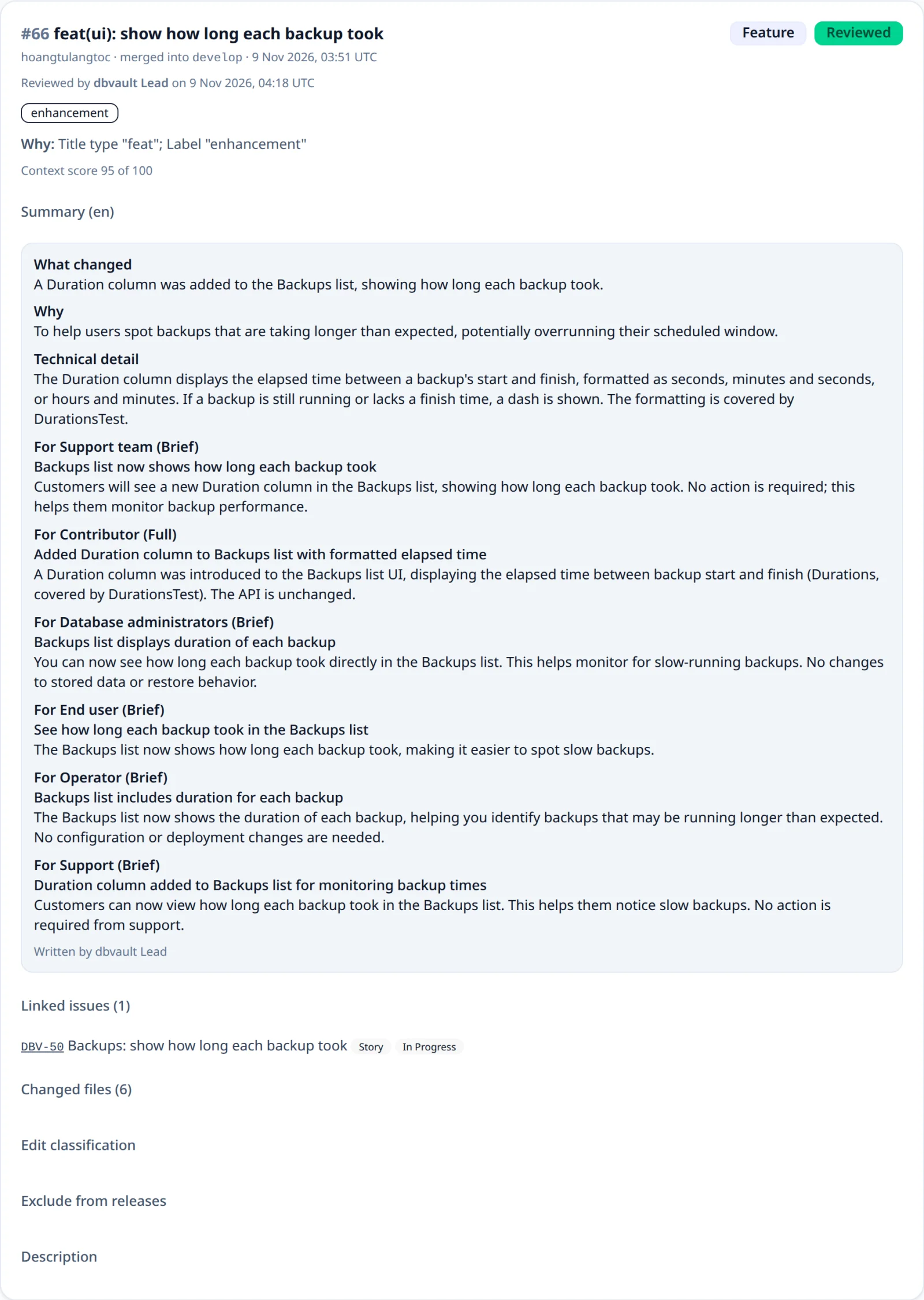
A Linear team's key is read when the team is connected and kept; a team connected before 1.2.0 has it read at the first change checked afterwards. A team whose key cannot be read links nothing, and the change says so. An issue of another Linear team is not linked.
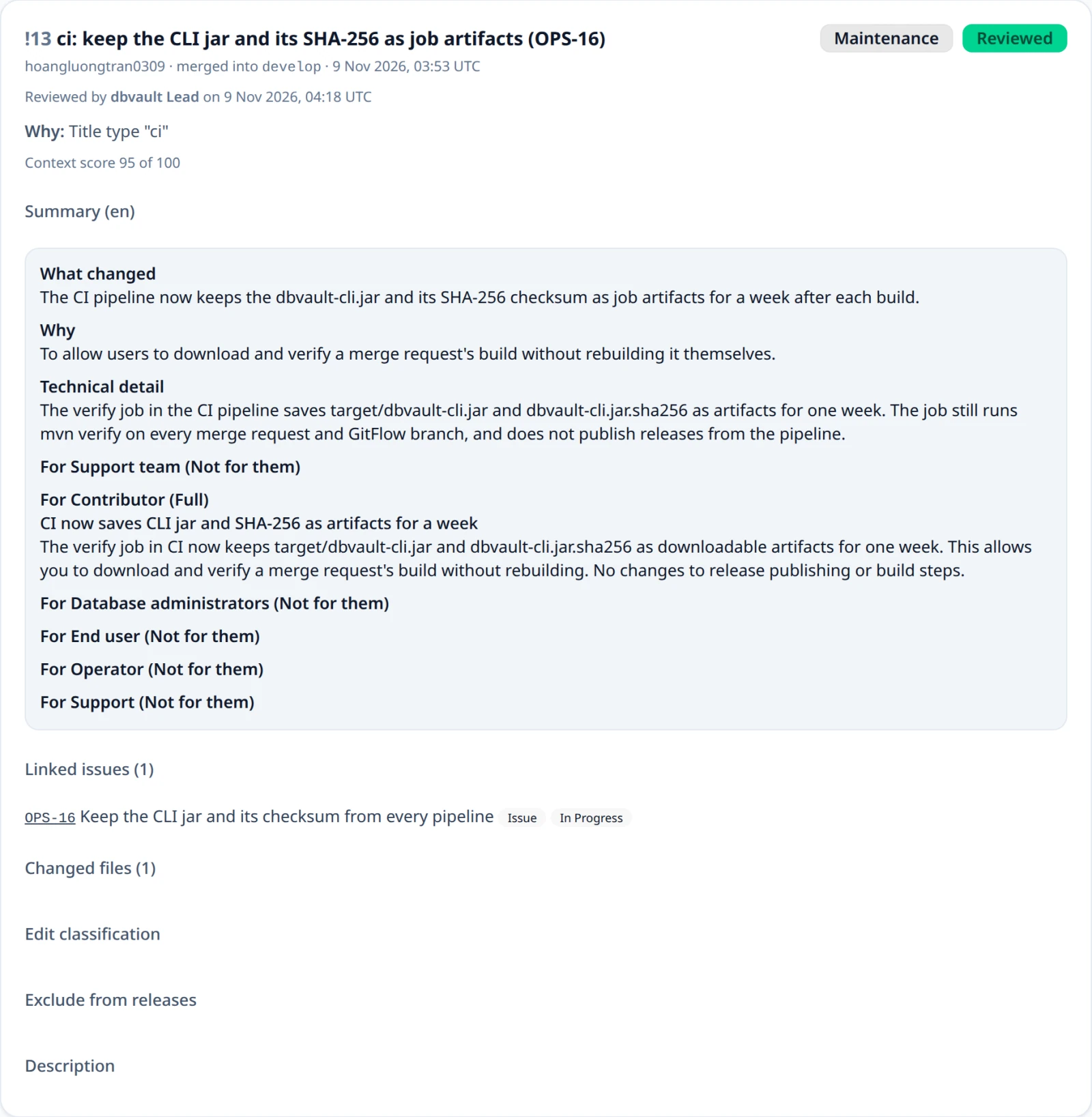
An issue is read when the change is recorded, and what was read then is what the change keeps. A release reads its changes' issues again when its review is requested, so a note shows each status as of review (see Linked issues at review). They are evidence of what the change pointed at, never a live view of the tracker.
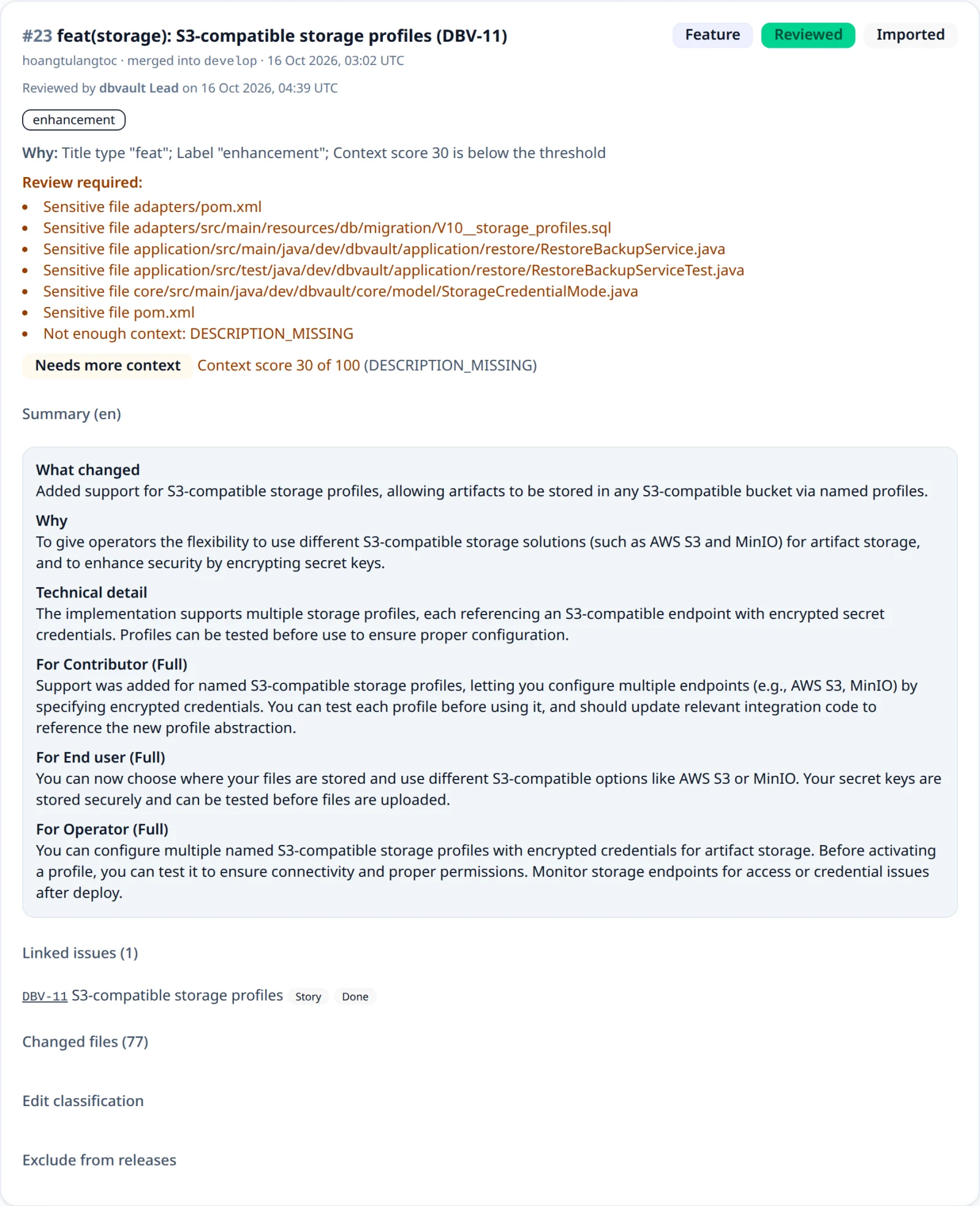
Commit messages are only searched for keys; they are never stored. When commits could not be read, or Jira or Linear would not show an issue the change mentions, the change is retried and then marked Linked issues incomplete, which forces review.
Access tokens
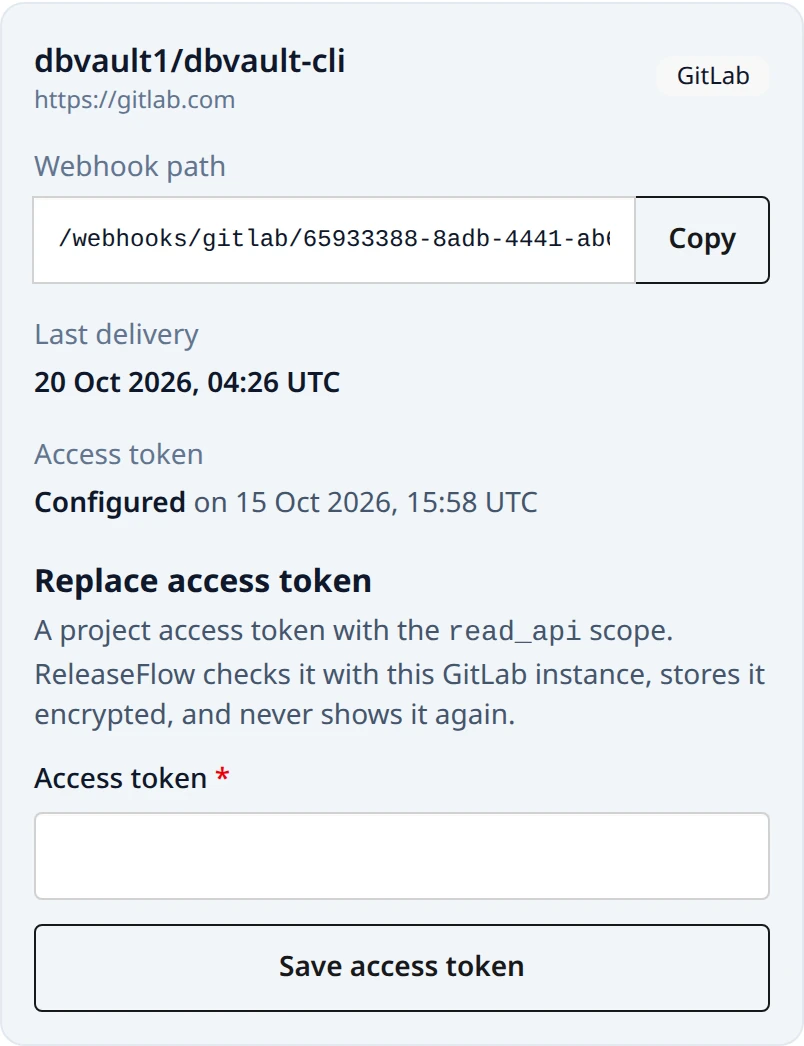
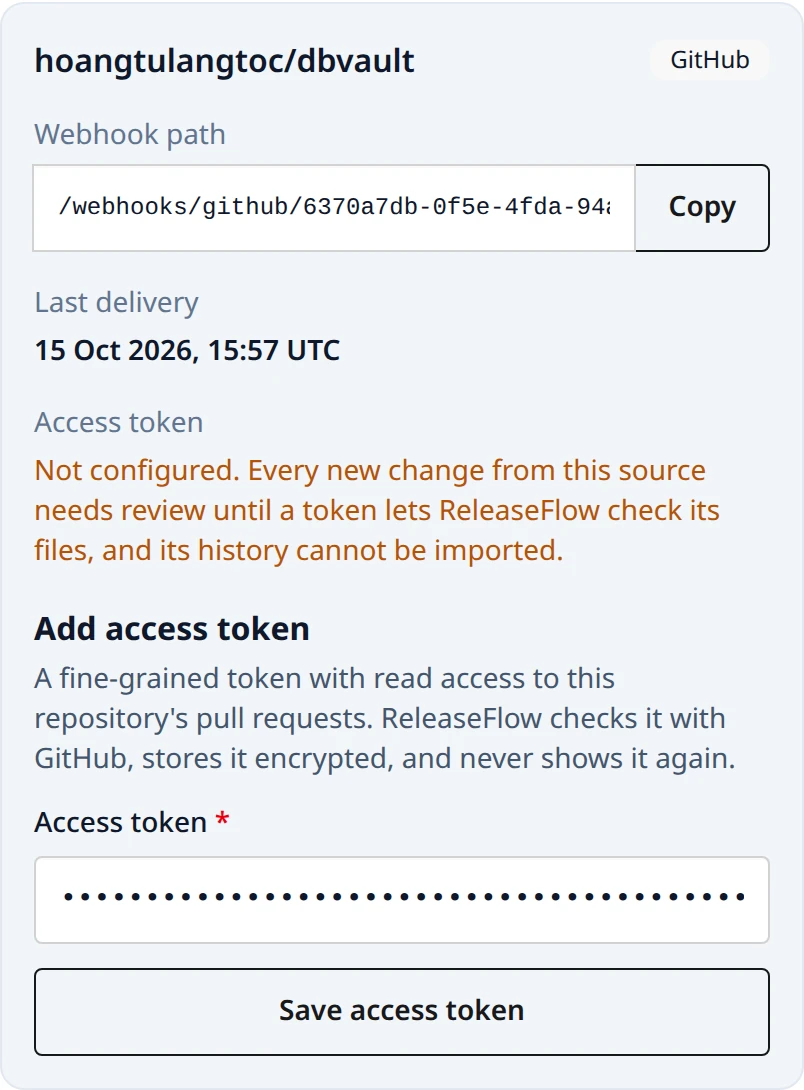
With an access token, ReleaseFlow lists the files each merged pull or merge request touched, so changes to sensitive files are always reviewed. Without one, every new GitHub or GitLab change needs review, because nothing can be ruled out. Linear and Jira need their token from the moment they are connected.
For GitHub, create a fine-grained personal access token limited to the
repository, with Pull requests: Read-only permission (a classic token needs
repo for a private repository). For GitLab, create a project access token with
the read_api scope. For Linear, create an API key that can read the team —
that one is required when the team is connected, because confirming it is also
how ReleaseFlow learns the workspace. For Jira, the API token is required too,
and belongs to the source's account email; a new token from another account comes with
that account's email, as accountEmail, and both are confirmed together. An
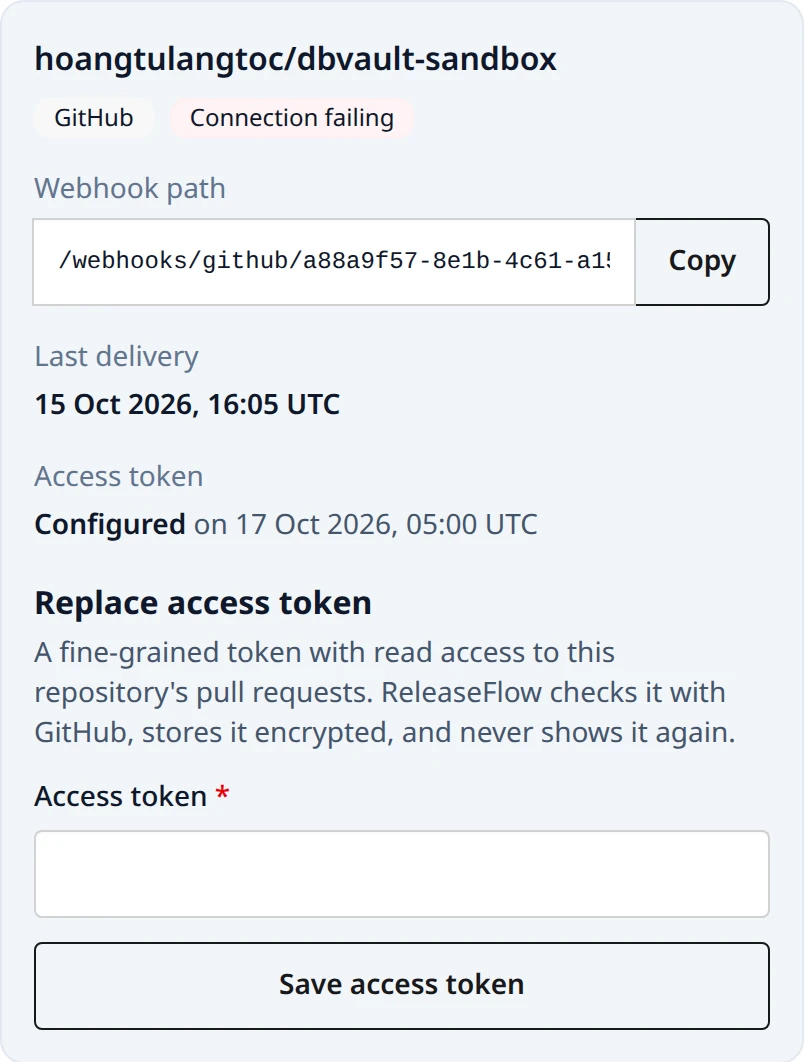
administrator enters it under the
source in the Project's card on the Projects page, or calls:
PUT /api/projects/{projectId}/sources/{sourceId}/token {"token", "accountEmail"?} (administrator; 204)
ReleaseFlow first asks the provider to confirm the token — GitHub for the
repository's pull requests, GitLab for the project, Linear for the team, which it
accepts only while the key still reaches the same workspace, Jira for the project
— then stores it
encrypted with AES-256-GCM. The token is never returned; the source only reports
accessTokenConfigured and accessTokenUpdatedAt. Sending a new token replaces
the old one, which is how a token is rotated: the source, its path, and its secret stay,
and the old token is never used again once the new one is stored, though a call already
under way finishes with it. ReleaseFlow cannot revoke a token, so revoke the old one at the
provider once the new one is saved. Nothing reminds anyone to rotate. A disconnected
source takes no token and answers 409 source_disconnected. Errors are 400 github_token_rejected or 400 gitlab_token_rejected
or 400 linear_token_rejected or 400 jira_token_rejected when the provider
refuses the token, 503 github_unavailable, 503 gitlab_unavailable, or
503 jira_unavailable when it cannot be reached,
404 source_not_found, and 403 for members.
GitLab's changed files come from the merge request's diffs, at most ten pages of a hundred. A diff GitLab reports as collapsed, too large, or truncated makes the whole list unavailable rather than short, so a file that was never seen is never declared safe.
Linear has no changed files at all, which is not the same as failing to list
them: instead of forcing review for ever, ReleaseFlow reads the issue's own title
and description for breaking change, migration, security, auth,
credential, password, and encryption, and each match becomes a
Sensitive word trigger that forces review. Linear's token is also what lets
ReleaseFlow read the issue back, so a change carries the issue's current wording
rather than whatever it said the instant it was completed.
History import
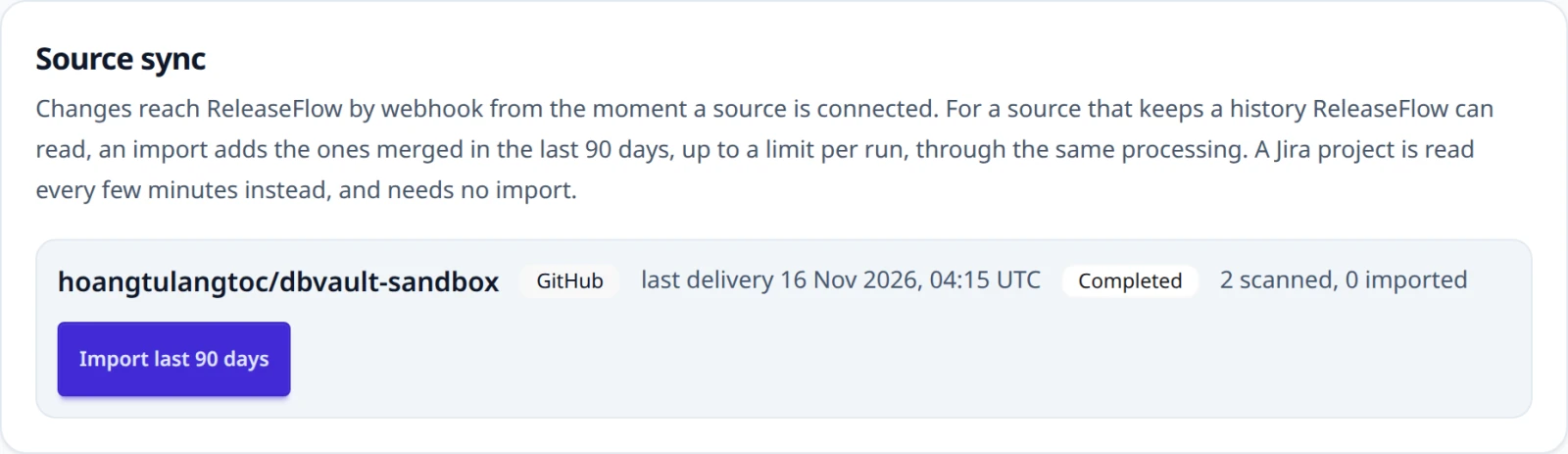
Webhooks bring in the pull and merge requests merged after a source is
connected. To add the ones merged before, an administrator opens the Source
sync panel of the Change Inbox and chooses Import last 90 days for a
source with an access token, or calls the REST endpoints below. Only a source
whose provider keeps a history ReleaseFlow can read offers it; Linear and Jira
do not, and asking anyway answers 409 source_import_not_supported. A background
worker reads the source's history 100 items per page — GitHub's closed pull
requests, most recently updated first, or GitLab's merged merge requests updated
after the window's start, least recently updated first — and records every one
merged in the last 90 days through the same processing as a webhook delivery:
its changed files are listed and, when AI is configured, it is classified once.
An item already recorded, by webhook or by an earlier import, is skipped, so
imports and webhooks never duplicate each other. Imported changes carry an
Imported badge.
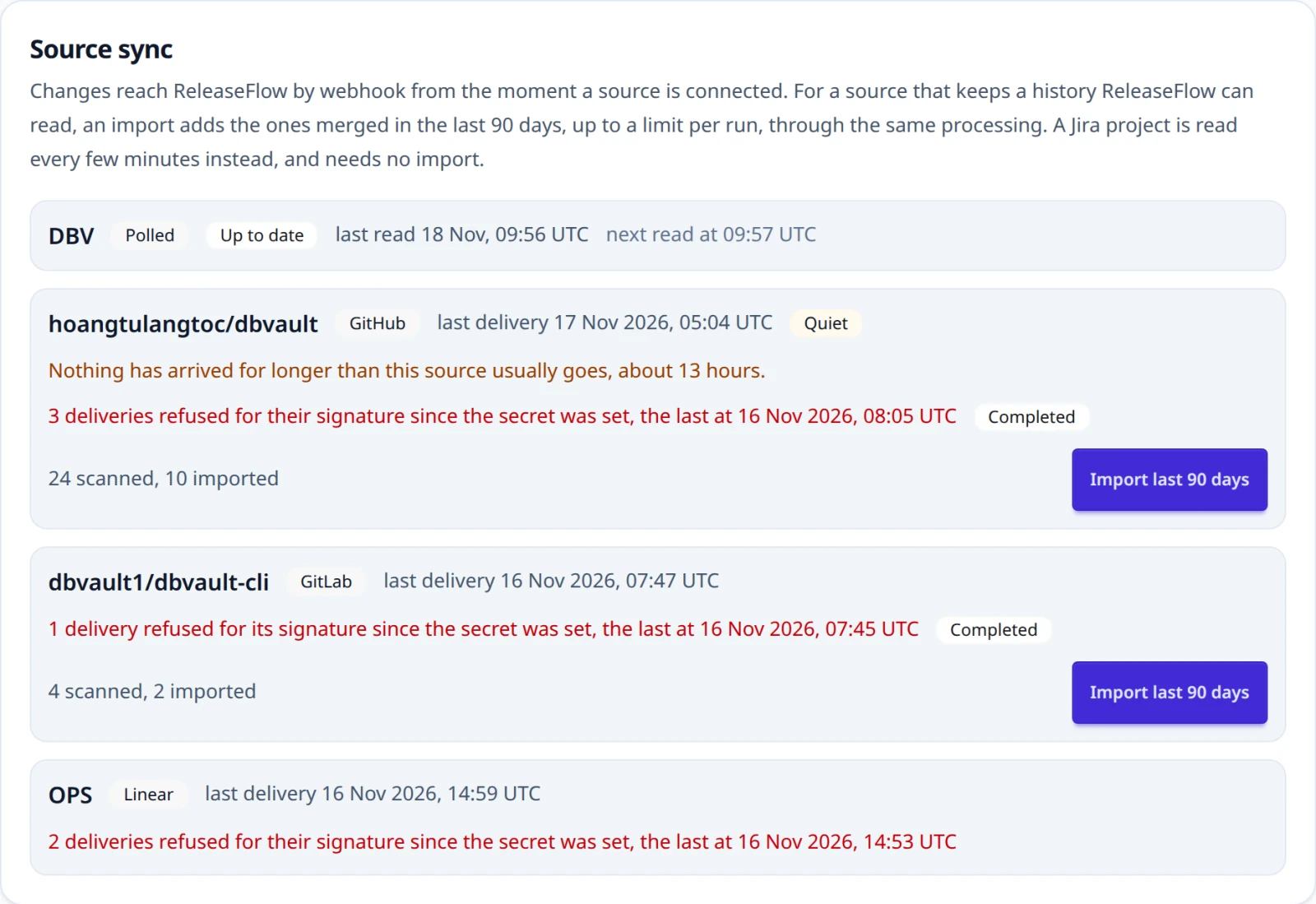
A GitHub import stops at the first pull request updated before its window, and
either import stops after 500 new changes as Stopped at the limit with its
position saved; Resume continues from there with a fresh count, and so does
resuming a failed import. When the provider rate-limits the import, it waits as
long as the provider asks (Retry-After or the rate-limit reset, at most an
hour); other temporary failures wait with growing delays. After five attempts,
or at once when the provider refuses the token, the import fails, and a refused
token marks the source as Connection failing until a new token is saved.
Only one import of a source runs at a time.
GET  /api/projects/{projectId}/imports                              (every member)
POST /api/projects/{projectId}/sources/{sourceId}/imports           (administrator; 202)
POST /api/projects/{projectId}/sources/{sourceId}/imports/resume    (administrator; 202)
Each import reports status (PENDING, RUNNING, RETRY_SCHEDULED,
COMPLETED, PARTIAL, or FAILED), scannedCount, importedCount, the
window, lastSyncAt, lastErrorCode, and canResumeImport. A polled source
reports polled and nextPollAt, and its latest job is its latest poll. Errors are
409 source_token_missing, 409 source_sync_in_progress,
409 source_import_not_resumable, and 404 source_not_found. See
ADR-0016.
See also ADR-0017 for the GitLab source and ADR-0018 for the Linear source, which has no history to import, and ADR-0019 for Jira polling and linked issues.
Source health
Each source's health is shown where people look: in the Change Inbox's Source sync
panel, on the overview beside its figures, on the Projects page, and on the source's own
page, which Manage source opens. The REST view of a source carries it as health.
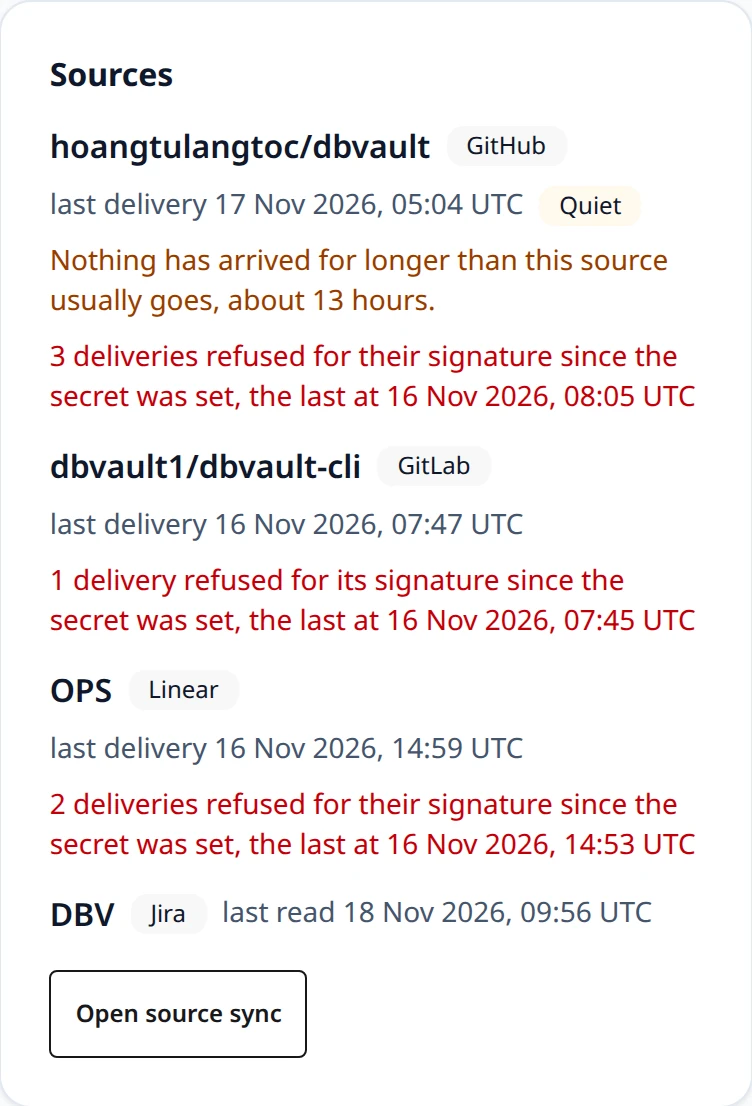
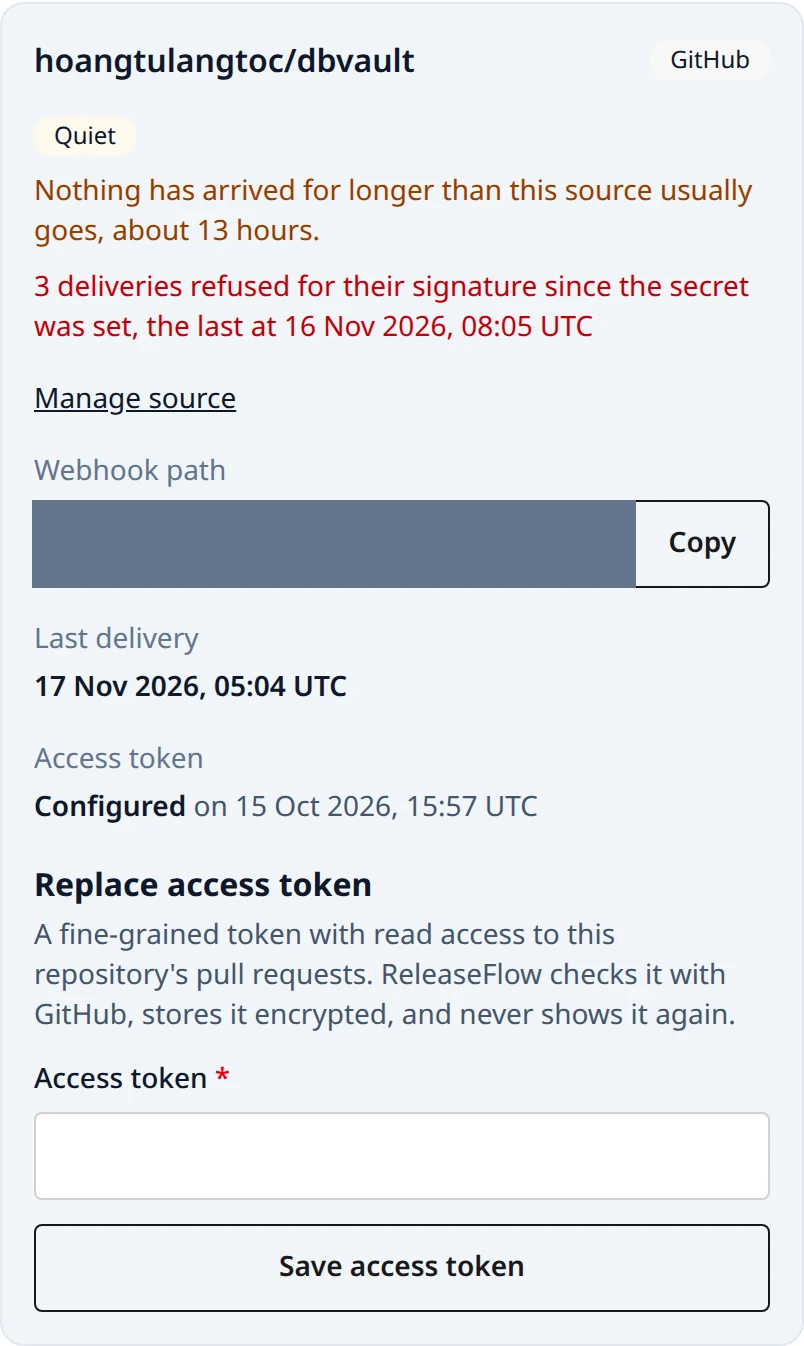
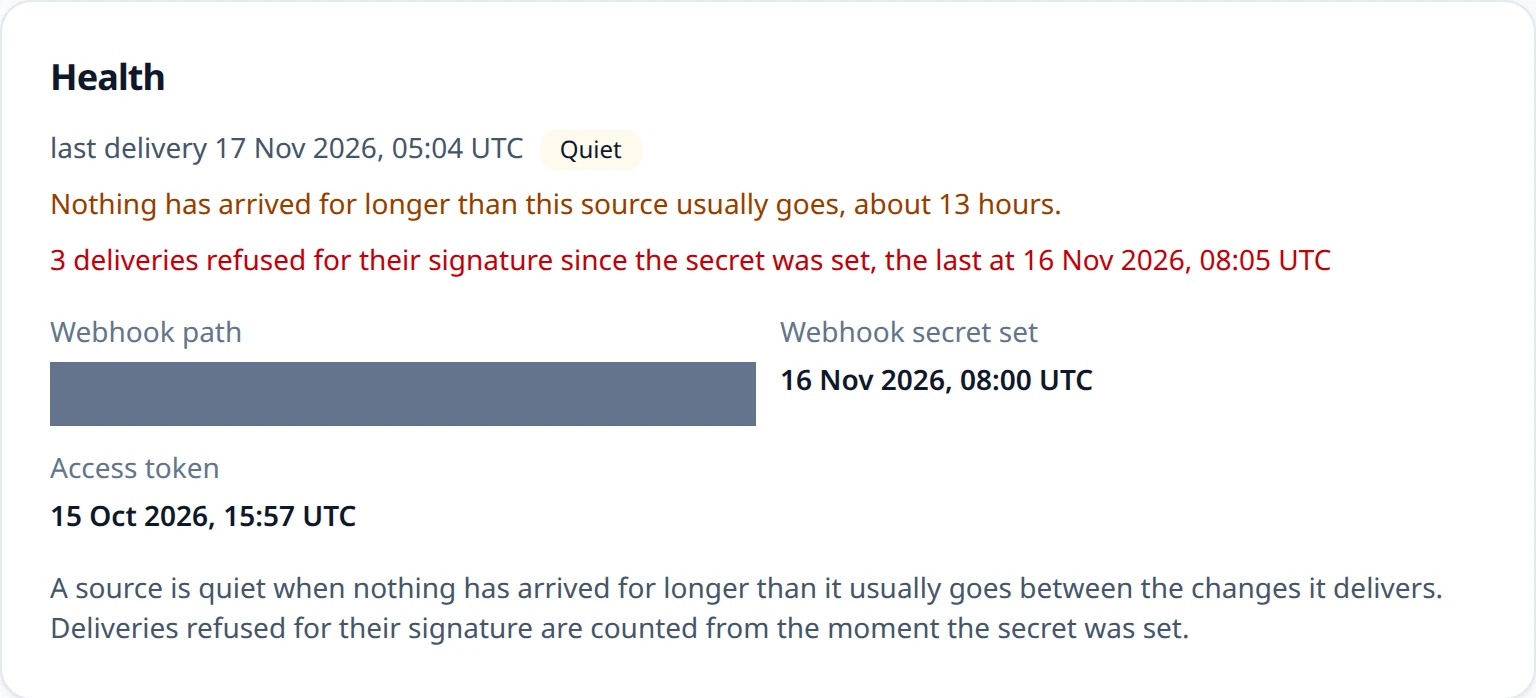
- Last delivery — the last delivery that proved itself and was accepted. A delivery refused for its repository, or one that could not be read, does not count.
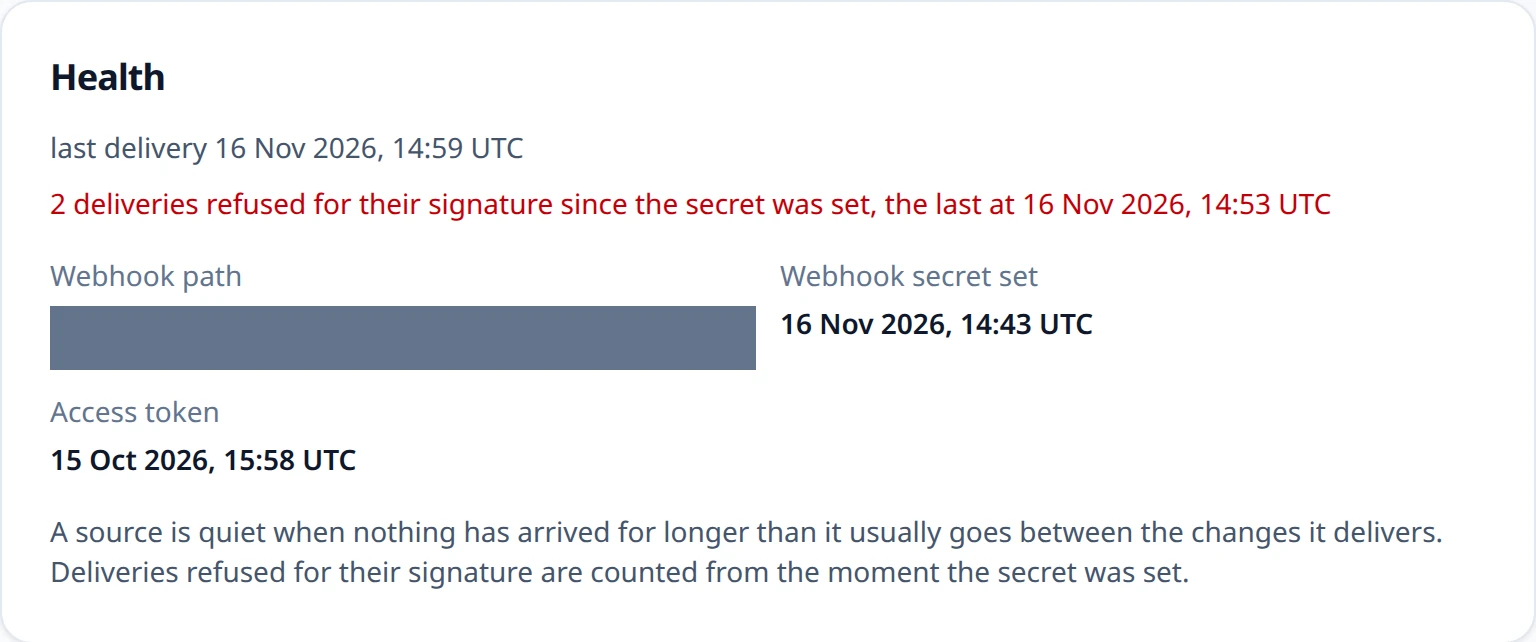
- Refused for their signature — how many deliveries to the source's path failed
their proof since the webhook secret was last set (
signatureFailureCount), and the time of the last one (lastSignatureFailureAt). A missing or wrong signature, a stale stamp, and another Linear workspace all count. Nothing else about a refused delivery is kept: not its body, its headers, the secret, or where it came from. The count starts again whenever the secret is set, so after a rotation it says how many deliveries the provider still signs with the old secret. - Quiet — a connected source that delivers is quiet when nothing has arrived for
longer than it usually goes. Its usual gap is the 90th percentile of the gaps between
the changes it was delivered by webhook in the last 90 days, never less than an hour
(
usualGapHours); a source with fewer than ten such gaps has no rhythm yet and is never flagged. Each source is measured against itself, so a rarely used source is not flagged for being rare, and a dead webhook address, which silences every source behind it at once, shows on the busy ones. Silence is all ReleaseFlow can see of a dead address: nothing arrives at all. - Overdue — a Jira source whose next read is more than one poll interval late. A poll that finds nothing is a success, so a Jira source is never quiet.
Beside its health, the REST view of a source carries connectionStatus, one of three:
connectionStatus | Means | On the pages |
|---|---|---|
ACTIVE | The source is connected, and its credentials worked the last time they were used, or have not been used yet | Nothing is marked |
ERROR | The source is connected, but a history import was refused its access token, or a Jira read failed; a new token, or the next Jira read that succeeds, puts it back to ACTIVE | Connection failing |
DISCONNECTED | The source was disconnected; health.disconnectedAt says when | Disconnected |
DISCONNECTED is read from the disconnection itself, never stored, so a
reconnect shows ACTIVE again.
Every page calls a source by its repository or project key, and a Linear source by its
team's key, such as OPS, which REST carries as externalTeamKey beside the team's ID in
externalProjectKey. A team whose key has not been read yet is called by its ID.
Health is evidence on a page. Nothing computes it on a schedule, nothing is sent
anywhere, and it never stops a source, a release, or a rule. ReleaseFlow has no inbound
rate limit, so counting is bounded instead: the first refused delivery on a source is
written at once and the rest are added up in memory and written about once a second, one
row update per source however many arrive. See Operations
for limiting /webhooks/** at the proxy.
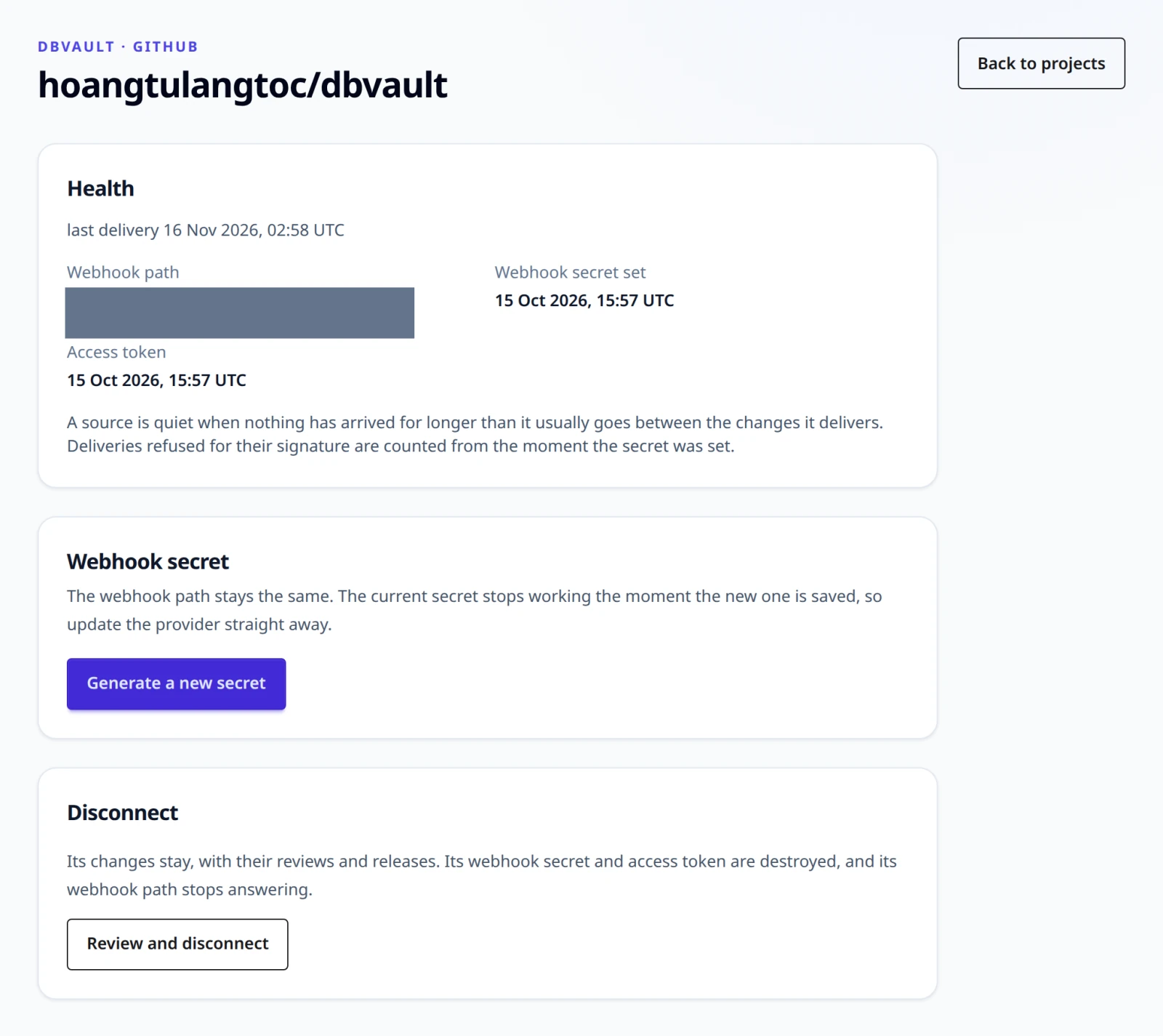
Rotate a webhook secret
A source's webhook secret can be replaced without changing its path, from Manage source or through REST. The old secret stops working the moment the new one is saved: a secret is rotated because someone else may know it, and while two secrets worked, whoever held the old one could still put a pull request of their choosing in the Change Inbox. So update the provider straight after, and send again whatever it refused in between; Linear, which makes its own secret and does not send a refused delivery again, is the exception described below.
POST /api/projects/{projectId}/sources/{sourceId}/webhook-secret                    (administrator; 200, shown once)
PUT  /api/projects/{projectId}/sources/{sourceId}/webhook-secret {"webhookSecret"}  (administrator; 204)
POST generates the secret, for GitHub and GitLab, and returns it once with the webhook
path, in a no-store response; for a GitLab source with signed headers it also returns
signingToken. PUT stores one the provider made — Linear's signing secret, or a
signing token GitLab generated for a signed source, which must be whsec_ followed by
Base64 (400 source_signing_token_invalid otherwise) — and never echoes it. A source
whose secret ReleaseFlow makes answers a PUT with 409 source_secret_generated, Linear
answers a POST with 409 source_secret_pasted, and Jira, which has no webhook, answers
both with 409 source_has_no_webhook. Rotating calls no provider.
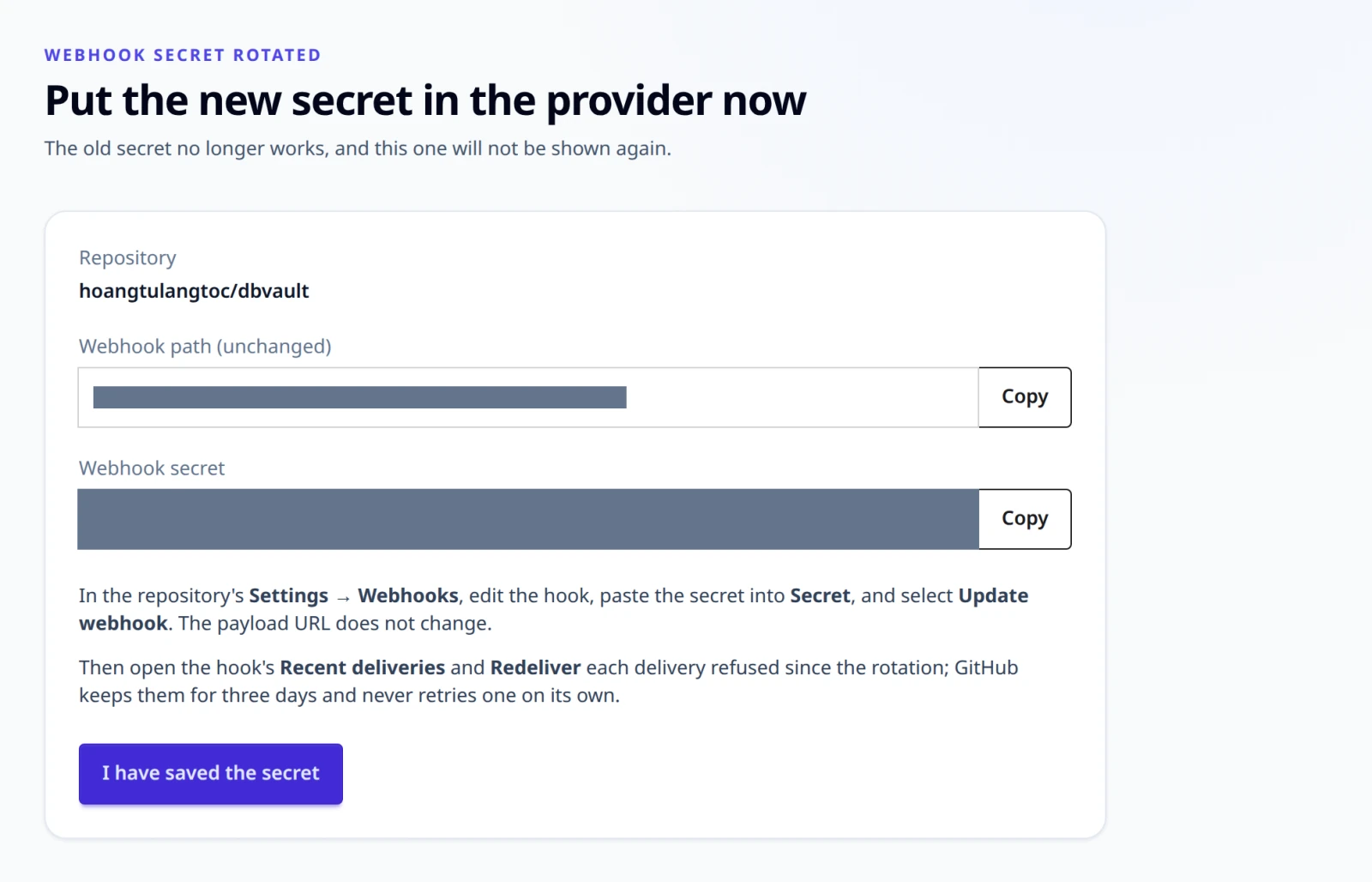
GitHub. In the repository's Settings → Webhooks, edit the hook, paste the new secret into Secret, and select Update webhook; the payload URL does not change. GitHub never sends a refused delivery again on its own: open the hook's Recent deliveries and Redeliver each one refused since the rotation, which GitHub allows for three days. A history import also reads the gap, and adds nothing twice.
GitLab, signed headers. Either send ReleaseFlow's token with GitLab's hooks API, the URL and the token together in one request, as the page shows it:
PUT https://gitlab.example.com/api/v4/projects/<project-id>/hooks/<hook-id>
PRIVATE-TOKEN: <a token that may edit the hook>
Content-Type: application/json

{"url": "https://releaseflow.example.com/webhooks/gitlab/<webhook-id>", "signing_token": "whsec_…"}
or select Generate signing token on the hook in GitLab and paste what GitLab shows once on the source's page. ReleaseFlow never sends the request itself: it holds no token that may edit a hook.
GitLab, secret token header. In the project's Settings → Webhooks, edit the hook,
paste the secret into Secret token, and save; through the hooks API, send url and
token in one request.
GitLab, either mode. GitLab clears a hook's secret token whenever its URL changes, a security fix of its own (gitlab-org/gitlab#382260; the warning in the form came with !139865). Its signing token behaved differently on the dbvault lab, where a URL-only edit through the hooks API left it in place, but do not lean on the difference: whenever you change the URL — a new tunnel address, say — enter the token again in the same save. A token cleared anyway can only be replaced by rotating again, because ReleaseFlow showed it once. Then open the hook's Recent events and Resend Request each event refused since; GitLab keeps them for two days. GitLab disables a hook that fails four times in a row, so if it did, enable it again.
Linear. Linear allows one webhook for a URL, and refuses a
second one for the same address as url not unique, so the webhook stays and its secret
is rotated in place. Linear makes the new secret, so here Linear goes first:
-
Rotate the webhook's signing secret in Linear. Its documentation describes no control for this under Settings → API → Webhooks; if the webhook's page offers none, send the
webhookRotateSecretmutation to Linear's GraphQL API, with an API key of a workspace administrator. The first request finds the webhook's ID, the second returns the new secret:graphqlquery { webhooks { nodes { id url } } }mutation { webhookRotateSecret(id: "<webhook-id>") { success secret } }Linear replaces the old secret at once: it keeps no second key.
-
Paste the new secret on the source's page, or send it with the
PUTabove, right away.
Between the two steps Linear signs with a secret ReleaseFlow does not have yet, so a delivery refused in that gap is not recorded. It is counted as a signature failure, and nothing sends it again (above), so the issue is recorded only if it is completed again. So rotate while nobody is changing the team's issues, and paste within the minute.
Disconnect a source
An administrator disconnects a source from Manage source → Review and disconnect, which first says what will happen, or through REST:
POST /api/projects/{projectId}/sources/{sourceId}/disconnect (administrator; 200)
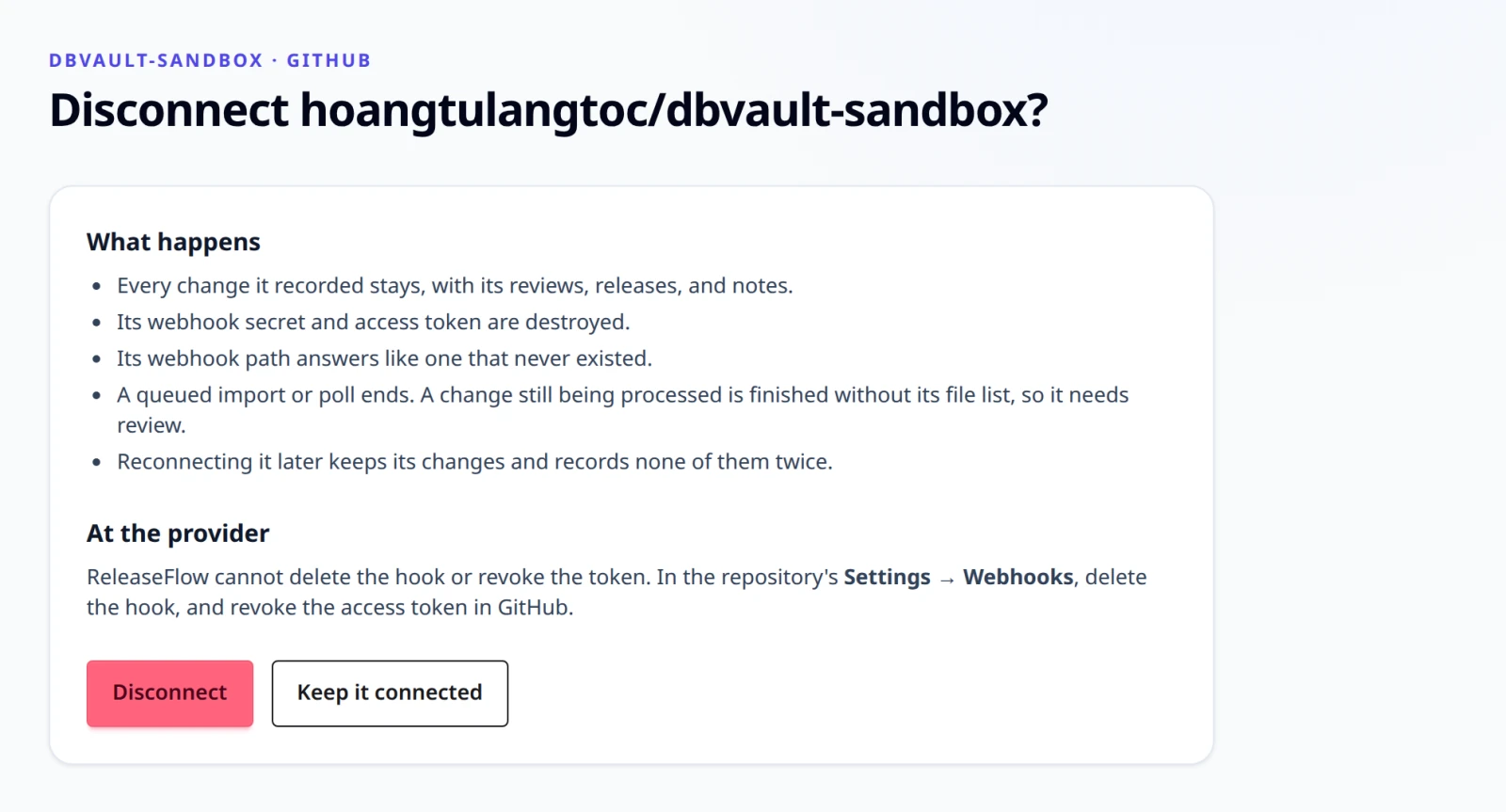
- Every change it recorded stays, with its reviews, releases, notes, and evidence, and the Change Inbox still lists it.
- Its webhook secret and access token are destroyed, and so are its webhook identity
and its schedule. Its webhook path then answers
401 webhook_signature_invalid, exactly like a path that never existed, and records nothing. - Its imports and polls stop. A queued import or poll ends as
source_disconnected; one already running stops before its next page. A change still being processed is finished as if the source had no token, so its files are unavailable and it needs review. - Nothing else borrows it. Linked issues, a note's compare and release links, the
overview's next step, and a GitHub Release action count only
connected sources. The confirmation page names the enabled rules whose GitHub Release
action would fail; they stay enabled, and their action fails as
github_source_disconnecteduntil the repository is reconnected.
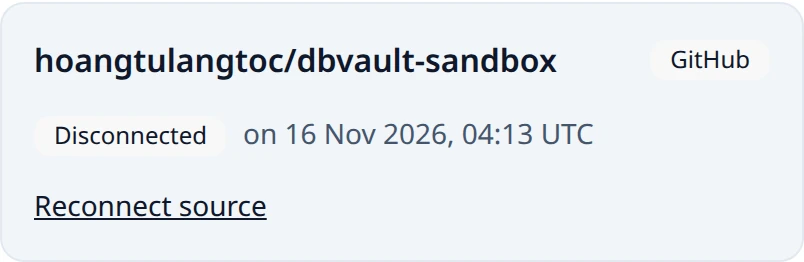
ReleaseFlow calls nothing at the provider. Delete the webhook there and revoke the token:
older copies of the encrypted values stay in the database's history and backups until
those expire, and they are useless without the master key, but the provider-side
revocation is what makes a leaked token harmless. Disconnecting a disconnected source,
setting its token or secret, or importing into it answers 409 source_disconnected.
Reconnect a source
A disconnected source comes back under its own ID, from Reconnect source on the
Projects page or through REST, so ReleaseFlow keeps recognising every change it recorded:
an import after the reconnect records only what is new, and a redelivered pull request is a
duplicate.
POST /api/projects/{projectId}/sources/{sourceId}/reconnect {"token"?, "webhookSecret"?, "accountEmail"?} (administrator; 200)
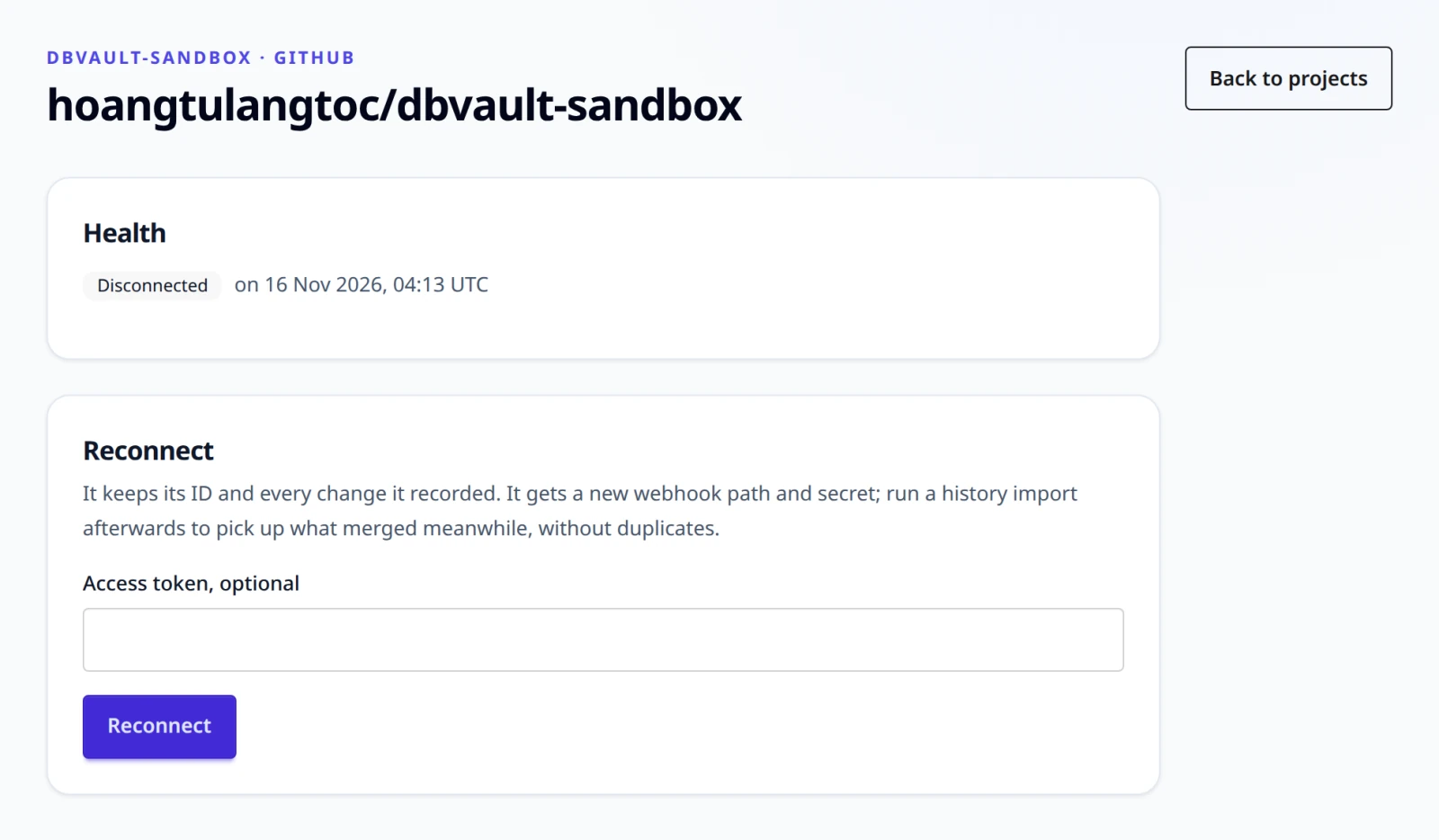
A reconnect never changes what the source is — its type, repository or project, instance, workspace, and Project stay — so it takes only what connecting that type takes besides:
| Type | Body | What comes back |
|---|---|---|
| GitHub | an optional token | A new webhook path and secret, shown once |
| GitLab | an optional token; for signed headers, optionally a webhookSecret GitLab generated | A new webhook path, and a secret shown once unless one was pasted |
| Linear | webhookSecret, the signing secret of the Linear webhook that will deliver to it (see below), and token | A new webhook path; the team must still be in the same workspace |
| Jira | accountEmail and token | Nothing secret; the next read is one interval later |

The new webhook path means a hook nobody updated stays dead, so point the provider's hook
at the new path with the new secret. A missing credential answers
400 source_credential_required with the field; a reconnect of a connected source answers
409 source_not_disconnected. A reconnected Jira source reads, at its first poll, what was
completed while it was disconnected, at most 90 days back; for GitHub and GitLab, run a
history import to pick up what merged meanwhile.
Linear. The reconnect asks for the webhook's signing secret before the new path exists, so it follows the three steps of a first connection, with a choice at the first:
- Either create a new webhook, disabled, at a holding address of ReleaseFlow's own, as
for a first connection; or keep the team's old webhook, if Linear still has it, and
rotate its secret first with
webhookRotateSecret, because a source is often disconnected for the very reason that its secret may be known. Both take Linear's API, unless the webhook's page offers the same. - Reconnect the source with that secret and an API key. ReleaseFlow shows the new path.
- Change the webhook's URL to your ReleaseFlow address followed by the new path, and
enable it, with
webhookUpdateas for a first connection. A kept webhook that Linear disabled while its old path refused it is enabled again by the same request.
Nothing is recorded until the third step, and an issue completed before it is recorded only if it is completed again: ReleaseFlow cannot import Linear's history.
Connecting the same key again in the same Project is refused with
409 source_reconnect_required, because a second source would be a second identity and its
import would record every change again. Once a source is disconnected, a different
Project may connect the same repository, as a new source with its own record; the first
Project keeps its changes, and cannot reconnect while the other holds it
(409 github_repository_already_connected and the like). A renamed or moved repository is
a new source too: ReleaseFlow cannot prove two names are one repository, so its import
records the old name's pull requests again, as new changes, for the possible-duplicate
check and exclusion to handle. A renamed GitHub repository
announces itself: its deliveries are refused as webhook_repository_mismatch, so the old
source turns quiet. See ADR-0042.
What ReleaseFlow asks each provider
Connecting a GitHub or GitLab source makes no call at all; the repository is not validated until a token is saved, and reconnecting one makes the same token check only when a token is given. Disconnecting a source, rotating its webhook secret, counting refused deliveries, and showing its health call no provider, and none of it sends anything to an AI provider or DeepL. After that, every call happens outside the webhook request, in a background worker, or when an administrator saves a token:
| Provider | Calls |
|---|---|
| GitHub | Confirms a token against the repository's pull requests; lists a merged pull request's changed files and, when the Project has a Jira or Linear source, up to 250 of its commit messages; reads closed pull requests for a history import; reads and creates releases for a GitHub Release action |
| GitLab | Confirms a token against the project; lists a merge request's diffs and, when the Project has a Jira or Linear source, its commit messages; reads merged merge requests for a history import |
| Linear | Confirms the API key and learns the team's workspace and key when the team is connected; confirms the key again, and that it still reaches the same workspace, when the team is reconnected; reads a completed issue back; reads the issues a code change mentions, and again when a release's review is requested |
| Jira | Confirms the project when it is connected, reconnected, or given a new token; searches for issues that moved into Done on every poll; reads the issues a code change mentions, and again when a release's review is requested |
Timeouts, API addresses, and polling intervals are listed in Configuration.