
Product

Every change reviewed before it is announced.

ReleaseFlow collects merged work from the tools your team already uses, classifies it with rules anyone can read, asks a person to decide, and publishes a note written for each audience.

  1. Collect

    Merged pull requests and finished issues from the tools your team already uses.

    GitHubGitLabLinearJira
  2. Classify

    Rules sort each change into a category and record which rule matched.

    Readable rulesOptional AI
  3. Review

    A person decides on every change before the release is approved.

    Change InboxRelease review
  4. Publish

    A note for each audience, frozen when the release is published.

    GitHub ReleasesSlackPublic changelog

Walkthrough

One release, from draft to the public changelog.​

Fifty seconds of a real release of a sample project: created, reviewed, approved, published, read without signing in, and posted to Slack.

Release v1.1.0 of the sample project dbvault. Captions in English and Vietnamese.

01 · Collect

Four sources, one list of changes.​

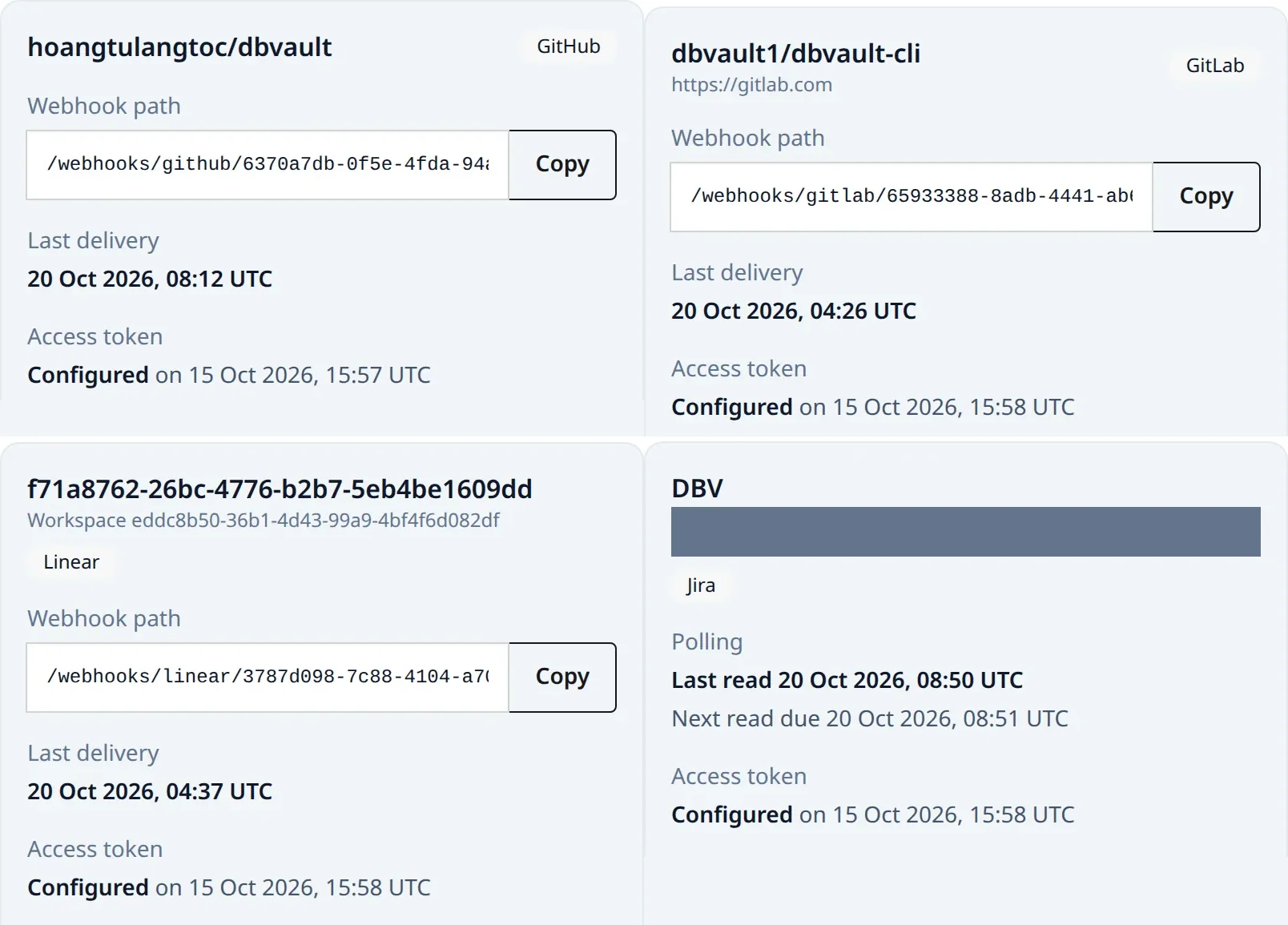
GitHub, GitLab, Linear and Jira each describe work their own way. ReleaseFlow records merged pull requests, merged merge requests and completed issues as one kind of change, so review never depends on where the work happened.

  • GitHub, GitLab and Linear deliver by webhook; Jira is polled on a schedule
  • Import the last 90 days of GitHub or GitLab history, without duplicates
  • Webhook secrets and access tokens are encrypted at rest
Connect your first source

Sources

GitHubpull requests
GitLabmerge requests
Linearissues
Jiraissues
Recorded changeExample
Title
Fix time zone offset in scheduled digests
Source
GitHub · pull request
Labels
bugdigests
Change Inboxready for classification and review
Four source cards: a GitHub repository, a GitLab project, and a Linear team with their last delivery, and a Jira project with its last and next read
The four sources of one Project of the sample workspace, as the Projects page shows them.

02 · Classify

Rules you can read. Results you can check.​

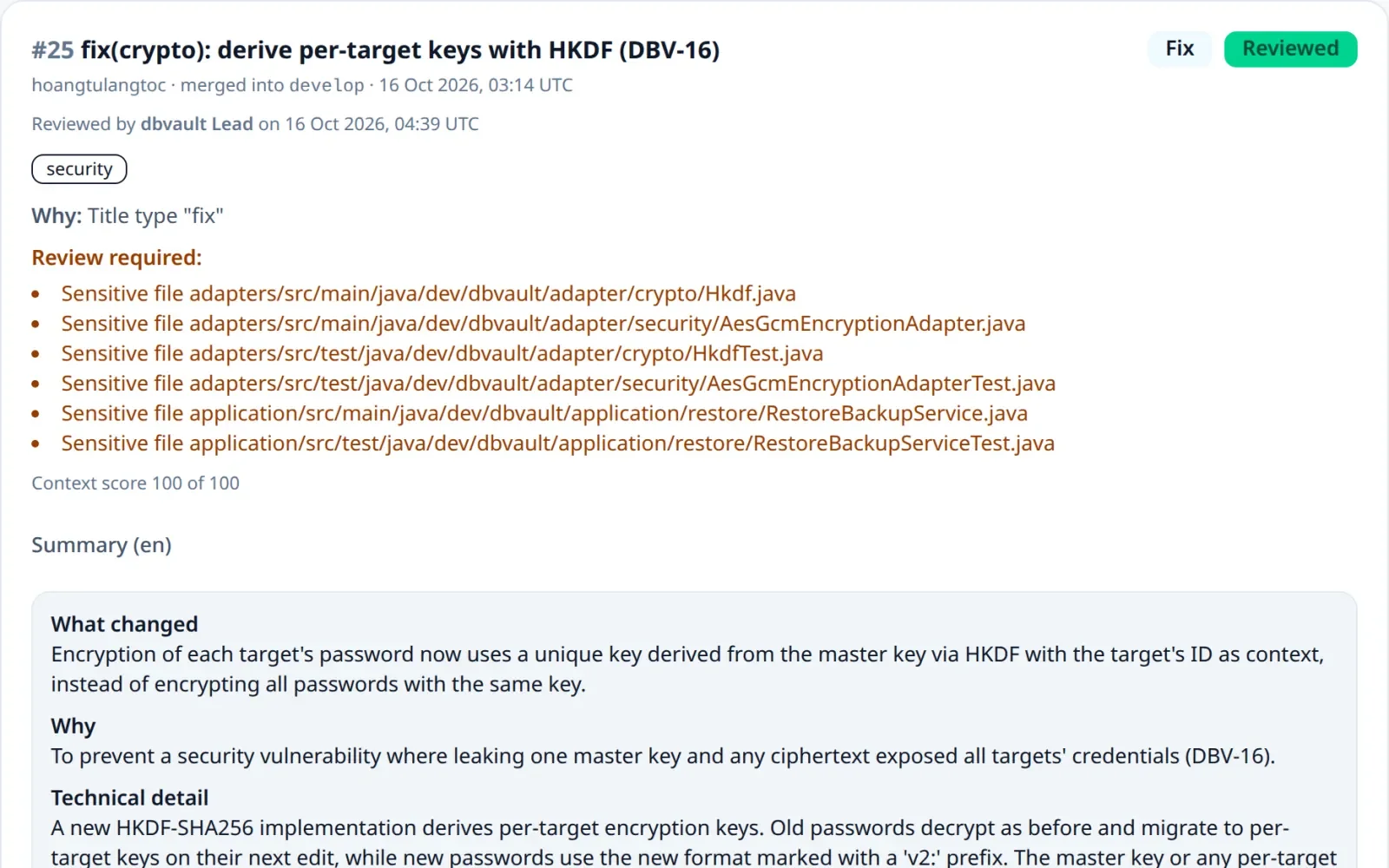
Classification starts with fixed rules: a Conventional Commit type in the title, a familiar label, or a change that only touches documentation. Each change keeps the rules that matched, so a reviewer can see why it landed where it did.

  • Breaking, Unknown and sensitive-file changes always need a person
  • Optional AI fills in what the rules leave open; the rules always win
  • A reviewer can correct the category or the breaking flag of any change
Read the classification rules
Example
ChangeFix time zone offset in scheduled digestsGitHub pull request · labels: bug, digests
Rule matchedLabel bug
assigns the categoryFix
Shown to the reviewer
Fixbecause the pull request has the label bug
A pull request classified as Fix because of its title type, waiting for review because it changed six sensitive files, with its AI summary below
A real change in the Change Inbox: why it is Fix, and which files sent it to review.

03 · Review

A person signs off on every release.​

Release review puts each decision in front of your team: approve a change as shown, correct its classification or summary, or reject it from the release. Then approve the release, check each audience’s note, and publish it.

  • Review triggers and evidence beside every change
  • A release is approved only when every change has a decision
How a release moves to publication
A release review: one change approved as shown, one reclassified as Security with a note, one rejected
Release review: decide on every change, then approve the release.

04 · Publish

One release, written for each audience.​

When a release is approved, ReleaseFlow writes one note per audience from that audience’s template. Publishing freezes them, and automation rules deliver each note where its readers already are.

Contributor

GitHub Releases

Implementation detail and code changes

Example note

fix(digests): schedule weekly digests in the workspace time zone instead of UTC

Operator

Slack

Operational risk, rollback, what to watch

Example note

Digests now follow each workspace’s time zone. Nothing to migrate; watch the first scheduled run.

End user

Public changelog

Plain language, what people notice

Example note

Scheduled digests now arrive at the time you chose, wherever your team works.
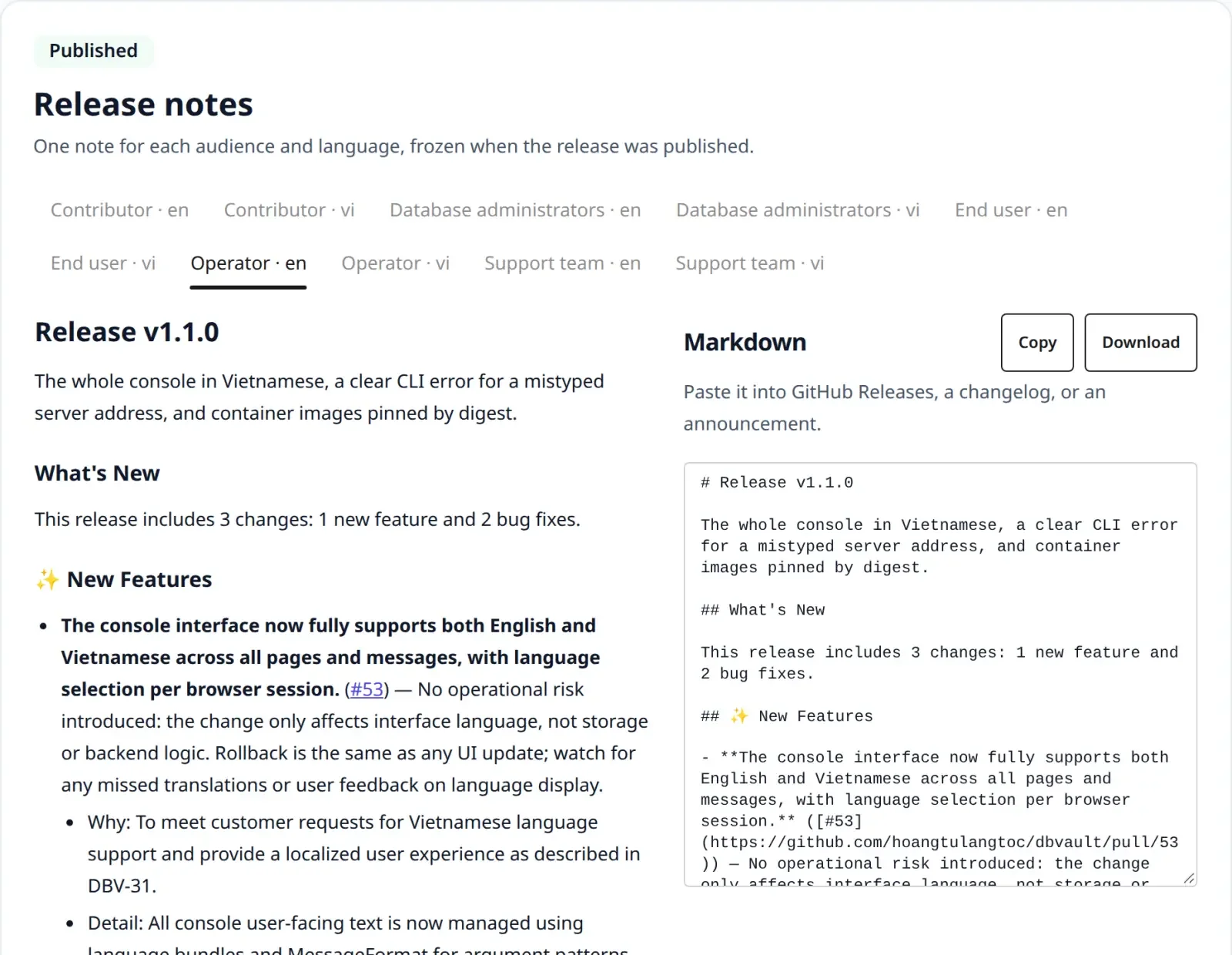
The published operator note of release v1.1.0, with a tab for every audience and language and the note as Markdown beside it
The real thing: the operator note of a published release of the sample project.

Published notes are frozen: nothing edits them afterwards, not even direct SQL.

Optional providers

Extras stay off until you turn them on.​

ReleaseFlow works without any third-party service. AI, translation, email and delivery run only when you configure them, and the secrets your rules store are encrypted in your own database.

How outbound traffic works
Optional

AI classification and summaries

OpenAI, Anthropic or DeepSeek suggest a category, a neutral summary and a narrative for each audience. The rules always win, and words a person wrote are never replaced.

Optional

Translation with DeepL

Translate each note into every language your Organization writes in. Publishing waits until every translation is ready.

Optional

Email

Send a published note to up to 100 addresses through your own SMTP server.

Optional

Delivery

Post published notes to GitHub Releases, Slack, Microsoft Teams, Notion, Confluence or a Zendesk help centre.

See it on your own changes.​

Start ReleaseFlow with Docker Compose, connect one repository, and review your next release before anyone reads it.