

Getting started
There are three ways to run ReleaseFlow. The quickstart runs a released version with nothing to build; from source and the demo stack run the checkout you are reading.
Quickstart
The quickest way to try a released version: the published image and PostgreSQL on one machine, with nothing to build and no repository to clone. Every release attaches the bundle, so this works from the first published release on; until then, use the demo stack or run from source. The Releases page shows whether one exists.
You need Docker Engine or Docker Desktop with Compose v2, and openssl, on Linux or
macOS. On Windows, run it inside WSL 2. The image is amd64 only, so Apple silicon runs it
under emulation; turn on Docker Desktop's Rosetta setting if it starts slowly.
mkdir releaseflow && cd releaseflow
base=https://github.com/hoangluongtran0309/ReleaseFlow/releases/latest/download
curl -fsSL --remote-name-all "$base/compose.yaml" "$base/quickstart.sh" "$base/SHA256SUMS"
sha256sum --check --ignore-missing SHA256SUMS   # macOS: shasum -a 256 --check --ignore-missing SHA256SUMS
bash quickstart.sh
Then open http://localhost:8080/register to create the first administrator. To use
another port, choose it on the first run: RELEASEFLOW_HTTP_PORT=18080 bash quickstart.sh.
What the script does:
- checks for Docker, a Compose v2 that can wait for a healthy service, and a reachable daemon, and stops with the fix if one is missing; it installs nothing, asks for no privilege, and asks no questions;
- on the first run, writes
.envbeside it with a new database password and credential master key, readable only by you, and prints neither; - starts the application and PostgreSQL and waits until the application is healthy. The
application listens on
127.0.0.1only, and the database is not published at all.
Keep .env. The database was created with its password, and its key encrypts every
stored webhook secret and access token. A later run keeps .env as it is, and ignores any
RELEASEFLOW_* or COMPOSE_* variable in your shell, so .env is the only configuration.
If the database exists but .env is gone, the script refuses to start rather than create
secrets that cannot open it: put the old file back, or delete the data with
docker volume rm releaseflow-quickstart-postgres-data.
To turn on AI classification, uncomment RELEASEFLOW_AI_PROVIDER and the chosen provider's
key and model in .env, then run bash quickstart.sh again. Translation and email use the
same variables as the demo stack, listed in .env.example and in
Configuration. In the same directory:
docker compose ps                # what is running
docker compose logs -f app       # the application's log
docker compose down              # stop; the data stays
docker compose down --volumes    # stop and delete the database for good
To upgrade, download the newer release's compose.yaml, quickstart.sh, and
SHA256SUMS into the same directory, keep .env, check them, and run the script again.
The database is migrated forward; do not go back to an older compose.yaml afterwards.
The bundle is for one machine, not production: TLS, backups, and secret storage are a real deployment's own to bring, and Deploying to production lists what that takes. See ADR-0031.
Run from source
You need JDK 21 (which ./mvnw finds through JAVA_HOME, or the javac on PATH) and
a dedicated PostgreSQL database. Maven and Node.js come with the build: the Maven Wrapper
downloads Maven, and the build downloads a pinned Node.js into node/ on first use.
export RELEASEFLOW_DB_URL=jdbc:postgresql://localhost:5432/releaseflow
export RELEASEFLOW_DB_USERNAME=releaseflow
export RELEASEFLOW_DB_PASSWORD='replace-with-a-local-secret'
export RELEASEFLOW_CREDENTIAL_MASTER_KEY="$(openssl rand -base64 32)"   # keep this value
./mvnw spring-boot:run
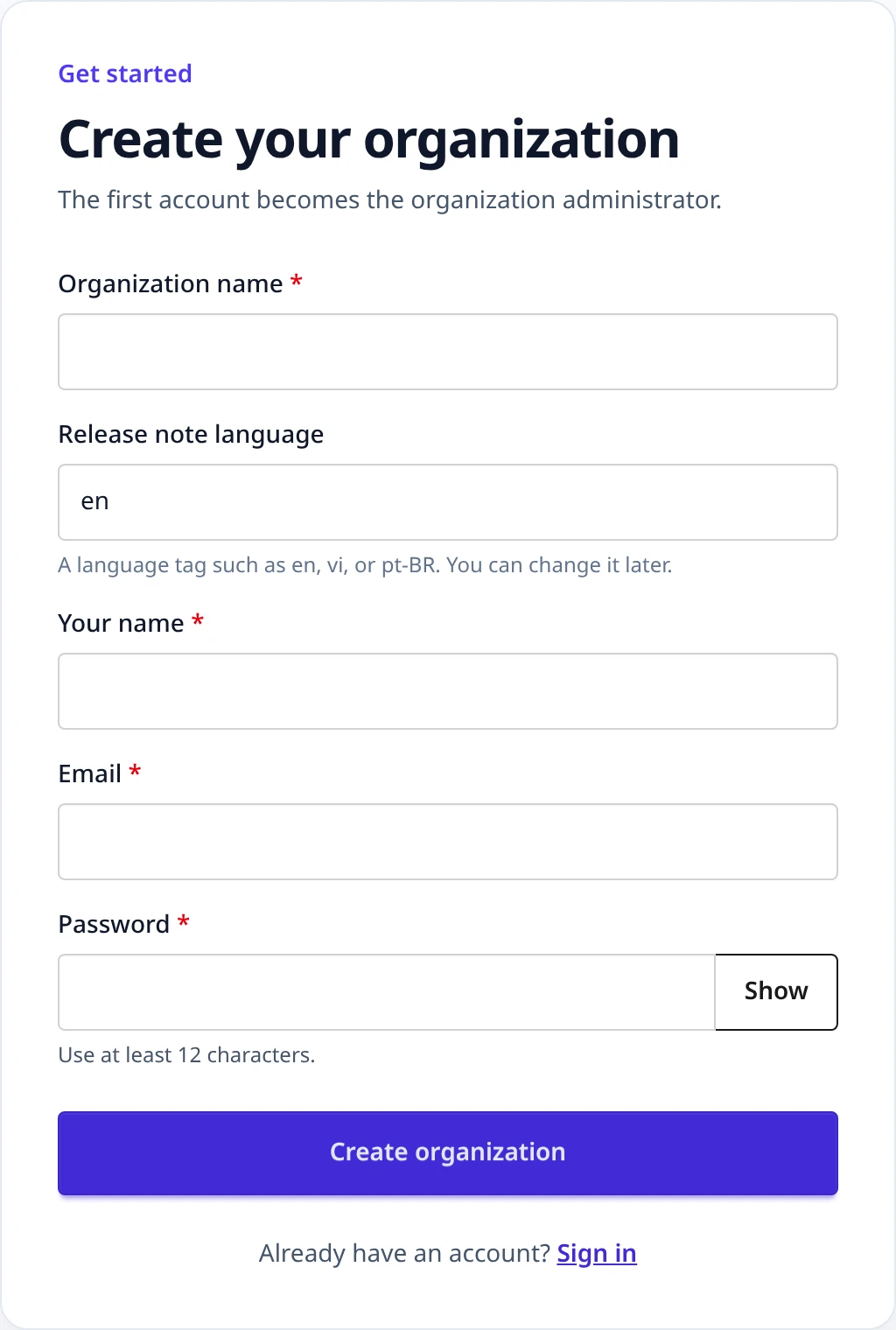
Open http://localhost:8080/register to create the first Organization and its
administrator. Flyway creates the schema on startup. Everything else — AI, translation,
email, provider timeouts, the public changelog address — is optional and listed in
Configuration.
Run the demo stack
docker-compose.demo.yml builds the image from this checkout and runs it with
PostgreSQL 17, Prometheus, and Grafana, for local evaluation only:
cp .env.example .env
# Replace every REPLACE_ME value. Generate the master key with:
#   openssl rand -base64 32
docker compose -f docker-compose.demo.yml up --build
The application is on http://127.0.0.1:8080, Grafana on http://127.0.0.1:3000, and
Prometheus on http://127.0.0.1:9090. See Operations.
Next steps
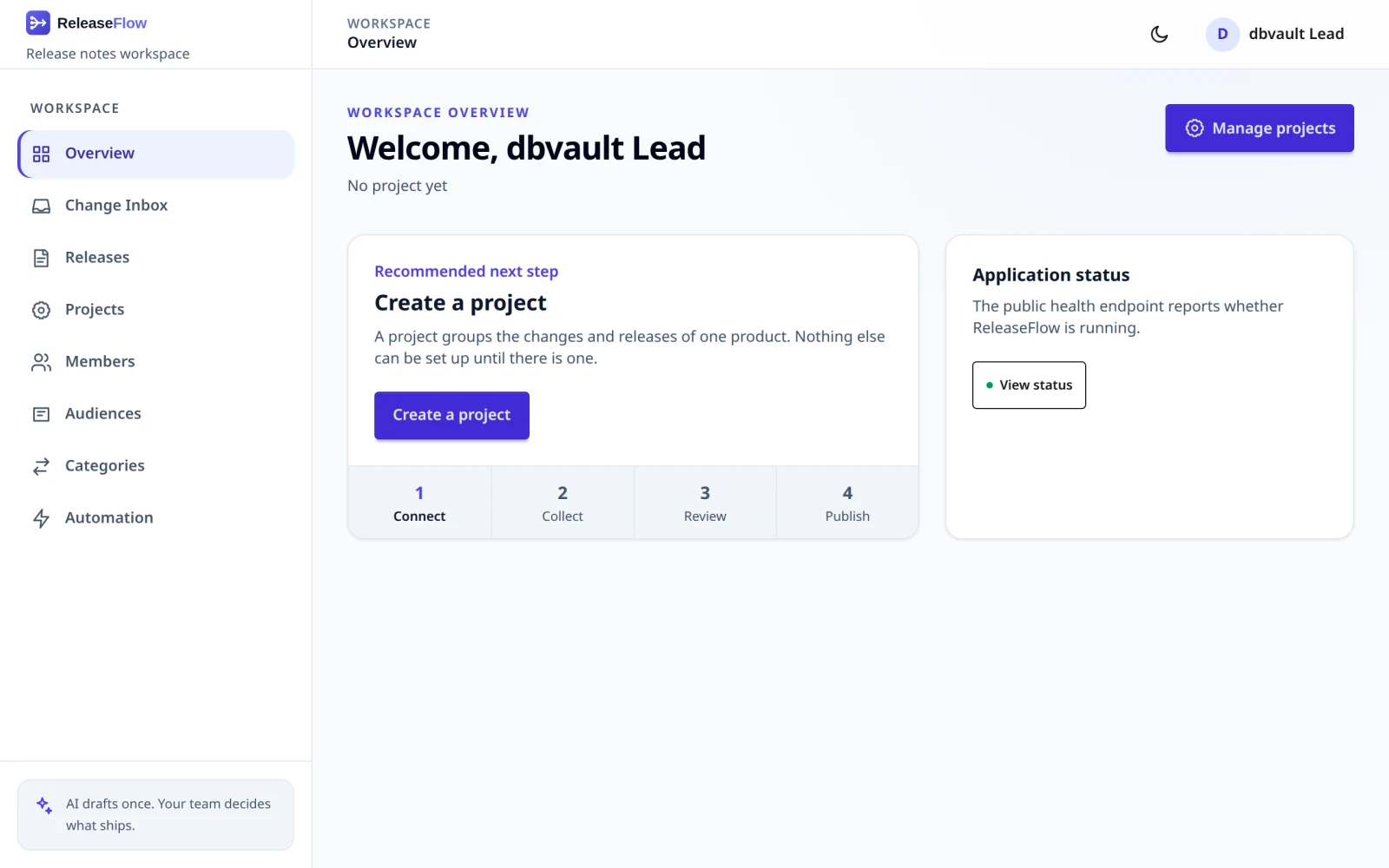
Once you are signed in as the first administrator:
- Invite the people who will review changes.
- Create a Project and connect a source, then add the webhook it shows to the repository, or let Jira be polled.
- Merge a pull request, or finish an issue, and watch it arrive in the Change Inbox.
- Collect changes into a release, review and approve it, and publish its notes.
- Add an automation rule to deliver the next one for you.
Troubleshooting
The application refuses to start rather than run half-configured, and says why in the
last Caused by: line of its log.
| What you see | What it means |
|---|---|
Could not resolve placeholder 'RELEASEFLOW_CREDENTIAL_MASTER_KEY' | The master key is not set. Generate one with openssl rand -base64 32 and keep it |
Credential master key must decode to exactly 32 bytes. | The key is not Base64 of 32 bytes; openssl rand -base64 32 makes one that is |
RELEASEFLOW_AI_PROVIDER=openai needs RELEASEFLOW_OPENAI_API_KEY and RELEASEFLOW_OPENAI_MODEL. | A provider is selected without its key or model. Set both, or unset the provider. See AI |
Every webhook answers 401 webhook_signature_invalid, and the log says Could not decrypt the webhook secret of source … | The application is running with a different master key from the one the secrets were stored with. Put the original key back. See Backups |
A REST call answers 403 access_denied right after signing in | Signing in replaced the CSRF token. Fetch a new one from GET /api/csrf. See Sessions and CSRF |
Behind an HTTPS proxy, signing in redirects to http:// | The application cannot see the proxy's headers. Set SERVER_FORWARD_HEADERS_STRATEGY=native. See Deploying to production |
| A provider's deliveries are refused | Each source's response table names the cause: GitHub, GitLab, Linear |