

Release notes
A release collects reviewed changes. When it is approved, ReleaseFlow writes one note for every audience in every release note language; when it is published, those notes are frozen.
Audiences
Every approved release gets one release note per audience. Administrators
manage audiences on the Audiences page or through /api/audiences. Each
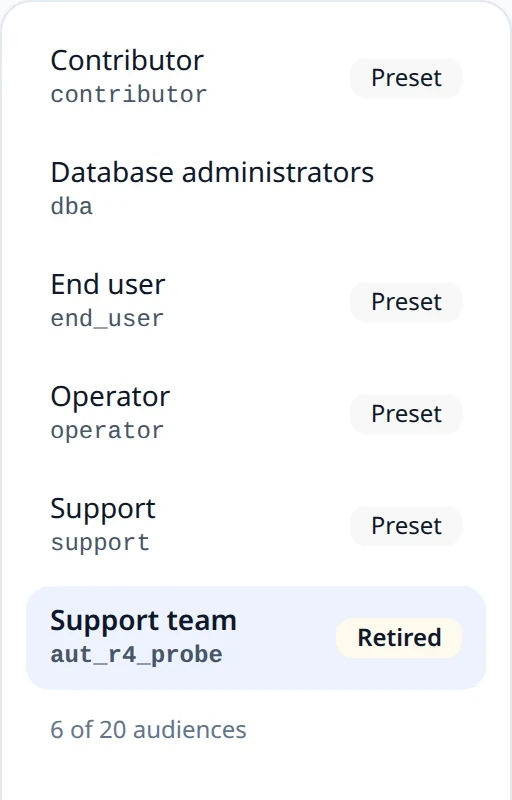
Organization starts with four presets, named in its output language
(English or Vietnamese):
| Code | Writes for | Template | Footer |
|---|---|---|---|
operator | operational risk, rollback, and how the product is deployed and run | the headline with the pull request link and narrative, then why, detail, limitations, and the migration step under its kind | the compare link and the upgrade guide |
contributor | implementation detail and code changes | as operator, with implementation instead of detail | as operator |
end_user | plain language, what people notice | the headline and the narrative, and a migration step only when it is required | none |
support | what customers may ask about, and what to tell them | the headline with the link and narrative, the migration step under its kind, and limitations | none |
An audience has a code (lowercase letters, digits, and underscores,
starting with a letter; fixed once created), a display name, a
communication intent that the AI follows when it writes the audience's
narrative, a template for each change, and a footer for the note. Each preset's intent ends by saying when a change is
none of its audience's concern: for end users, build, CI, dependency, test, and internal
changes they cannot see. The operator intent asks for something to watch after deploying
only when the change or the Project context names one. Templates are
Mustache and render one change as
Markdown with the variables whatChanged, whyChanged, technicalDetail,
migrationStep, migrationKind, limitations, narrative, headline, relevance,
brief, reference, pullRequestNumber, pullRequestUrl, and linkedIssues — a list whose items have key, title, type, status,
recordedStatus, statusAtReview, and url, escaped like any other tracker text
(Linked issues). status is the issue's status as of the
release's review, or the one recorded with the change when the issue could not be read
again; recordedStatus is the one recorded with the change, and statusAtReview the one
read at review, empty when it was not read. A status that is not finished, or that
ReleaseFlow cannot tell is finished, is empty in all three unless a person chose to show
it (see Linked issues at review), so print it inside a section:
{{#status}} ({{status}}){{/status}}. migrationKind is required,
conditional, recommended, or unspecified for a step recorded before kinds
existed, and is empty without a step (see
AI classification). Since Mustache cannot
compare values, the sections migrationRequired, migrationConditional,
migrationRecommended, and migrationUnspecified are each true for one kind.
headline is the audience's one-line headline, or whatChanged when it has none, so it
always has a value; relevance is brief or full, and the section brief is true for
a brief change (see What each audience reads). The
summary values, headline, and narrative keep their Markdown, but any raw HTML in them is escaped, so a placeholder
such as <id> shows as written wherever the note is read. reference is how the change's source
names it: #12 for a GitHub pull request, !12 for a GitLab merge request, and the
issue key, such as APP-12 or ENG-12, for Jira and Linear; pullRequestNumber is
the bare number whatever the source. A section such as
{{#narrative}} — {{.}}{{/narrative}} disappears when the value is empty. Preview renders a sample change. A template is checked when
it is saved: it must compile, use only these variables, and use {{narrative}}
rather than naming another audience.
The shipped templates lead with **{{headline}}**, and the detailed ones link a change
as [{{reference}}]({{pullRequestUrl}}). The operator, contributor, and support
templates print a change's limitations on a line of their own, Limitations
(Giới hạn), so what a change does not do yet is not lost in its detail; the end-user
template does not print them. They label a migration step by its kind:
Required step, If it applies to you, Recommended step, or the neutral
Migration for an unspecified one, so a step nobody called required is never
presented as one. Their detail lines sit inside {{^brief}}, so a brief change keeps its
headline, its narrative, and a required step, which is printed whatever the relevance.
Audiences created before these templates keep their own until a preset is reset, and an
Organization created before the support preset can add an audience coded support and
reset it to the preset.
What each audience reads
For each audience, the AI says how much a change concerns it: none (this reader would
neither notice nor need it), brief (its headline is enough), or full. It also writes a
headline, one line of at most 20 words, beside the narrative. A headline that is
longer, runs over several lines, or remarks on missing evidence is dropped, and so is any
sentence of a narrative that remarks on it ("not provided", "not specified"). An unknown
relevance reads as full.
A note leaves out a change that is none for its audience, unless the change is
breaking: a breaking change is in every note, and none on it reads as brief. A change
with no narrative for the audience (no AI, a failure, or an audience added later) is
included in full.
A security change is listed under 🔒 Security, after the breaking changes,
whatever its category: a security fix is still a Fix everywhere else. A change that is
both breaking and security is listed once, under breaking changes, and starts with
🔒 Security: whatever the audience's template prints. A security change is in the
operator, contributor, and support notes even when it is none for them, and then reads
as brief; for an end-user or a custom audience it follows its relevance like any other
change, unless it is also breaking. See
ADR-0037.
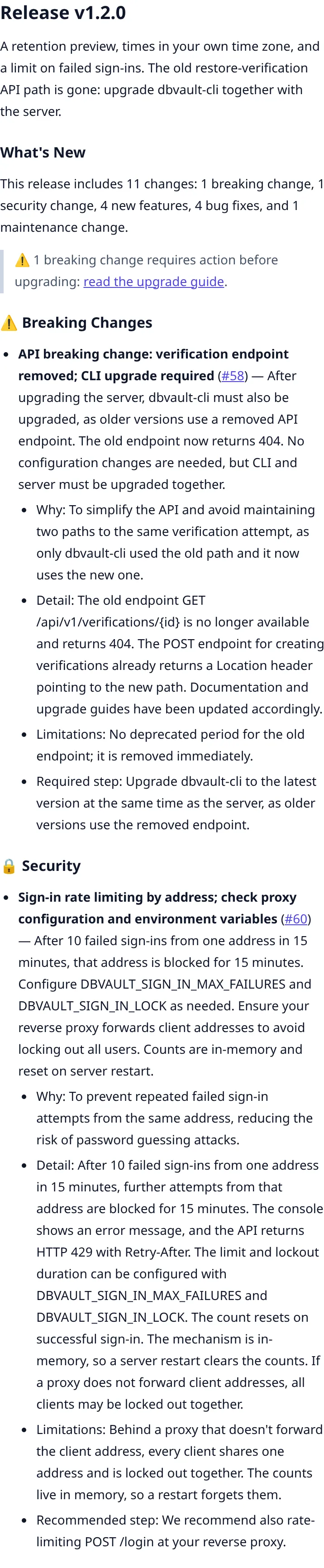
The counts and the breaking-change warning describe what the note shows, and every
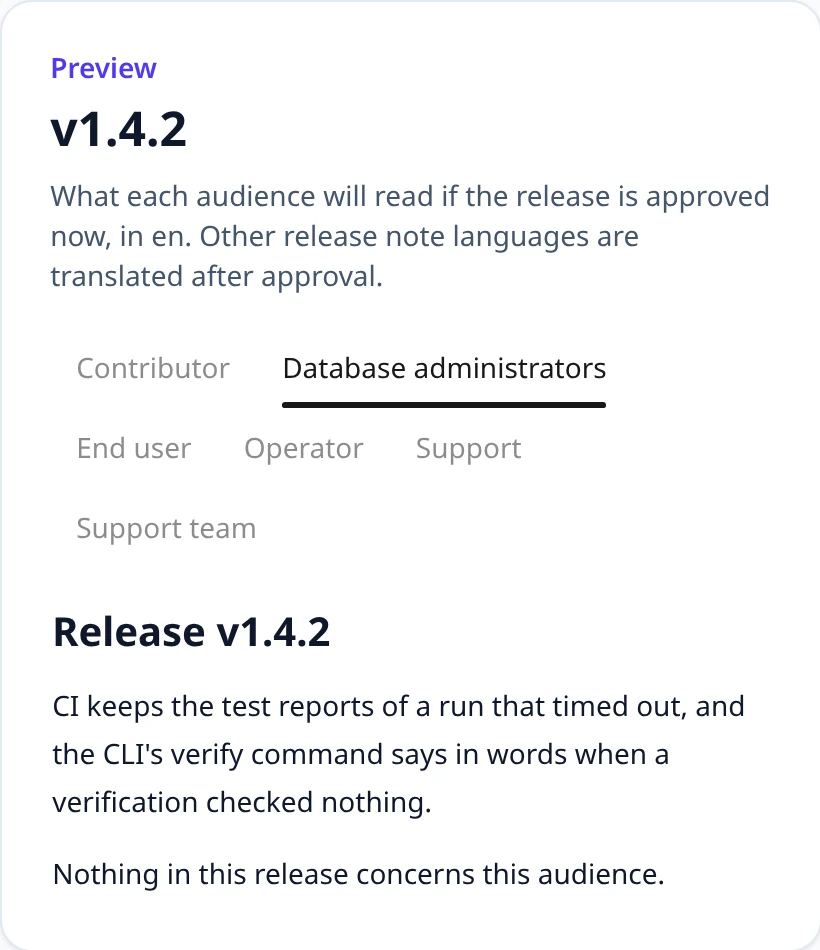
change counts once, in the section it is listed in. An audience that nothing in the release concerns still gets its note: the title,
the release summary, and one line saying that nothing in the release concerns it.
Approval still writes one note per audience and language, and publication still needs
every note. An automation action does not deliver such a note: it is
skipped with nothing_for_audience, unless a person edited the note,
which is then delivered as written. See
ADR-0035.
Footer
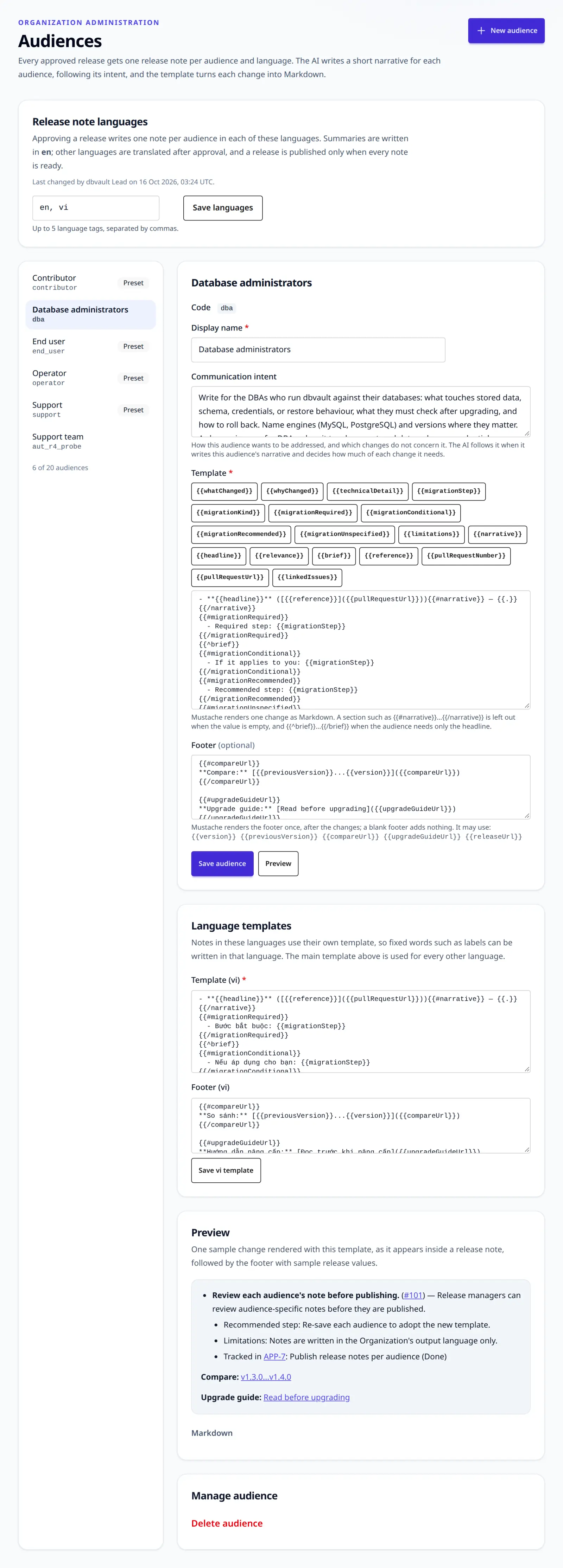
An audience's footer is a Mustache template rendered once, after the last section of the note (or after the line saying nothing concerns the audience), from the release's own values rather than a change's:
| Variable | Value |
|---|---|
version | the release's version |
previousVersion | the version of the previous release, or empty |
compareUrl | the code host's comparison of the previous version with this one, or empty |
upgradeGuideUrl | the release's upgrade guide, or empty |
releaseUrl | the code host's page for this version, or empty |
An empty value is false, so a line inside {{#compareUrl}}…{{/compareUrl}} disappears
when the release has no comparison, and {{^previousVersion}}…{{/previousVersion}}
shows only for a first release. Inside a section, {{.}} is the section's own value and
every other footer variable still has its value. A footer uses only these five
variables; a change's variables, such as whatChanged, are not in it, and the footer's
are not in an item template. A blank footer adds nothing. A footer is checked when it is
saved, like a template, and Preview renders the sample change followed by a sample
footer.
compareUrl and releaseUrl come from the Project's one code host, from the
coordinates it was connected with; ReleaseFlow never asks the provider, so rendering a
footer never calls the network, and a link can name a tag that does not exist yet.
| Source | compareUrl | releaseUrl |
|---|---|---|
| GitHub | https://github.com/{owner}/{repository}/compare/{previousVersion}...{version} | https://github.com/{owner}/{repository}/releases/tag/{version} |
| GitLab | {GitLab URL}/{project path}/-/compare/{previousVersion}...{version} | {GitLab URL}/{project path}/-/releases/{version} |
A Project with no GitHub or GitLab source, or with more than one, gets neither link;
Linear and Jira sources do not count. compareUrl is empty without a previous release.
Each release's version is used, exactly as written, as its tag name: ReleaseFlow does not
add or remove a v, and there is no tag-prefix setting. When a Project's tags are not
its versions (v1.2.0 tags for 1.2.0 versions, or a server/ prefix), write the
links in the footer by hand instead of using these two variables.
The operator and contributor footers show two lines, each only when it has its link:
Compare (So sánh) links previousVersion...version to the comparison, and
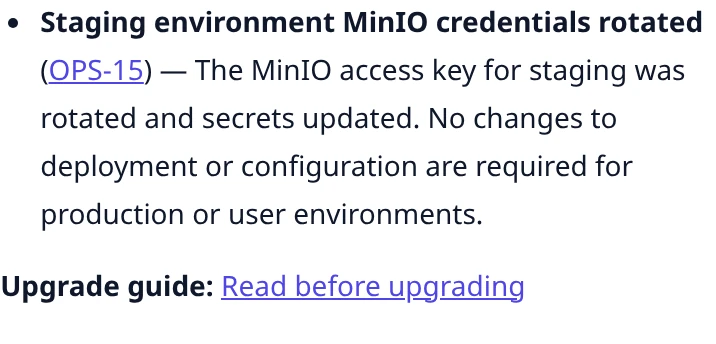
Upgrade guide (Hướng dẫn nâng cấp) links Read before upgrading to the guide.
Neither links releaseUrl: a published note is often the GitHub release itself, where an
install link would point to the page it is on. A note keeps the footer it was approved
with, like its template.
Upgrading custom audience templates
Audiences created before 1.1.0 keep their own templates; nothing rewrites them. The
shipped operator and contributor audiences received the new footer in each of their
languages, since they had none, and the end-user and support audiences keep a blank one.
A custom audience, such as a DBA audience, starts with a blank footer. To give one the
limitations line and the footer, add this line inside its item template, where its other
detail lines are (inside {{^brief}} if it has one):
{{#limitations}}
  - Limitations: {{.}}
{{/limitations}}
and write its footer, on the Audiences page or through footerTemplateBody:
{{#compareUrl}}
**Compare:** [{{previousVersion}}...{{version}}]({{compareUrl}})
{{/compareUrl}}

{{#upgradeGuideUrl}}
**Upgrade guide:** [Read before upgrading]({{upgradeGuideUrl}})
{{/upgradeGuideUrl}}
For a Vietnamese template, the labels are Giới hạn, So sánh, Hướng dẫn nâng cấp,
and Đọc trước khi nâng cấp. A release note language other than the main one has its own
template and footer under Language templates. Reset to preset gives a shipped
audience its shipped footer in every language.
Since 1.2.0, a linked issue's {{status}} is its status as of the release's review, and
it is empty for an issue that is still open unless a person chose to show it. A template
that prints ({{status}}) bare then prints (). Wrap it in a section so that an empty
status prints nothing. A DBA audience's line, before:
- Tracked in [{{key}}]({{url}}): {{title}} ({{status}})
and after:
- Tracked in [{{key}}]({{url}}): {{title}}{{#status}} ({{status}}){{/status}}
Do the same in each language template (Theo dõi tại in Vietnamese). The shipped
audiences print no linked issue, so none of them changes.
An Organization keeps between 1 and 20 audiences. An audience cannot be deleted
while something still names it: a release note, an automation rule's action, or an
automation run's history. A rule that is enabled or disabled can be pointed at another
audience first. An archived rule cannot be changed, and run history keeps the
audience it delivered to, so either keeps the audience for good; a refusal says
which of these holds it. A preset can be reset to its shipped version in the current
output language, and so can an audience your team added under a shipped code (operator,
contributor, end_user, or support), which becomes a preset from then on. See ADR-0011.
Retiring an audience
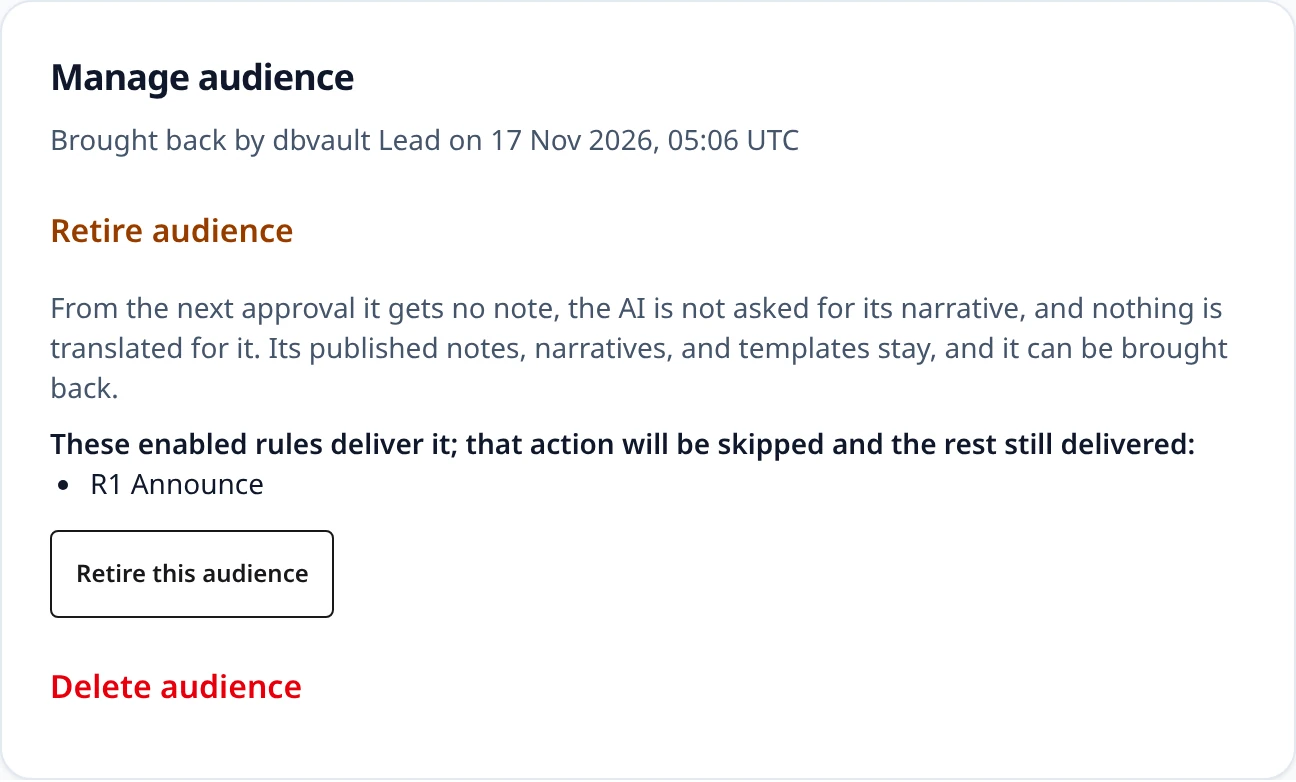
An audience nobody writes for any more can be retired instead of deleted, which works even while notes, rules, or runs name it. Open it on the Audiences page and choose Retire audience; the list then marks it Retired and says who retired it and when. From the next approval a retired audience gets no note, the AI is not asked for its narrative, and nothing is translated for it. Everything it already has stays: its templates, its footer, the narratives its changes carry, and every note written for it, which still opens and downloads. A release approved before the retirement keeps its note for the audience until it is approved again. The retirement confirmation lists the enabled automation rules that deliver the audience: their action for it is skipped rather than failed, and enabling a rule that delivers a retired audience is refused.
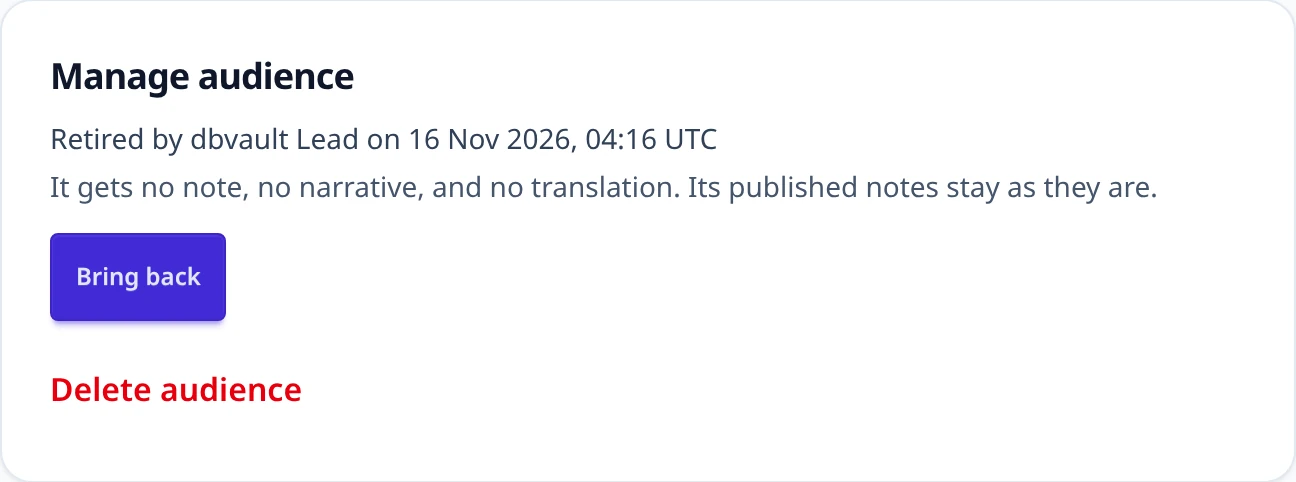
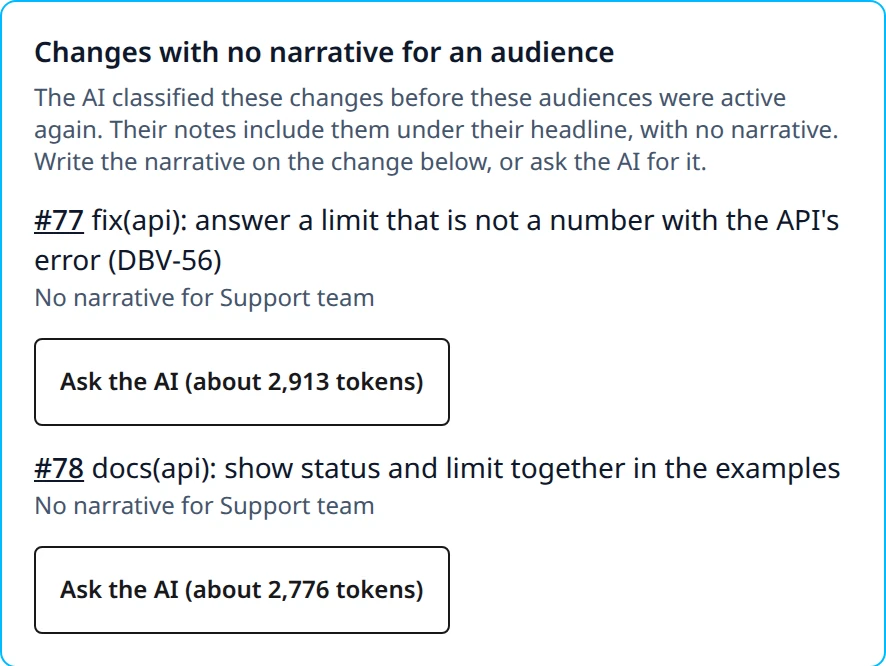
Bring back makes it active again, and the page says who brought it back and when. A
change the AI classified while the audience was retired has no narrative for it; its note
still includes the change under the neutral headline (whatChanged), with no narrative,
and never leaves it out. The release's Review tab lists those changes under
Changes with no narrative for an audience, so a person writes the narrative with
Edit summary, or asks the AI for only the missing narratives. The button shows the
request's rough size in tokens, worked out from its text without sending anything; the
answer adds those narratives and changes nothing else about the change. Through the API, a
release in review or approved lists them as missingNarratives (changeId, reference,
title, audienceNames, estimatedTokens), and any member asks the AI with
POST /api/projects/{projectId}/changes/{changeId}/missing-narratives, which answers the
change. A change the AI did not classify is refused with 409 change_not_eligible_for_ai;
without AI the answer is 503 ai_classification_unavailable, and a failed request
502 ai_classification_failed, which records nothing.
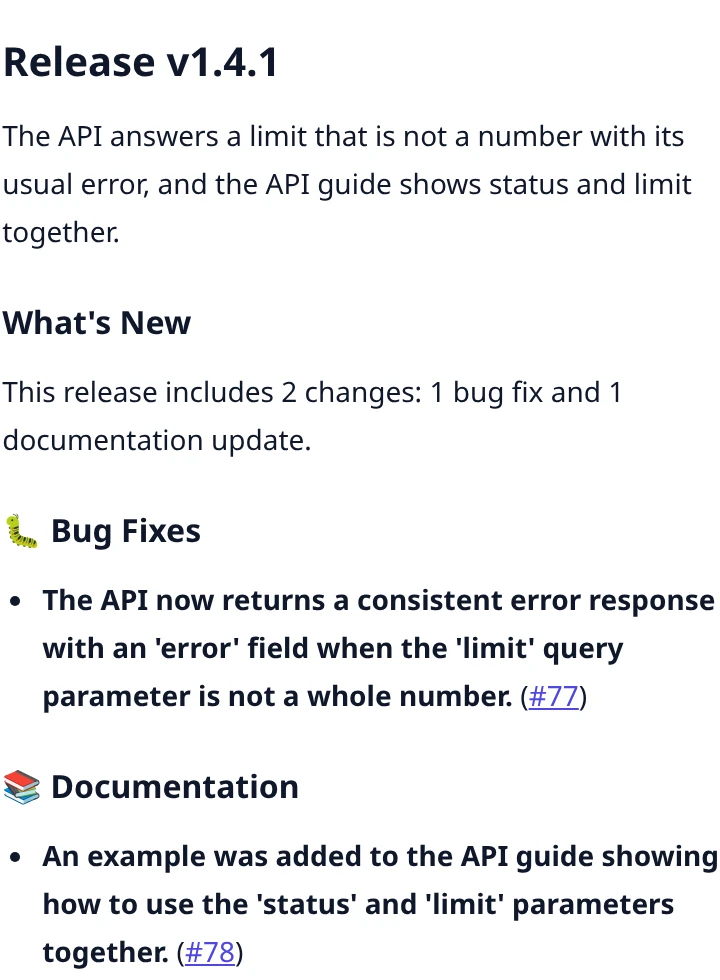
An Organization always keeps at least one active audience: retiring the last one is refused, and so is deleting the last active one. Every retirement and return is recorded with the administrator's name at the time. See ADR-0044.
Every audience endpoint is for administrators only:
GET    /api/audiences
POST   /api/audiences                          {"code", "displayName", "communicationIntent", "templateBody", "footerTemplateBody"}
GET    /api/audiences/{audienceId}
PUT    /api/audiences/{audienceId}             {"displayName", "communicationIntent", "templateBody", "footerTemplateBody"}
PUT    /api/audiences/{audienceId}/templates/{language}   {"templateBody", "footerTemplateBody"}
DELETE /api/audiences/{audienceId}
POST   /api/audiences/{audienceId}/retire
POST   /api/audiences/{audienceId}/restore
POST   /api/audiences/{audienceId}/reset-to-preset
POST   /api/audiences/preview                  {"templateBody", "footerTemplateBody"} -> {"markdown", "html"}
An audience returns footerTemplateBody beside templateBody, and
footerTemplateVariants beside templateVariants, each keyed by language. A request that
leaves footerTemplateBody out keeps the footer the audience or language has, and a new
audience then has none, so callers written before footers keep working. An audience also
returns retiredAt and retirerName, both null while it is active.
| Situation | Response |
|---|---|
| A member, not an administrator | 403 |
A missing field, or a code that is not [a-z][a-z0-9_]* | 400 validation_failed |
| A template or footer that does not compile or uses an unknown variable | 400 template_invalid |
A template naming narratives.<code> | 400 template_narratives_path |
| The code is already used | 409 audience_code_taken |
| The Organization already has 20 audiences | 409 audience_limit |
| Deleting the last active audience | 409 audience_last |
| Retiring the last active audience | 409 audience_last_active |
| Retiring an audience that is retired, or bringing back one that is not | 409 audience_already_retired, 409 audience_not_retired |
| Deleting an audience that has release notes, that an automation rule's action delivers to (enabled, disabled, or archived), or that a run's history names | 409 audience_in_use; detail says which |
| Resetting an audience whose code no shipped audience has | 409 audience_not_preset |
| A language template for a language that is not a release note language | 400 template_language_not_targeted |
| An unknown or foreign audience | 404 audience_not_found |
Release note languages
By default every note is written in the Organization's output language. An
administrator can choose up to five release note languages at the top of
the Audiences page, or with PUT /api/organization/release-languages and
{"targetLanguages": ["en", "vi"]}; every member can read them with GET.
Tags are canonicalized and repeats dropped; an empty list, more than five, or
an invalid tag returns 400 invalid_release_languages. Approving a release
then writes one note per audience and language, so four audiences in English
and Vietnamese make eight notes.
Each audience has its own template for every release note language that the
output language does not cover, created when the language or the audience is
added: a shipped audience starts from its shipped template in that language,
with translated labels, and any other audience from a copy of its main
template. Edit them under Language templates on the audience's page or
with PUT /api/audiences/{audienceId}/templates/{language}. Resetting a shipped
audience resets these templates too.
A change's summary, headlines, and narratives are written in the language the AI (or a person) used; a relevance is not text and is never translated. For a note in another language they are translated with DeepL after approval, never inside it:
export RELEASEFLOW_TRANSLATION_PROVIDER=deepl   # the default is disabled
export RELEASEFLOW_DEEPL_API_KEY=...            # a key ending in :fx uses the free API
# RELEASEFLOW_DEEPL_BASE_URL overrides the host chosen from the key.
Translations are queued per change and language, and a background worker sends them to DeepL in batches. A translated text is cached for the Organization, so the same text is never sent twice, and an unchanged summary is never translated again, even when a release returns to draft and is approved again. A rate limit, a server error, or a network failure is retried up to five times with growing delays; any other failure is final. A pull request title used in place of a missing summary is not translated.
DeepL also receives the Project's context as its
context, which guides the translation and is neither translated nor billed. It is
part of what a translation is cached by: editing it translates again at the next
approval, and an unchanged context still never sends the same text twice.
The release's own summary, the line under the note's heading, is translated the same way. A person writes it, in the Organization's output language, so a note in that language prints it as written and a note in any other language waits for its translation like a change's content. The translation never replaces what was typed: the release keeps its summary, and only the note in the other language reads the translated text. A release with no summary has nothing to translate.
Until its translations are in, a note shows the untranslated text and is
Translating; the release page updates by itself when they arrive. A note
whose translation failed, or that needs translation while the provider is
disabled, is Not translated. Retry translations starts the failed ones
over, and editing such a note by hand makes it ready. A release is published only
when every note is ready: otherwise publishing returns
409 translations_not_ready, and the database refuses it as well. Editing a
summary after approval translates the new text. See
ADR-0015.
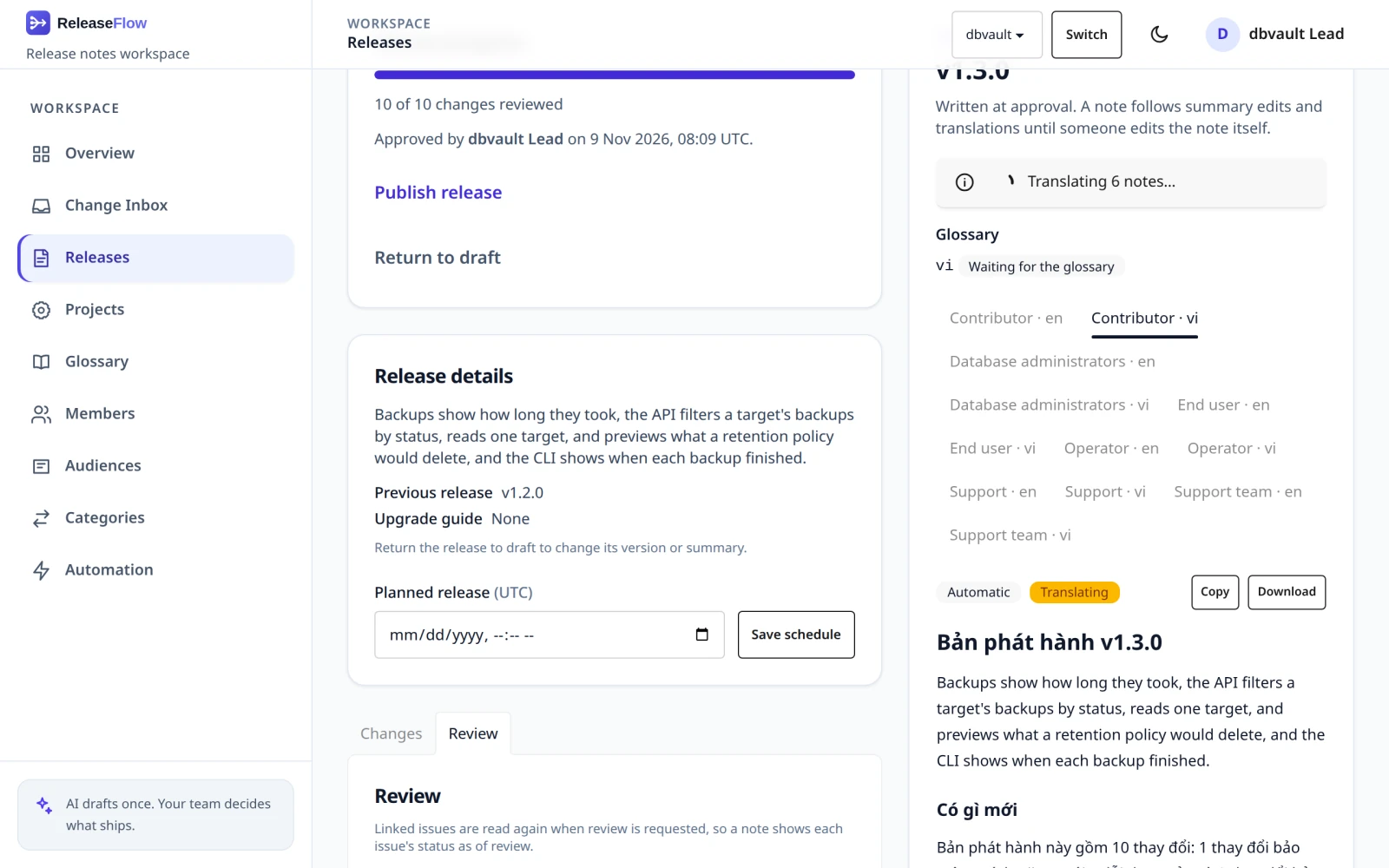
GET  /api/organization/release-languages
PUT  /api/organization/release-languages                               {"targetLanguages"}
POST /api/projects/{projectId}/releases/{releaseId}/translations/retry
Glossary
Machine translation turns product terms into words that mean something else: without help, DeepL wrote dbvault's "console" as giao diện dòng lệnh (command-line interface), "image" as hình ảnh (picture), and "pull request" as yêu cầu kéo. The Organization's glossary, on the Glossary page, fixes that for every note it translates. It holds two kinds of entry:
- a kept term stays in English in every language:
CLI,console,image,pull request. DeepL still writes the sentence around it and may adapt its form to the language, so dbvault's "images" came back as các image: a kept term is not frozen text; - a fixed translation always becomes the same words between two languages, named by
their primary language:
en → vi, "storage" → lưu trữ. It wins over a kept term with the same text, for its two languages only.
Administrators edit it and every member can read it. Nothing is added on its own: the page offers a list of terms common in software release notes, and only the ones an administrator ticks are kept. A term is 1 to 100 characters on one line, the glossary holds at most 500 entries, and uniqueness is exact: "Image" and "image" are two entries. A lowercase entry usually keeps the capitalized word at the start of a sentence too, so add another form only for one DeepL still changes.
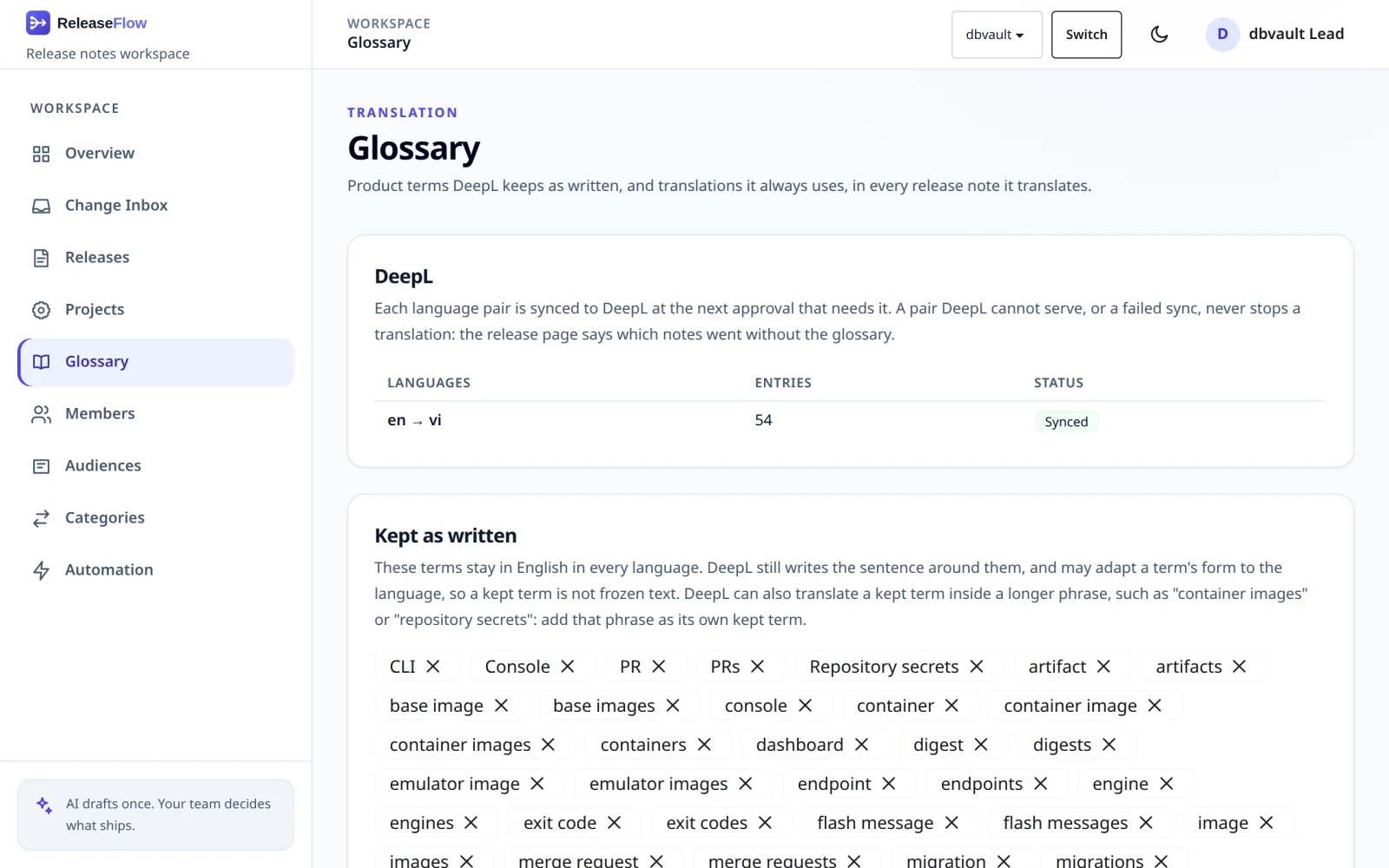
A glossary steers DeepL; it does not bind every word. DeepL can still translate a kept
term inside a longer phrase: with "image", "secret", and "container" kept, dbvault's notes
still got "container images", "emulator image", and "repository secrets" translated, and
once a sentence-initial "The console". When DeepL translates a term inside a phrase, add
the phrase as its own kept term (container images, repository secrets).
Each language pair the Organization translates is one dictionary in a DeepL glossary, whose version is the hash of what is sent. Approval only records that a pair is wanted, and a background job syncs it to DeepL outside any transaction, retrying a rate limit, a server error, or a network failure up to five times. Translations of the pair wait for that sync, then carry the glossary beside the Project's context. Its version is part of what a translation is cached by, so:
- an edit translates again at the next approval, including the release's own summary;
- an edit that leaves the dictionary as it was, such as deleting a term and adding it back, translates nothing again;
- an Organization with no glossary sends exactly the requests it sent before.
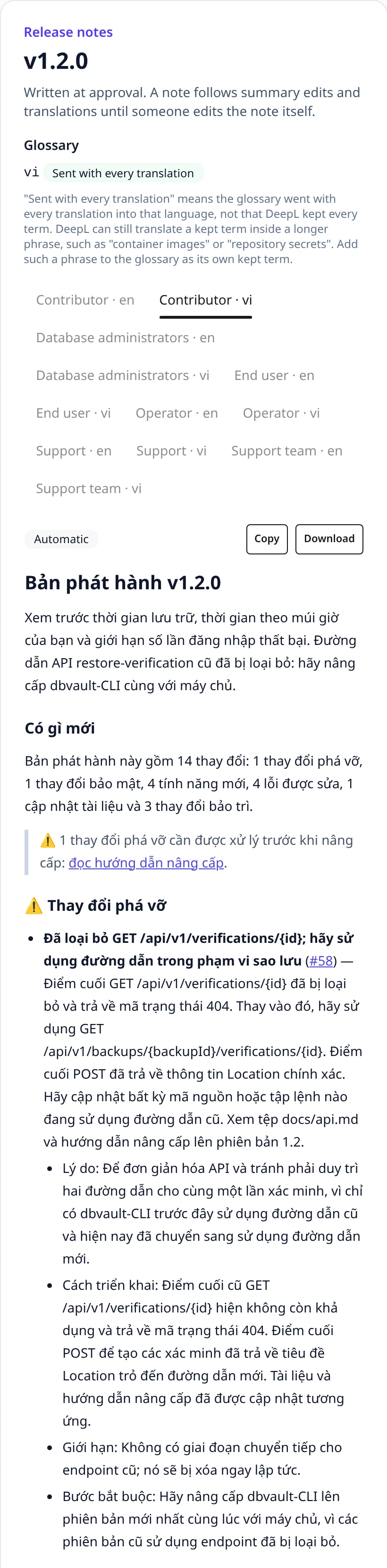
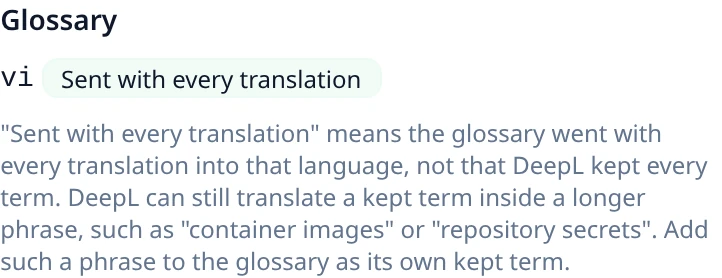
A glossary never holds up a release. A pair DeepL serves no glossary for, or whose sync failed, is translated without it, and for each language the release page says whether the glossary was Sent with every translation, is still being waited for, or was Not applied, and why: the pair is unsupported, the sync failed, or DeepL answered in the source language with the glossary. Sent with every translation means the glossary went with every translation into that language, not that DeepL kept every term; read the note, and add a phrase DeepL translated as its own kept term. Retry translations tries a failed sync again. The glossary never reaches the AI.
A translation that comes back in its source language is not stored as one. For a
Vietnamese note, a sentence with at least three words left to translate and no Vietnamese
diacritic fails; for a language in another script, such as Japanese or Russian, a
sentence with no character of that script fails. Kept terms, code, URLs, paths, and words
like MongoDB are left out of the count. A failing answer is translated once more without
the glossary, and if it fails again the note is Not translated, like any failed
translation. Other Latin-script languages have no such check yet. See
ADR-0036.
With a glossary, DeepL changes the letter case of some code-like words: <backup-id> came
back as <BACKUP-id>, and dbvault-cli as dbvault-CLI. A translation therefore keeps
the source's placeholders (<, a letter, then letters, digits, hyphens, or
underscores, then >) and its hyphenated names written in lowercase as the source
writes them: where a translation differs from one in letter case alone, the source's form
is put back, and nothing else changes. A word the source writes in two cases is left as
DeepL wrote it. This happens when a translation is recorded, from DeepL or from the cache,
so a translation cached earlier is corrected at the next approval without a request, and
nothing that is sent changes. A placeholder DeepL drops is left out and logged. See
ADR-0040.
DeepL also translates the words inside a code span: under 1 s came back as
dưới 1 giây. A code span tells the reader to type or look for exactly that text, so a
translation keeps the source's spans too. A span whose text the source writes stays as it
is; the spans DeepL translated get the source's text back, in order, when there are as many
of them as source spans the translation lost. Otherwise they are left as DeepL wrote them
and the count is logged. A text holding a fenced code block or a double-backtick span keeps
its spans as written. If DeepL both reorders two spans and translates them, each gets the
other's text; that is the known limit of pairing in order.
So write a name the reader must find as written, such as a field, a parameter, or a string
the interface prints in English, in a code span: limit, not 'limit'. Text in quotes is
translated like any other text, because quotes hold ordinary words as often as names.
GET    /api/glossary
GET    /api/glossary/suggestions
POST   /api/glossary/kept-terms                    {"terms": ["console", "CLI"]}
DELETE /api/glossary/kept-terms/{termId}
POST   /api/glossary/translations                  {"sourceLanguage", "targetLanguage", "sourceTerm", "targetTerm"}
DELETE /api/glossary/translations/{translationId}
POST /api/glossary/kept-terms adds every term or none. GET /api/glossary returns
keptTerms, translations, entryLimit, and pairs: for each language pair the
Organization translates, entryCount and a status of empty, not_synced, pending,
synced, outdated (edited since its sync), unsupported, or failed with its error.
| Situation | Response |
|---|---|
| A blank, overlong, or multi-line term, an unknown language, or the same language twice | 400 validation_failed |
| A term the glossary already has, kept or for that pair | 409 glossary_term_taken |
| More than 500 entries | 409 glossary_limit |
| An unknown or foreign entry | 404 glossary_term_not_found |
DeepL API Free holds one glossary. Each Organization uses one glossary of the DeepL
account, and an API Free account holds only as many as its plan allows, which was one when
this was tested. On such a key, the first Organization to sync gets the glossary; every
other Organization's sync fails at once with quota_exceeded (DeepL's 456, which is
never retried), its release page says the glossary was not applied, and its notes are
translated without one. ReleaseFlow never deletes a glossary in DeepL.
Releases
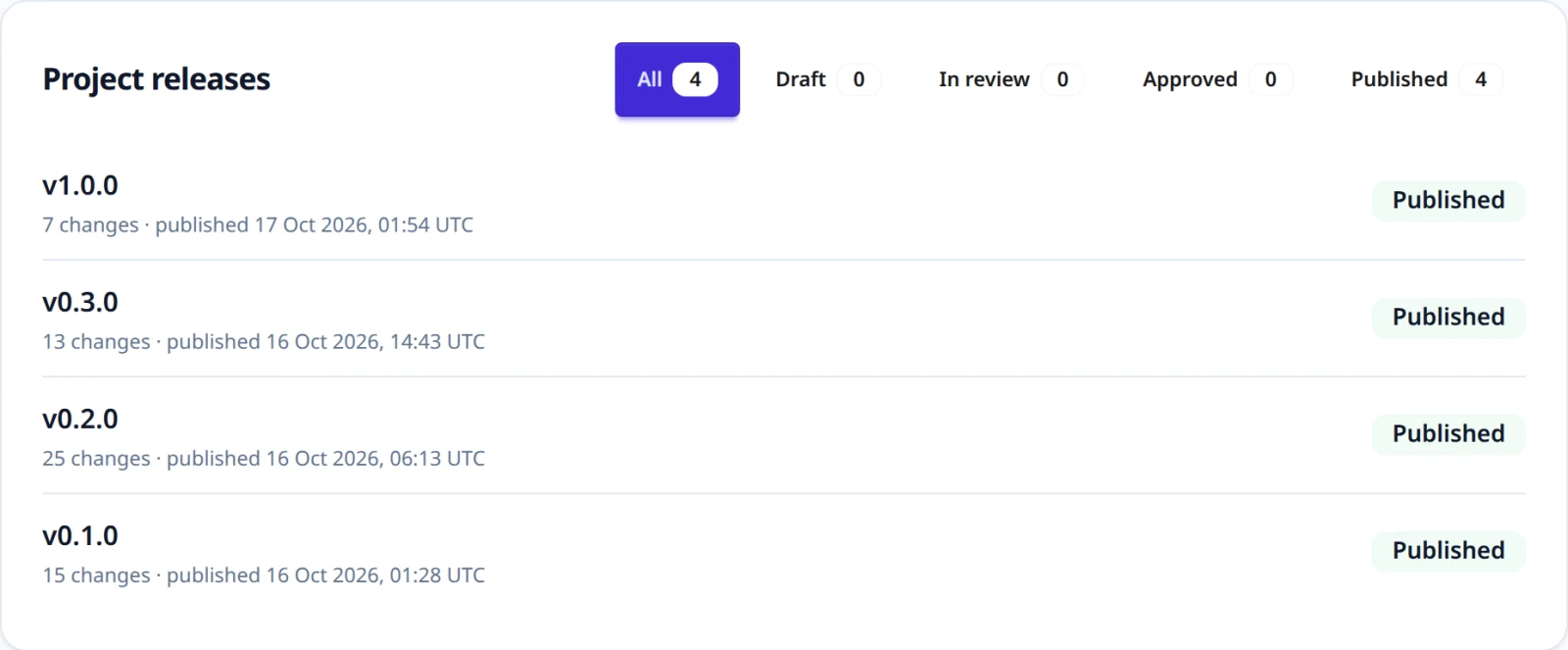
Open Releases to prepare a Project's releases. The page creates a release with a version (up to 50 characters), an optional summary, an optional planned release time in UTC, an optional upgrade guide, and the previous release, and lists the Project's releases with status filters and counts. A Project can prepare several releases at once, and each change belongs to at most one release.
The upgrade guide is an absolute http:// or https:// address of at most 2,000
characters, without a user name or password; a query and a fragment are allowed. When the
release has breaking changes, the warning in every note links read the upgrade guide
to it, and the footer may link it too. The previous release is a published
release of the same Project that the notes compare this one with. A new release follows
the Project's most recently published release unless a person chooses another or none;
the choice stays when another release is published later. Both can be changed while the
release is a draft.
A release moves through four steps, shown at the top of its page:
- Draft. Add changes that have finished processing, by hand or with Add all available. A change that still needs review can be added; the release's review settles it. A change an administrator excluded from releases is not offered. Edit the version and summary, remove changes, then Request review, which needs at least one change.
- In review. The change list is fixed except for rejections. On the
Review tab, each change gets a decision: Approve as shown confirms
its category, breaking flag, and security flag, Edit classification corrects
them, and
Reject removes the change from the release so it becomes available for
another one. Approving and editing record the reviewer on the change itself,
exactly like a review in the Change Inbox, with an optional note. An Unknown
change must be edited. Approve release becomes available once every
change has a decision. A change whose title is fewer than three words, once
its Conventional Commit prefix and issue keys are removed (
fix,update deps), is marked Needs a summary unless a person wrote its summary, or the AI wrote one from a description of at least ten words (HTML comments not counted) whose context it did not find insufficient. A title that short cannot stand alone in a note, and an AI given nothing else can only restate it, so approval waits until a person writes the summary. - Approved. The approver and time are recorded, and a release note is written for every audience in every release note language from its template (see Release note languages). Check each note's tab, edit a note's Markdown if needed (the note becomes Manual and no longer follows its template), then Publish release.
- Published. See Publishing.
Any member can take every step, so one person can prepare, review, approve, and publish the same release. ReleaseFlow records who reviewed each change, who approved, and who published, but it does not require two different people.
Linked issues at review
Requesting review reads every issue linked to the release's changes again, from Jira or Linear, in the background: a status read when a change was recorded may be weeks old. The Review tab says while the read is running, and whether an issue could not be read. A read that fails is tried again after 2, 4, 8 … seconds, five attempts in all; an issue still unread keeps the status recorded with its change. Returning to draft and requesting review again reads every issue again.
A note shows an issue's status only when the issue is finished: Jira's Done category,
or a Linear issue that is completed or canceled. An issue recorded before 1.2.0, or read
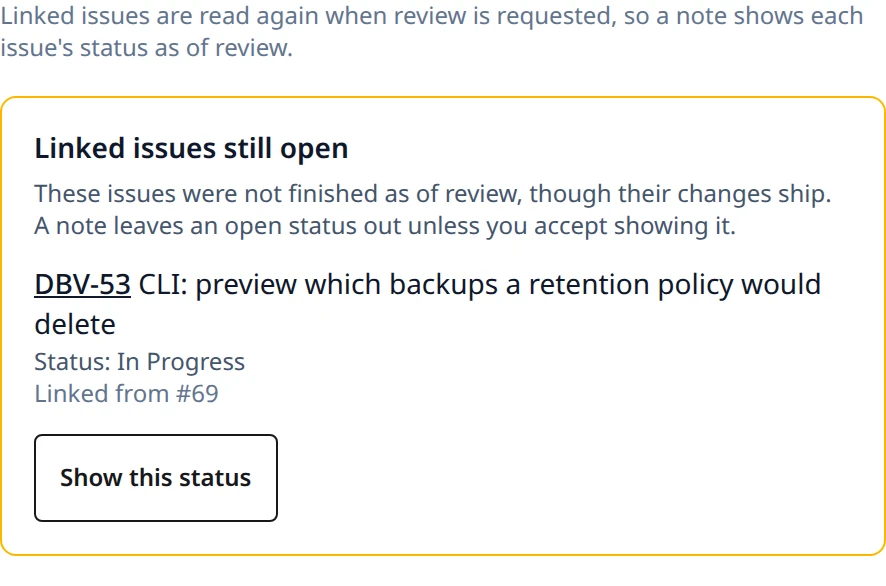
from a tracker that did not say, counts as not finished. Under Linked issues still
open, the Review tab lists each issue whose status is not finished while its change
ships, with Show this status: a member who chooses it lets every note print that very
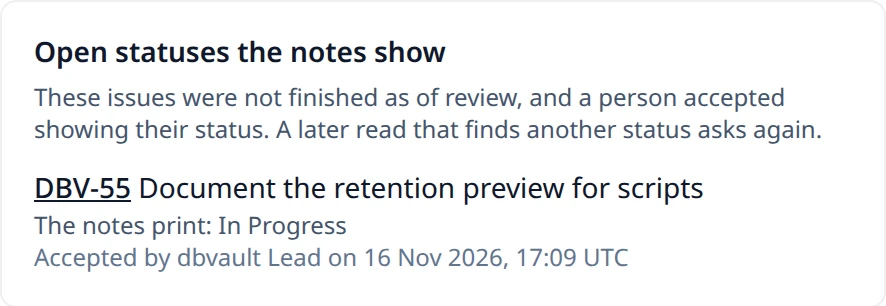
status, and ReleaseFlow records who and when. The issue then moves to Open statuses the
notes show, which lists, while the release is in review or approved, each issue whose
open status a person accepted: its key, the status the notes print, who accepted it under
the name they had then, and when. A later read that returns another status takes it off
that list and asks again. The release's GET carries the same on each of its
linkedIssues: key, status, open, accepted, accepterName, and acceptedAt; the
notes print status when accepted is true. The warning never holds up approval or
publication. Notes are written at approval
from the statuses read by then; a read that finishes later writes again the notes that
still follow their template, until the release is published.
Folding a tracker change into its code change
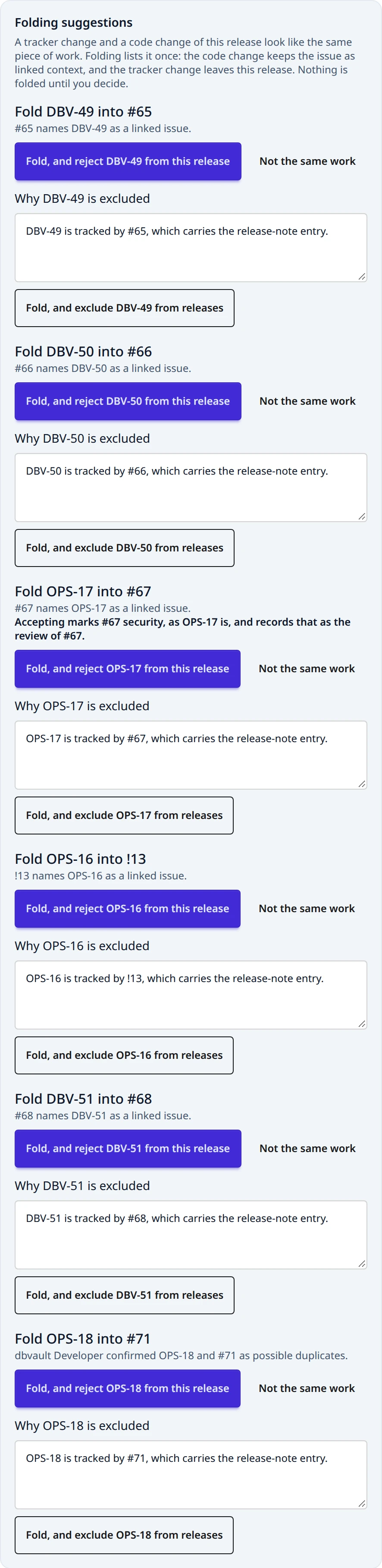
A Jira or Linear change and the pull request that did the work are one piece of work, and should be one item in a note. While a release is in review, the Review tab suggests folding a tracker change into a code change of the same release when the code change lists the tracker change's key among its linked issues, or when a person confirmed the two as a possible duplicate. Each suggestion says which.
A suggestion is evidence only, and nothing is folded on its own. A member chooses:
- Fold, and reject … from this release takes the tracker change out of the release as a review decision would, so it is available for another release.
- Fold, and exclude … from releases (administrators) excludes the tracker change from
every release, with a reason ReleaseFlow fills in, such as "
OPS-7is tracked by#30, which carries the release-note entry.", which can be edited. See Excluding a change from releases. - Not the same work dismisses the suggestion: both changes stay, and it is not offered again in this release.
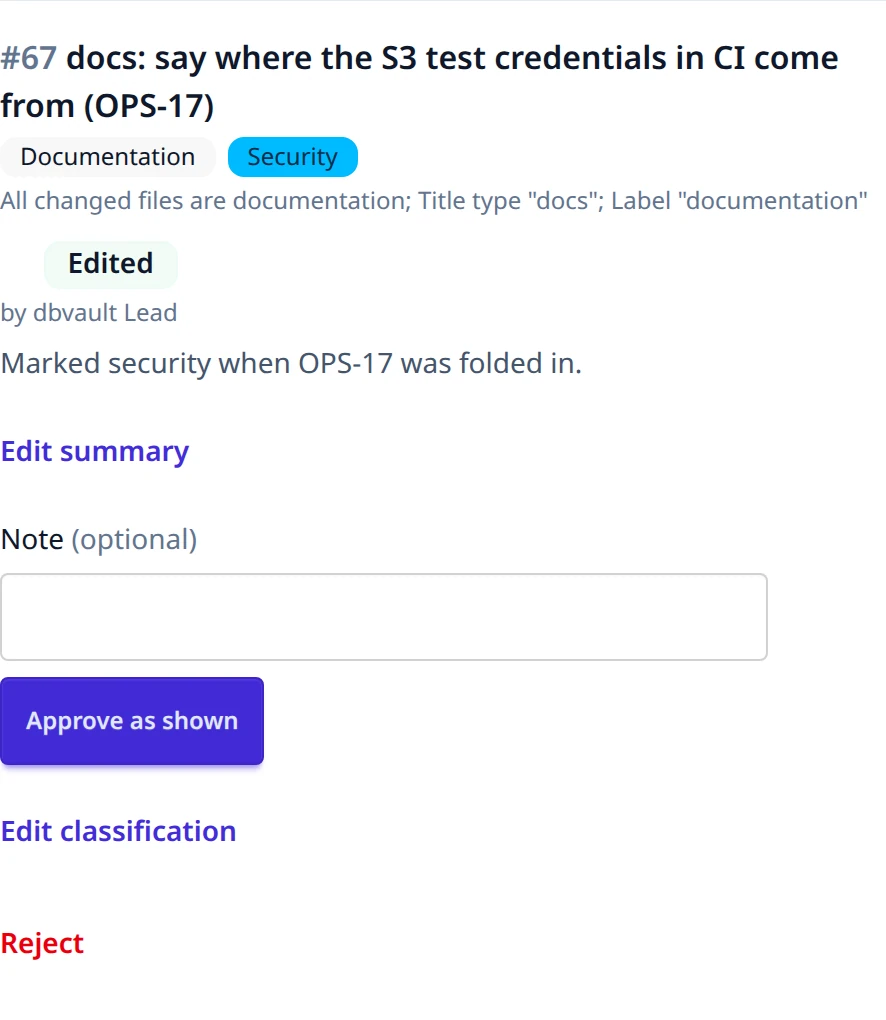
Either fold keeps the issue as linked context of the code change, adding it from the
tracker change when the code change did not list it yet; an issue added that way is read
from its tracker as of this review, like the others. Either fold also keeps the work's
flags: the code change becomes breaking or security when the tracker change is. The
suggestion says so first, such as "Accepting marks #30 security, as OPS-7 is", and
accepting records it as the review of the code change and as its decision in the release,
which names the folded change. A code change still Unknown needs a category first:
400 invalid_fold_decision. Each suggestion is decided once,
with who decided and when; a release returned to draft keeps its decisions. A pair with
nothing that ties them is not suggested: reject or exclude the tracker change by hand.
POST /api/projects/{projectId}/releases/{releaseId}/linked-issues/acceptance
     {"tracker": "JIRA" | "LINEAR", "key", "status"}
PUT  /api/projects/{projectId}/releases/{releaseId}/folding-suggestions/{trackerChangeId}/decision
     {"codeChangeId", "decision": "ACCEPT" | "DISMISS", "removal": "REJECT" | "EXCLUDE", "reason"}
Both answer with the release, whose linkedIssueRead is PENDING, RUNNING,
SUCCEEDED, or FAILED (absent before review is requested), and which lists
linkedIssues (each with tracker, key, recordedStatus, statusAtReview, read,
status, open, accepted, accepterName, and acceptedAt), foldingSuggestions (each
with addsBreaking and addsSecurity), and foldDecisions. A decision a fold made names
the tracker change in foldedChangeId.
| Situation | Response |
|---|---|
| Accepting a status other than the one read last | 409 linked_issue_status_changed |
| Accepting a status of an issue no change of the release links | 404 linked_issue_not_found |
| Accepting a status while the release is a draft or published | 409 release_status_conflict |
| Deciding a suggestion that is not offered, or was decided | 404 folding_suggestion_not_found |
Accepting without removal, excluding without a reason, or a fold that adds a flag to an Unknown change | 400 invalid_fold_decision |
| A member excluding | 403 |
Until it is published, a release can be scheduled or unscheduled, returned to draft (from review or approval, clearing its decisions and approval but not the reviews on its changes), or discarded (its changes become available again). Returning to draft also deletes the release notes; approving again writes new ones.

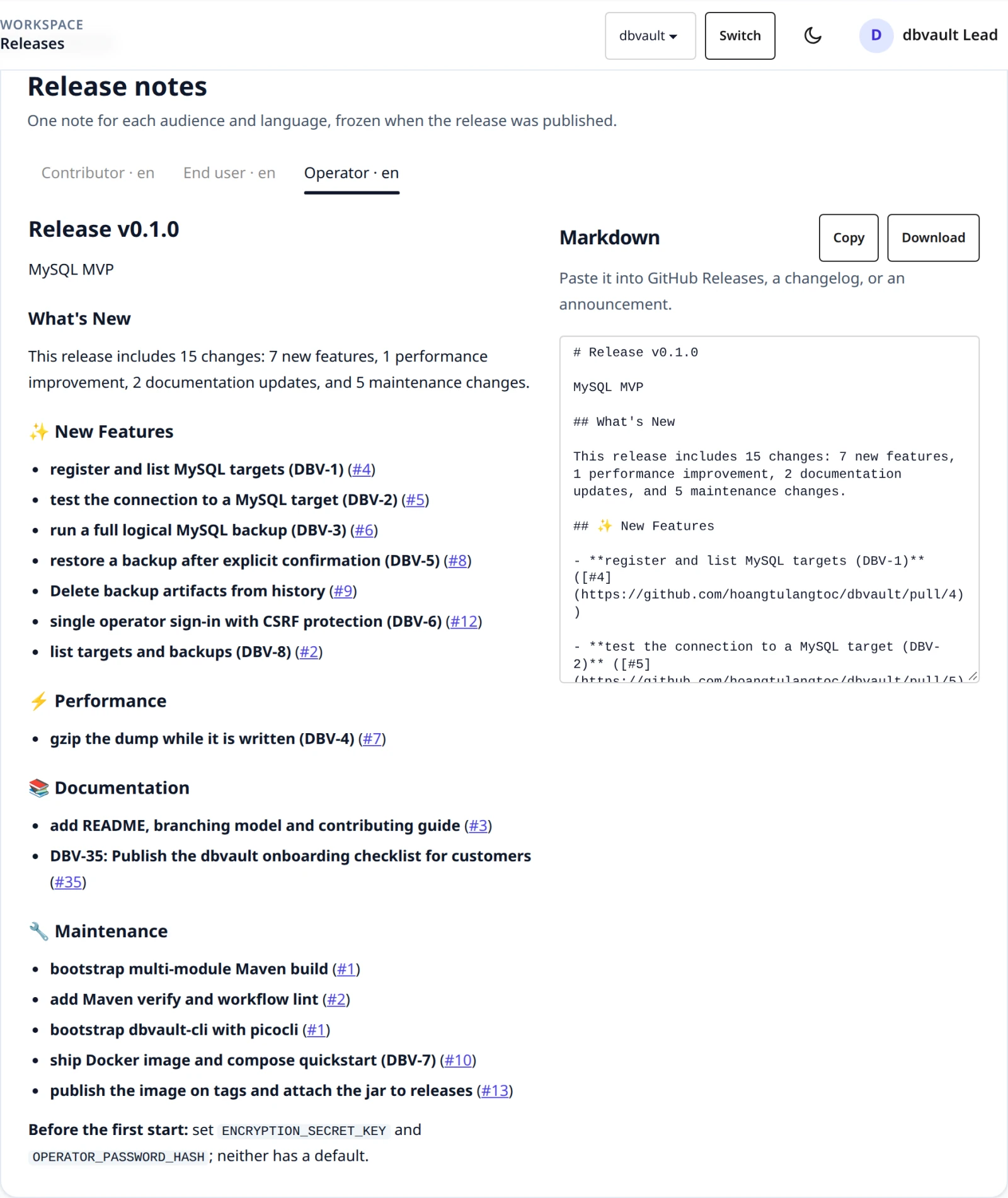
Before approval, the preview shows what each audience's note would say. A note starts with the release title and summary and a What's New overview with counts, warns about breaking changes, and lists breaking changes first, then security changes, features, fixes, performance, documentation, and maintenance, and ends with the audience's footer. Each change is written by the audience's template from its neutral summary and the audience's narrative; without a summary, the pull request title is used, with its Conventional Commit prefix removed. Labels are English or Vietnamese, following the output language.
During review and after approval, Edit summary on the Review tab lets a
person write or correct a change's summary, including its migration kind and
limitations, and each audience's relevance, headline, and narrative. This works whether
or not the AI wrote one, and the AI never replaces what a person chose. The form shows the
active audiences only, and saving it keeps a retired audience's narrative as it was. Through the API,
each audience's narrative is {"relevance": "NONE" | "BRIEF" | "FULL", "headline", "body"}
or, as callers written before relevance existed send, a plain string, which is a full
narrative without a headline. A full narrative with neither headline nor body is not
kept, since it says no more than having none; an unknown relevance returns
400 malformed_request. A request that names no migrationKind, as callers written before it
existed send, records UNSPECIFIED for a step and NONE without one; a kind that
does not match the step (NONE with a step, any other without) returns
400 validation_failed. A narrative for a retired audience that the request leaves out is
kept. The change records who wrote it, and the
notes of an approved release that still follow their template are rendered
again. Notes reflect the changes at approval: to pick up a classification
corrected later in the Change Inbox, return the release to draft and approve it
again. See ADR-0010 and
ADR-0011.

REST clients use the same rules:
GET    /api/projects/{projectId}/releases
POST   /api/projects/{projectId}/releases                                {"version", "summary", "plannedReleaseAt",
                                                                          "upgradeGuideUrl", "previousReleaseId"}
GET    /api/projects/{projectId}/releases/{releaseId}
PUT    /api/projects/{projectId}/releases/{releaseId}                    {"version", "summary", "upgradeGuideUrl", "previousReleaseId"}
DELETE /api/projects/{projectId}/releases/{releaseId}
PUT    /api/projects/{projectId}/releases/{releaseId}/schedule           {"plannedReleaseAt"} (null clears it)
GET    /api/projects/{projectId}/releases/{releaseId}/available-changes
POST   /api/projects/{projectId}/releases/{releaseId}/changes            {"changeIds": [...]} or {"allAvailable": true}
DELETE /api/projects/{projectId}/releases/{releaseId}/changes/{changeId} (remove, or reject during review)
POST   /api/projects/{projectId}/releases/{releaseId}/request-review
PUT    /api/projects/{projectId}/releases/{releaseId}/changes/{changeId}/decision
                                                                         {"action": "APPROVE" | "EDIT", "category", "breaking", "security", "note"}
POST   /api/projects/{projectId}/releases/{releaseId}/approve
POST   /api/projects/{projectId}/releases/{releaseId}/return-to-draft
POST   /api/projects/{projectId}/releases/{releaseId}/publish
POST   /api/projects/{projectId}/releases/{releaseId}/translations/retry
PUT    /api/projects/{projectId}/releases/{releaseId}/changes/{changeId}/summary
                                                                         {"whatChanged", "whyChanged", "technicalDetail", "migrationStep",
                                                                          "migrationKind", "limitations",
                                                                          "narratives": {"<code>": {"relevance", "headline", "body"} or "..."}}
GET    /api/projects/{projectId}/releases/{releaseId}/note-previews
GET    /api/projects/{projectId}/releases/{releaseId}/notes
PUT    /api/projects/{projectId}/releases/{releaseId}/notes/{noteId}     {"content"}
GET    /api/projects/{projectId}/releases/{releaseId}/notes/{noteId}/download
GET    /api/projects/{projectId}/release-assignments
plannedReleaseAt is an ISO-8601 instant such as 2026-10-01T09:00:00Z; a
value without an offset is read as UTC. A create request that leaves
previousReleaseId out follows the most recently published release, and an update that
leaves upgradeGuideUrl or previousReleaseId out keeps it; an explicit null clears
either. A decision that leaves security out confirms the change's current flag, as
callers written before it do; APPROVE must otherwise send the flag the change has.
A release returns upgradeGuideUrl, previousReleaseId, previousVersion, its changes, its
decisions (changeId, action, reviewerName, note, decidedAt),
reviewedCount, plannedReleaseAt, approvedAt, approverName, and its
notes (id, audienceCode, audienceName, language, content,
autoRerender, lastEditorName, updatedAt, translationStatus:
READY, PENDING, or FAILED, and glossaryStatus: NONE, PENDING, APPLIED, or
NOT_APPLIED with a glossaryReason), and glossaries: one entry per note language whose
pair has a glossary, with its language, status, and reason. The
download is text/markdown, named
<version>-<audience code>-<language>.md.
release-assignments lists which release, by ID, version, and status, each
of the Project's changes belongs to. Errors:
| Situation | Response |
|---|---|
| The operation does not fit the release's status | 409 release_status_conflict |
| Review requested or approval attempted with no changes | 409 release_empty |
| Approval attempted before every change has a decision | 409 release_review_incomplete |
Approval attempted while a change with a title of fewer than three words has no summary a person wrote, and too little description for the AI's; detail names them | 409 change_summary_required |
APPROVE sent with a classification other than the change's current one, security flag included | 409 classification_changed |
An upgrade guide that is not an absolute http:// or https:// address, has a user name or password, or is over 2,000 characters | 400 invalid_upgrade_guide_url |
| A previous release that is not a published release of this Project | 400 invalid_previous_release |
unknown or an unsupported category in a decision | 400 invalid_change_review |
APPROVE of an Unknown change, whatever category it names: approving keeps the current classification, so an Unknown change takes EDIT with a category | 400 invalid_change_review |
| An unreadable or past planned release time | 400 invalid_release_schedule |
| A change still processing or already in another release | 409 change_not_releasable |
| A change excluded from releases | 409 change_excluded |
| The version is already used in this Project | 409 release_version_taken |
| A summary or note edit outside the allowed status | 409 release_status_conflict |
| An audience template that cannot render at approval | 409 release_note_render_failed |
| Publishing an approved release that has no notes | 409 release_notes_missing |
| Publishing while a note is still translating or could not be translated | 409 translations_not_ready |
| An empty summary or note, or a field over its limit | 400 validation_failed |
| An unknown or foreign change | 404 change_not_found |
| An unknown or foreign release | 404 release_not_found |
| An unknown note of this release | 404 release_note_not_found |
Publishing
On an approved release's page, open Publish release. Publishing freezes
every audience's note, together with who published the release and when. The
page then becomes read-only. It shows who approved and published the release,
and offers one tab per audience and language with the rendered note, its
Markdown, a Copy button, and a Download link for GitHub Releases or a
changelog. Downloaded files are named <version>-<audience>-<language>.md.
A published release cannot be edited, scheduled, reviewed, discarded, unpublished, or changed in content, and neither can its notes. Its changes can still be corrected in the Change Inbox, but the published notes keep what was published. PostgreSQL triggers enforce this even for direct SQL. See ADR-0005 and ADR-0011.
REST clients call POST /api/projects/{projectId}/releases/{releaseId}/publish.
It returns the release with status, publishedAt, publisherName, and
notes. Until publication, preview groups the release's current changes into the
note's sections; after it, preview is empty and the notes are in notes. markdown is
null, except for a release published before Flyway V13. Publishing a release that is not
approved returns 409 release_status_conflict; any operation on a published
release returns 409 release_published.