

Automation
Rules deliver a published release note where its readers already are, and a public changelog publishes it for anybody to read.
Rules
A rule delivers a published release note where its readers already are. Open Automation in the sidebar, which administrators alone can see. A rule names what makes it run, the project it watches (or every project), and the actions it carries out, in order. Each action names the audience and language whose note it delivers.
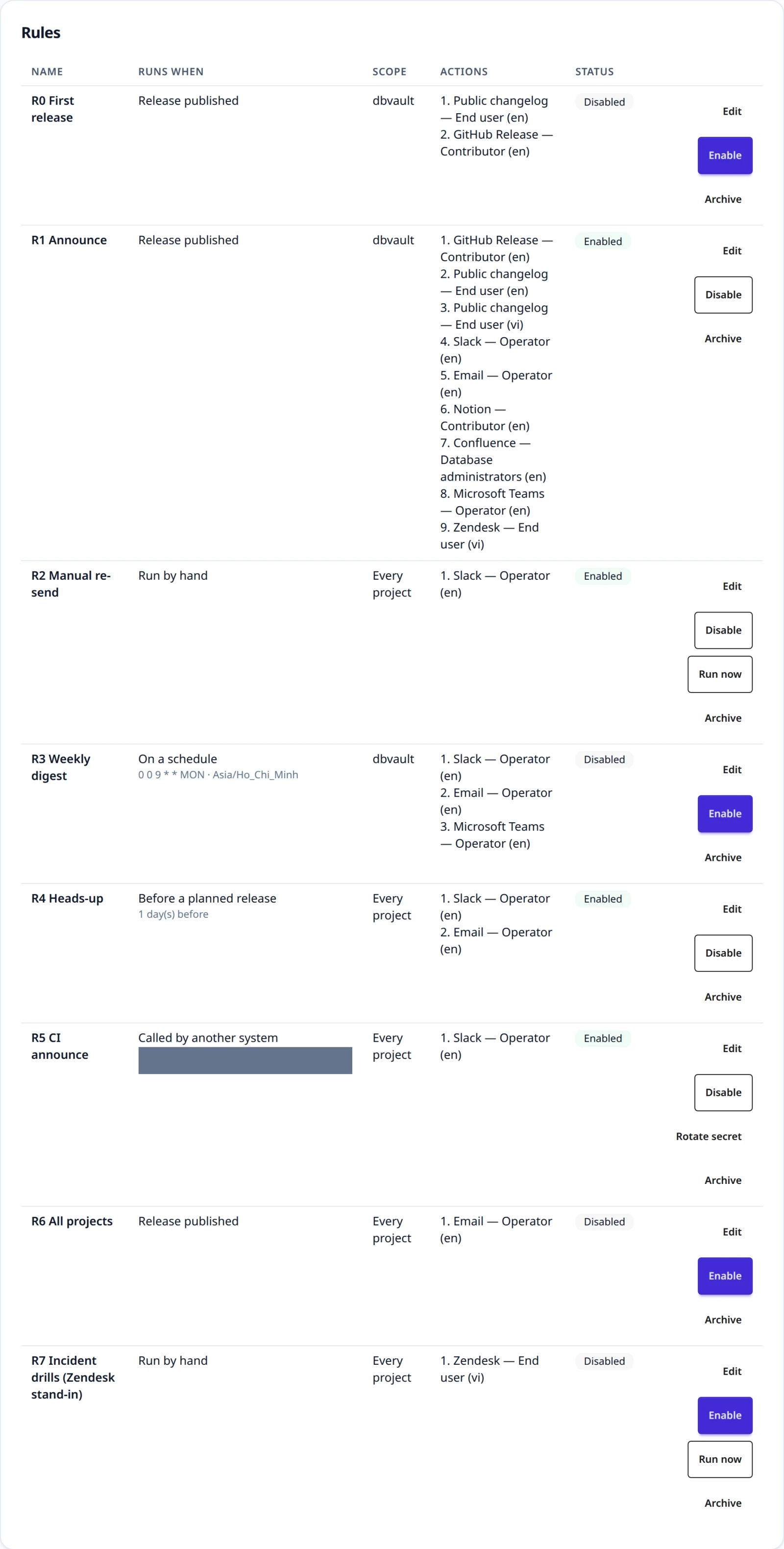
Five things can make a rule run:
| Runs when | What it needs | What happens |
|---|---|---|
| Release published | Nothing | Every matching rule fires once per release |
| Run by hand | A published release and a request ID | The same request ID is the same run, never a second delivery |
| On a schedule | One published release, a six-field cron expression, and an IANA time zone | The release is delivered again on that schedule. Firings missed while ReleaseFlow was down become one catch-up run |
| Before a planned release | A notice of 0 to 365 days | An approved release with a planned time is announced that long before it. Moving the release earns one more reminder |
| Called by another system | Nothing; ReleaseFlow mints the path and the secret | A signed call names a published release and starts a run |
A schedule and a reminder take only the actions that tell people something —
Slack, email, and Microsoft Teams: nobody is watching
when they go off. A schedule takes its project from the release it repeats.
Preview next run on the page, or POST /api/automation/rules/cron-preview,
says when an expression would next fire before any rule keeps it.
Write the rule first; it starts disabled. Enabling it is the moment ReleaseFlow checks that the deliveries can be made: the project and every audience belong to your Organization, the language is one your Organization writes notes in, a GitHub Release action's project has exactly one connected GitHub source, the deployment can carry the action out at all, and the configuration and secret are usable. A rule that is refused says which of those failed.
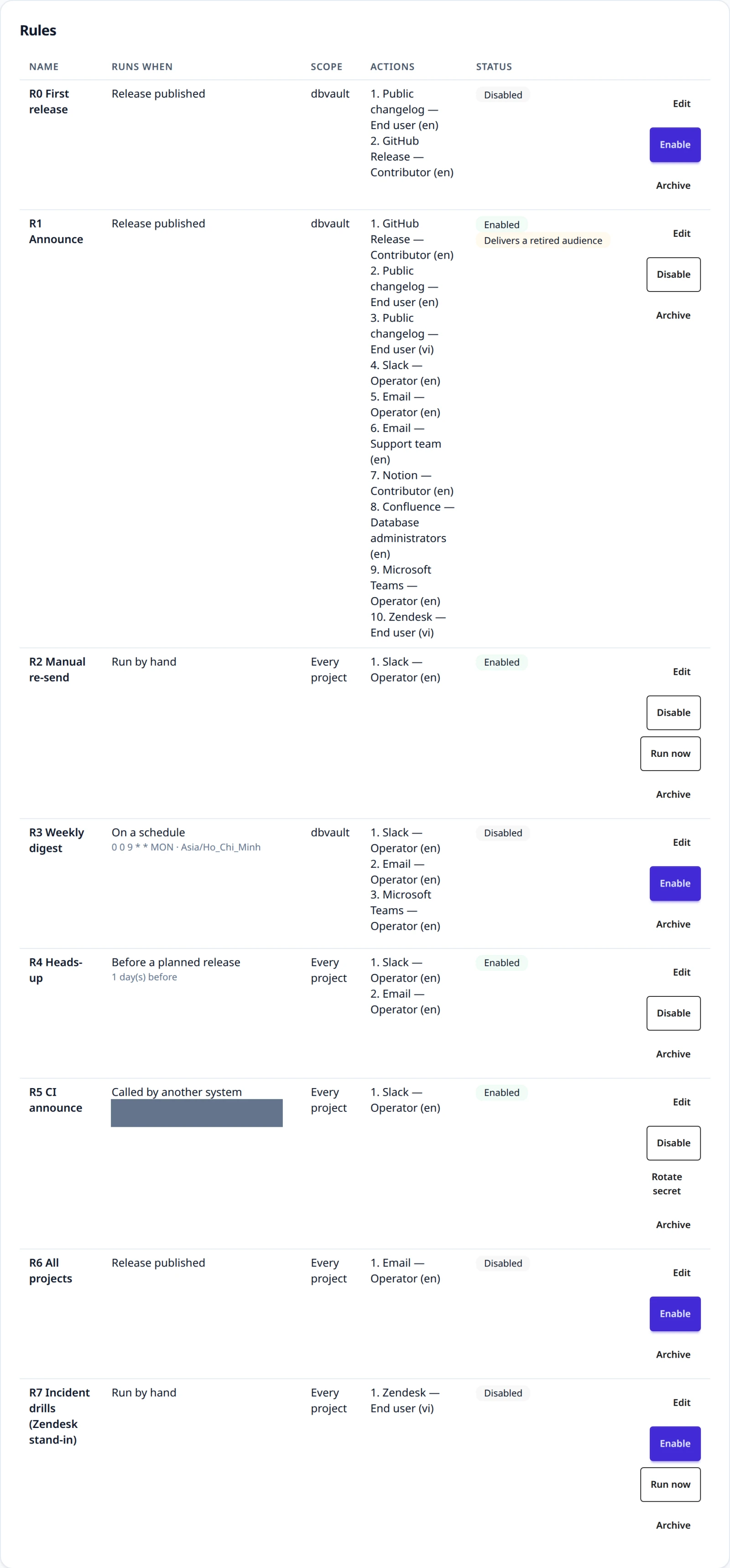
Actions
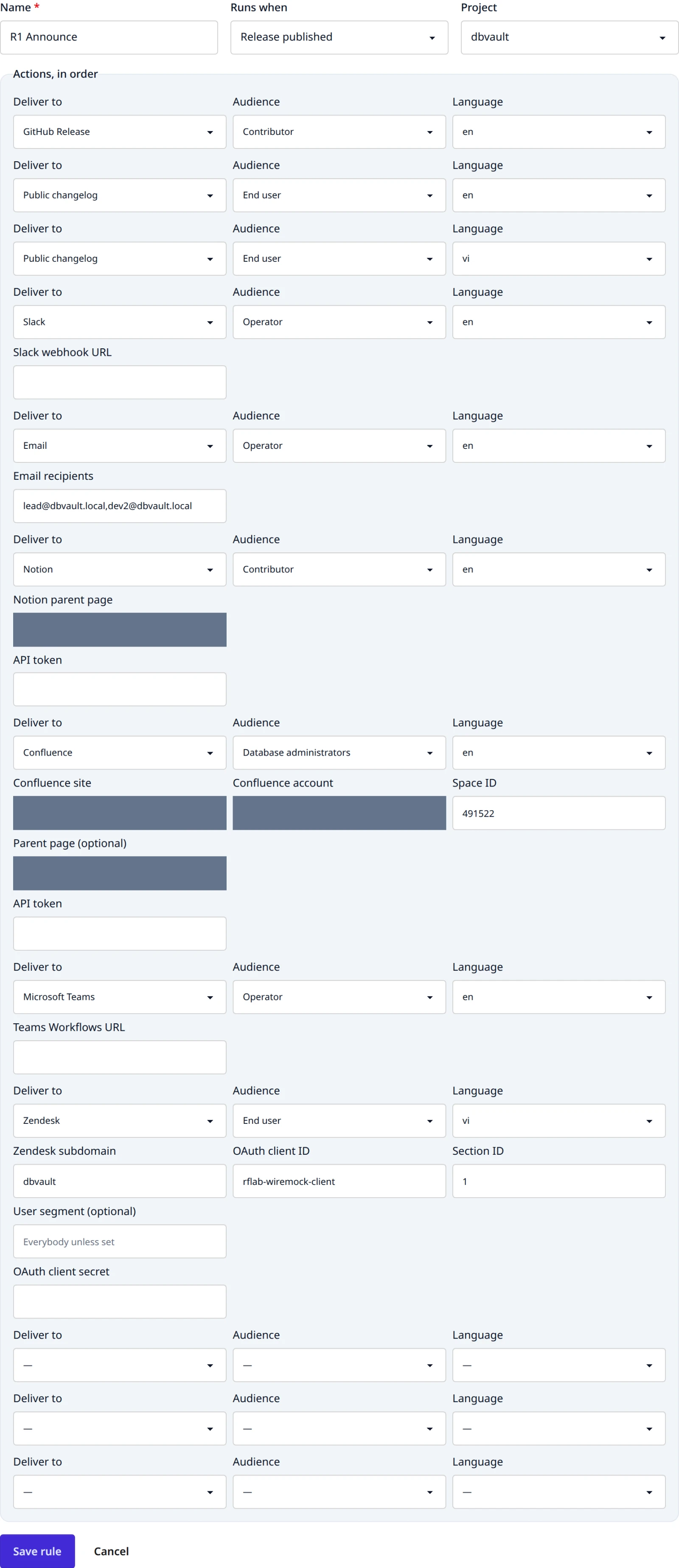
Eight kinds of action exist:
| Action | What it needs | What it does |
|---|---|---|
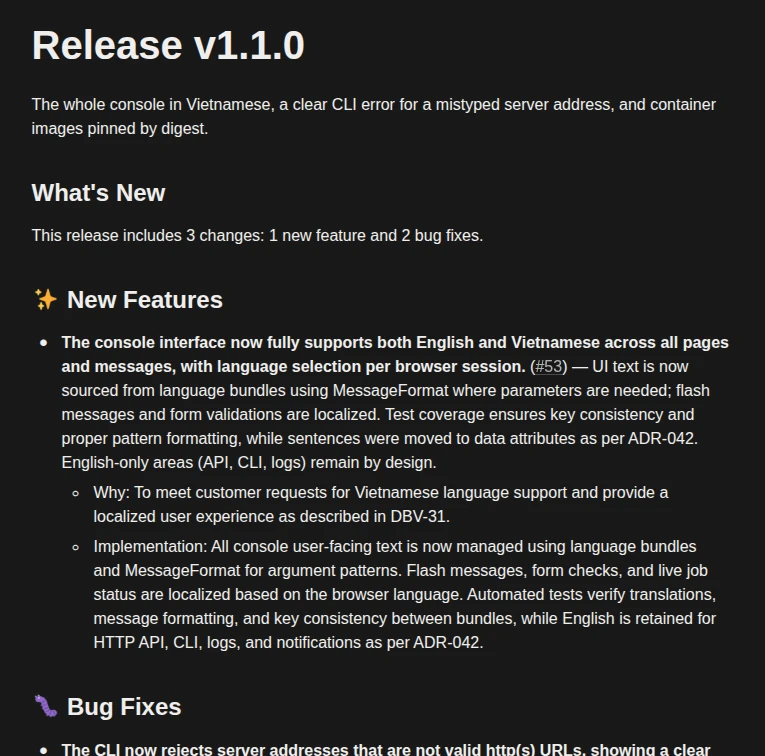
| GitHub Release | The project's own connected GitHub source and its access token | Publishes the note as the release of the version's tag, marking the body so a repeat knows its own work |
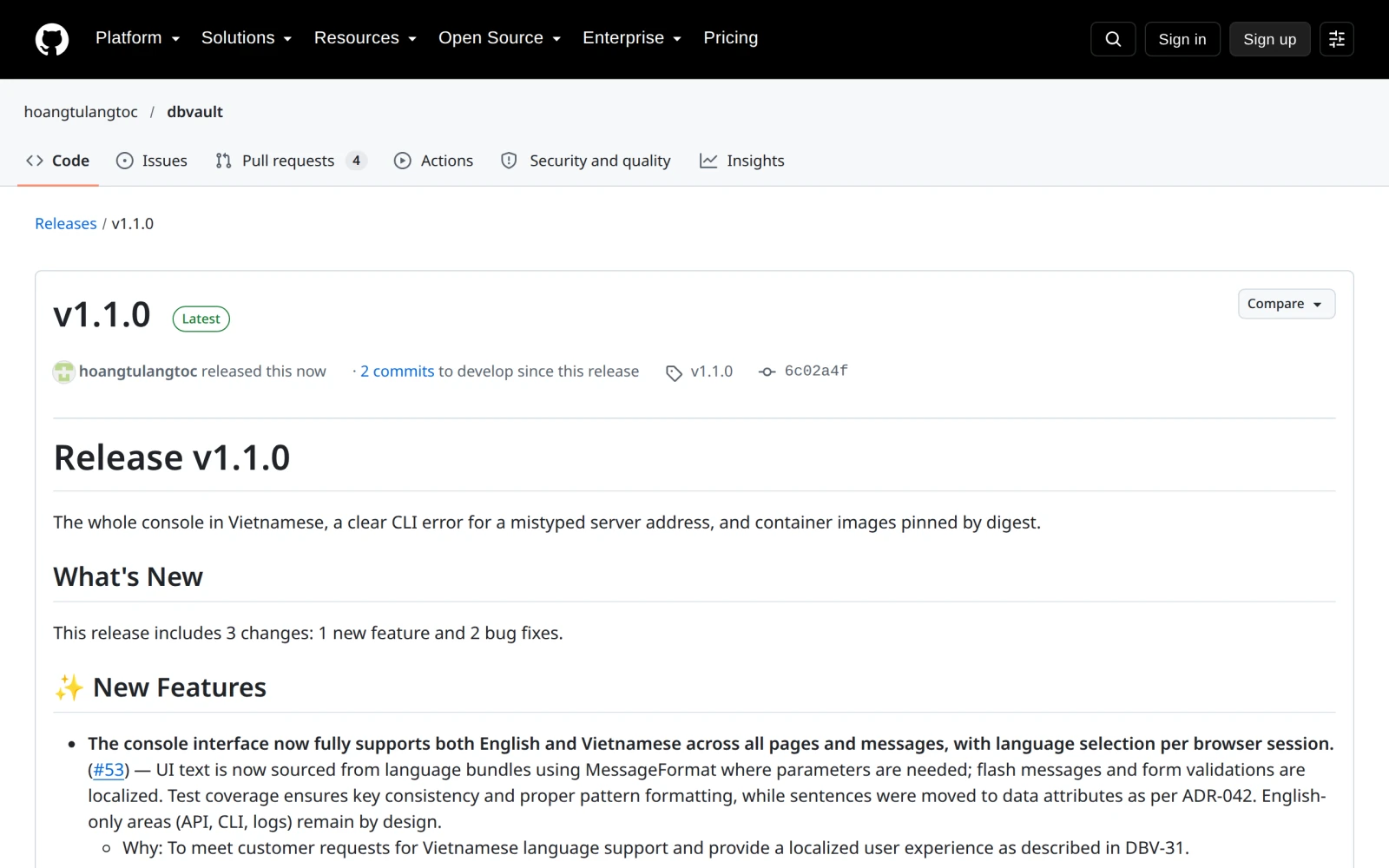
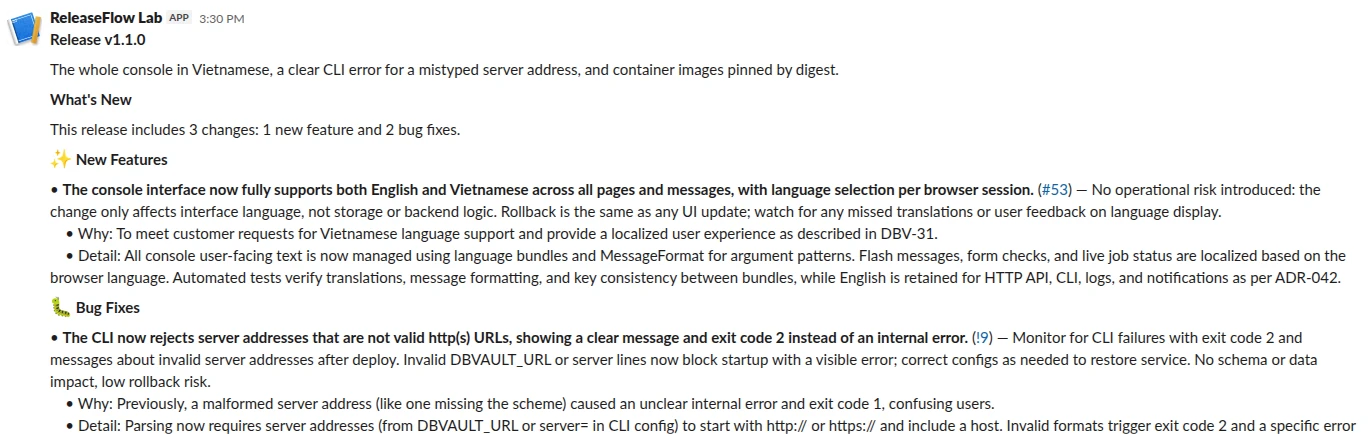
| Slack | An incoming webhook URL, which is the action's secret | Posts the note to the channel in Slack's own mrkdwn, up to 39,000 characters |
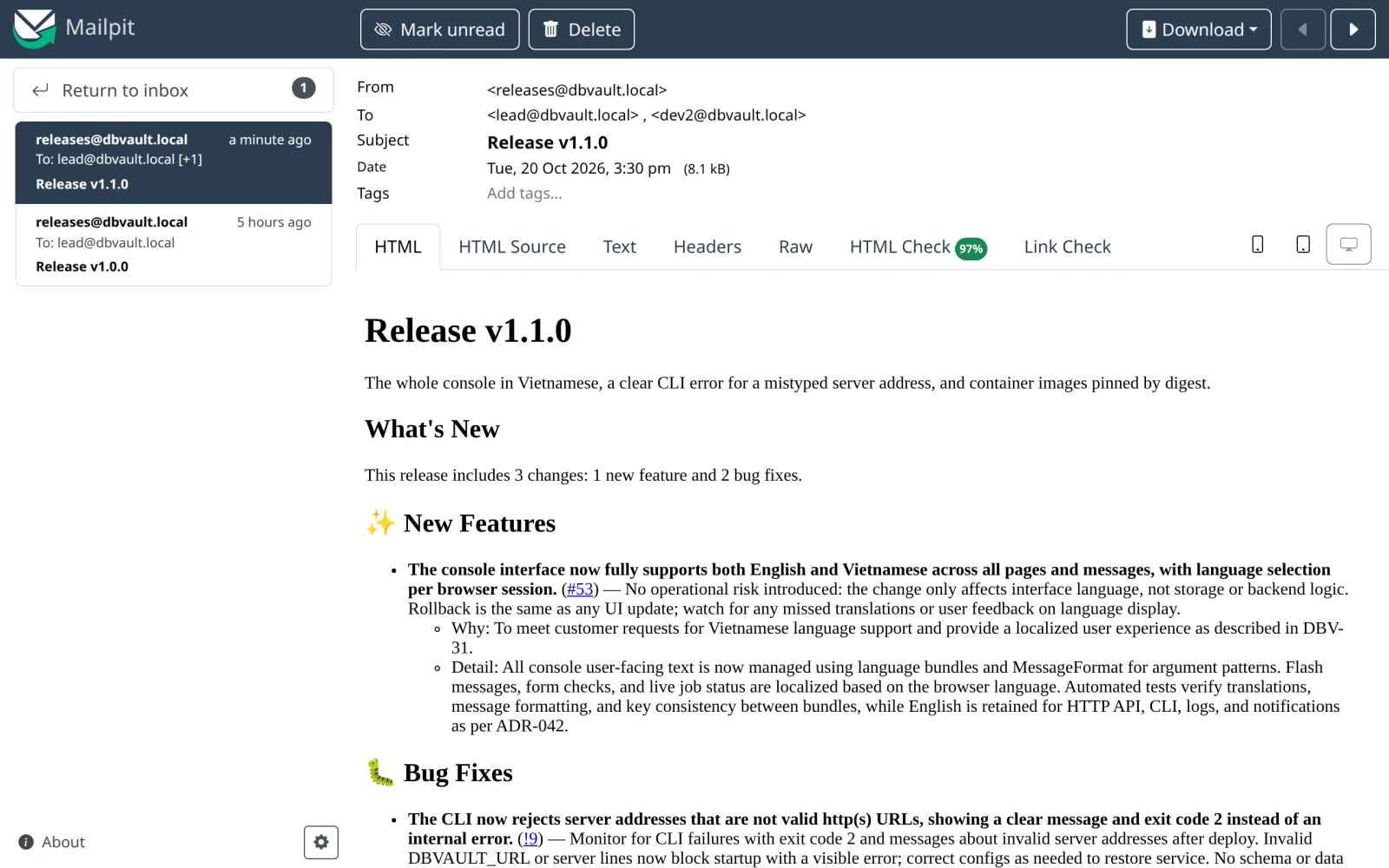
RELEASEFLOW_AUTOMATION_EMAIL_FROM and an SMTP server | Sends the note to between 1 and 100 addresses | |
| Public changelog | Nothing | Publishes the note on your own changelog page and RSS feed |
| Notion | The parent page's id and an integration token | Files the note as a child page titled Release <version>, up to 450,000 bytes |
| Confluence | A Cloud site, the account's email, a numeric space id, an optional parent page, and an API token | Creates a page titled Release <version> in that space, up to 2,000,000 bytes |
| Microsoft Teams | The Workflows callback URL, which is the action's secret | Posts the note as plain text into the chat or channel the flow targets, up to 28 KiB of request |
| Zendesk | A subdomain, an OAuth client ID and secret, a numeric section, and an optional user segment | Publishes the note as a Help Center article in the action's language, up to 1,000,000 bytes |
A Slack webhook URL must name an origin the deployment allows —
hooks.slack.com or hooks.slack-gov.com unless RELEASEFLOW_SLACK_ALLOWED_HOSTS
says otherwise — and is checked again before every delivery. A Confluence site is
checked the same way, against the shape rather than a list: it must be exactly one
label beneath atlassian.net over HTTPS, with nothing after the host. A Notion
page id is the 32 hexadecimal characters Notion shows, with or without dashes. A
Microsoft Teams callback must be the HTTPS Workflows URL the flow displays — one
label beneath environment.api.powerplatform.com, the Workflows trigger path, and
its own sig signature — and a Zendesk subdomain is one label, not a URL, so the
only help centre an action can reach is its own. A
Confluence page carries an HTML comment naming the run that wrote it; nothing
reads it back, so a delivery Notion or Confluence never confirmed stays unknown
until a person says a second page is acceptable. A secret is
write-only: once stored, no response, page, or log ever repeats it, and leaving
the field empty while editing keeps the one already there.
A rule another system calls
Saving a rule that runs when another system calls it gives it a path and a 256-bit secret, both shown once. Rotate secret replaces the secret and keeps the path; the old secret stops working at once.
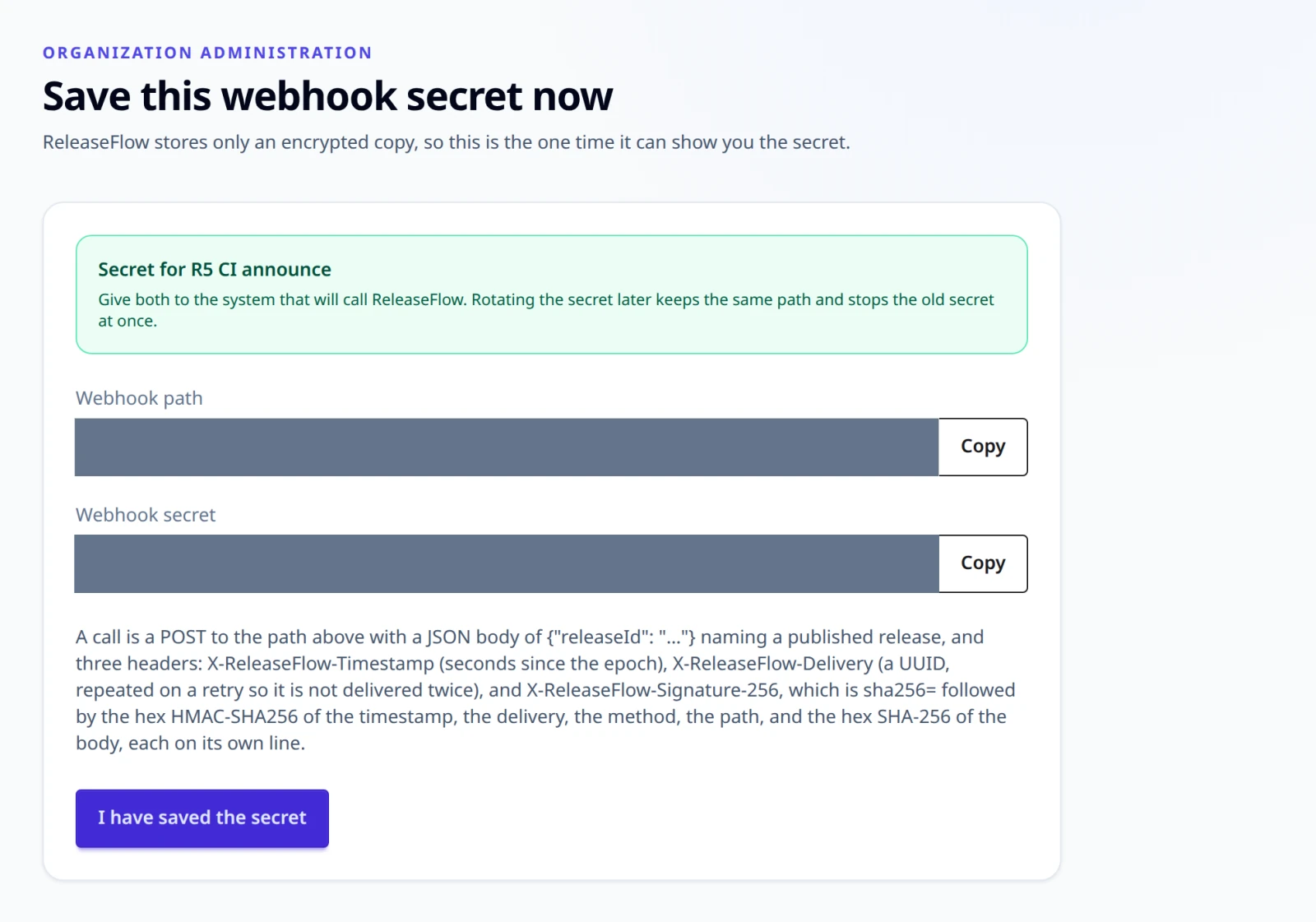
A call is a POST to that path with {"releaseId": "…"} and three headers:
| Header | What it holds |
|---|---|
X-ReleaseFlow-Timestamp | Seconds since the epoch, within five minutes of now |
X-ReleaseFlow-Delivery | A UUID, repeated on a retry so nothing is delivered twice |
X-ReleaseFlow-Signature-256 | sha256= and the hex HMAC-SHA256 below |
The signature covers the timestamp, the delivery, the uppercase method, the request path, and the hex SHA-256 of the body, each on its own line:
BODY='{"releaseId":"<release>"}'
TS=$(date +%s)
DELIVERY=$(uuidgen)
PATH_='/webhooks/automation/<webhook>'
DIGEST=$(printf '%s' "$BODY" | openssl dgst -sha256 -hex | cut -d' ' -f2)
SIGNATURE=$(printf '%s\n%s\nPOST\n%s\n%s' "$TS" "$DELIVERY" "$PATH_" "$DIGEST" \
  | openssl dgst -sha256 -hmac "$SECRET" -hex | cut -d' ' -f2)
curl -X POST "http://localhost:8080$PATH_" \
  -H "X-ReleaseFlow-Timestamp: $TS" \
  -H "X-ReleaseFlow-Delivery: $DELIVERY" \
  -H "X-ReleaseFlow-Signature-256: sha256=$SIGNATURE" \
  -H 'Content-Type: application/json' -d "$BODY"
The answer is 202 with {"runId", "status", "statusPath"}. A signed GET of
that statusPath says how the run ended. The Organization is the rule's, never
the body's. A body over 64 KiB is 413; an unknown path, a rule that is turned
off, a moment more than five minutes out, and a wrong signature are all 401.
Runs
Publishing a release records that it happened and nothing more, so a rule nobody can carry out never holds up a release. Within a second the worker creates one run per matching rule and walks its actions in order. The run history shows each delivery and how it ended. The first action that fails stops the ones behind it, and Run again repeats only that one. An action whose outcome nobody could confirm — a connection that dropped after the request went out, or a worker that stopped for five minutes — is recorded as unknown and never sent again on its own; repeating it asks you to confirm the delivery may happen twice. Cancel lets the action already on its way record its result and stops the rest.
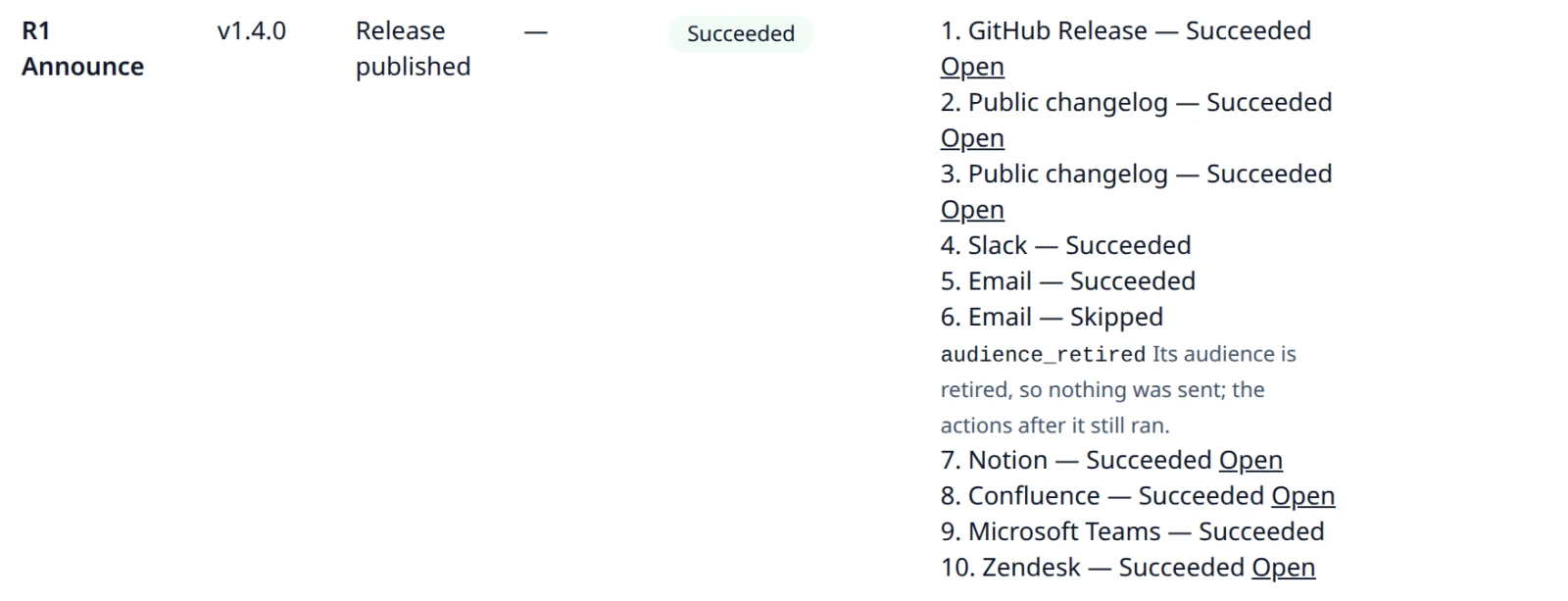
An action for an audience that has been retired
is skipped with audience_retired before it calls anything: nothing is sent for it,
the actions behind it still run, and a run whose other actions succeed succeeds. The run
history marks the action Skipped and says why, and the Automation page marks a rule
that still delivers a retired audience. Enabling such a rule is refused with
409 automation_audience_retired; point the action at an active audience, or bring the
audience back, first. An action's status through the API is PENDING, RUNNING,
SUCCEEDED, FAILED, UNKNOWN, CANCELLED, or SKIPPED.
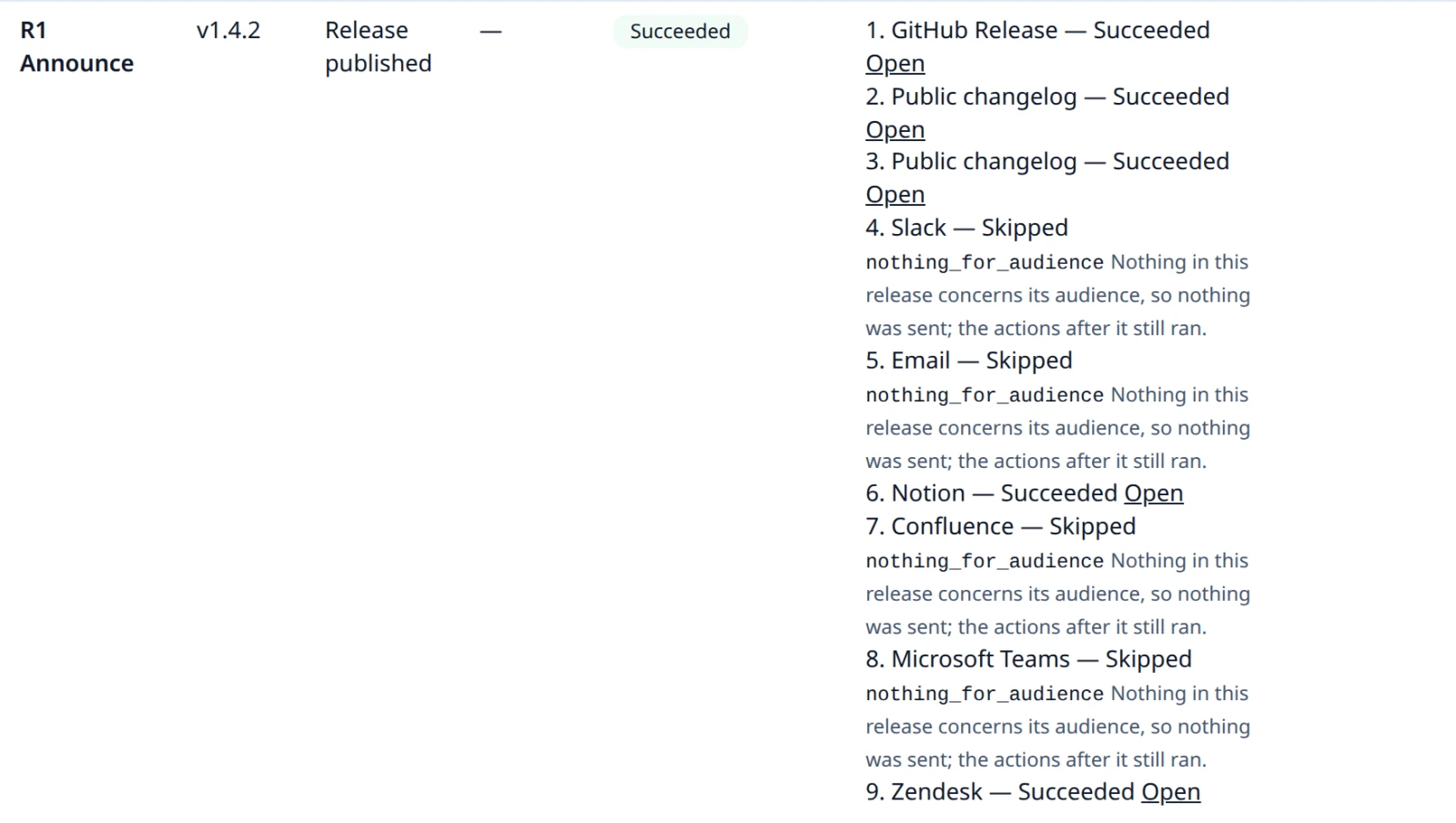
An action whose note has nothing for its audience is skipped too, with
nothing_for_audience: no change the release includes concerns that audience, so its note
holds only the title, the release summary, and the line saying nothing in the release
concerns it. Nothing is sent, so no public changelog entry, page, article, or message says
only that, and the rest of the run goes on as for a retired audience. It is decided when
the action runs, for every trigger, from the release's changes by the same rule that
chooses a note's changes (see
Release Notes), never from the note's text.
The checks come in this order: a retired audience is skipped with audience_retired; an
action with no ready note fails with release_note_missing; a note a person edited is
delivered as written, whatever its changes say; and only then is a note with nothing for
its audience skipped. To deliver such a note on purpose, edit it before publishing.
Enabling a rule is never refused for it, because a rule outlives every release.
The changes are read as they are when the action runs, so a published note and its skip can disagree. If a review clears a change's breaking flag after publication, or the AI is asked for a narrative it lacked, a change the note lists may no longer concern the audience, and running the rule again skips a note that has something to say. The other way round, a note that says nothing concerns its audience is delivered once one of its changes does. See ADR-0035's amendment.
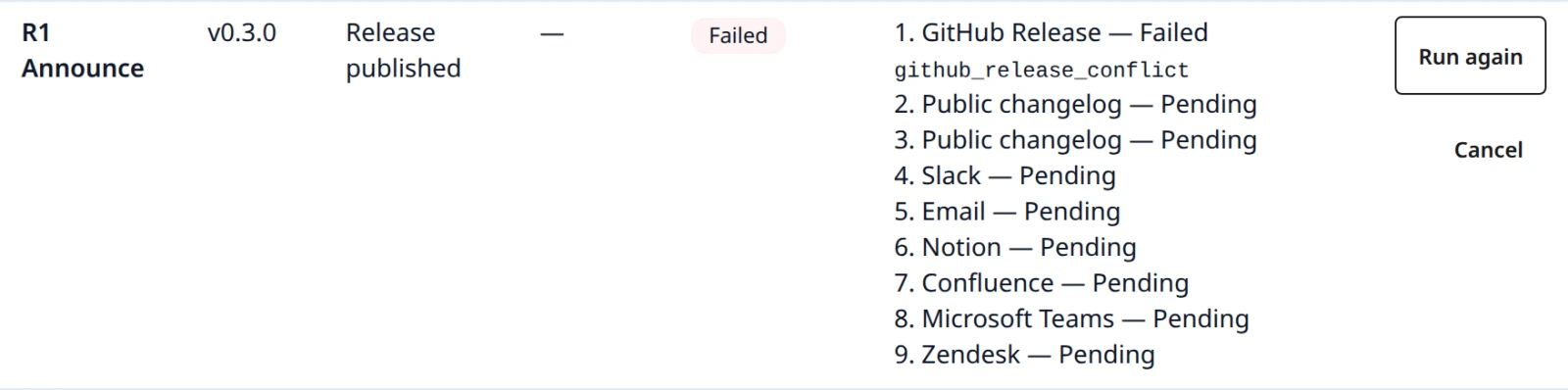
A GitHub Release action borrows the project's GitHub source, so it depends on that
source staying connected. A run records the repository of the project's one connected
GitHub source, or, when none is connected, of its one
disconnected one. When the recorded repository's
source is disconnected, the action fails as github_source_disconnected before calling
anything, and Run again succeeds once the same repository is reconnected. Without a
single repository to record, it fails as github_source_missing. Disconnecting never
disables a rule: the confirmation page lists the enabled rules it leaves without a token,
and the Automation page marks each one No GitHub source connected until the project
has one again.

REST
REST clients do the same thing, sending the session cookie and the signed-in session's
CSRF token with every write. Sign in as REST API shows, which
sets BASE, JAR, and TOKEN:
# BASE, JAR, and TOKEN as set in REST API → Sessions and CSRF
curl -s -b "$JAR" -H "X-CSRF-TOKEN: $TOKEN" -H 'Content-Type: application/json' \
  -d '{"name":"Announce","triggerType":"RELEASE_PUBLISHED","projectId":"<project>",
       "actions":[{"actionType":"SLACK","audienceId":"<audience>","language":"en",
                   "secret":"https://hooks.slack.com/services/T0/B0/secret"}]}' \
  "$BASE/api/automation/rules"
curl -s -b "$JAR" -H "X-CSRF-TOKEN: $TOKEN" -X POST "$BASE/api/automation/rules/<rule>/enable"
curl -s -b "$JAR" -H "X-CSRF-TOKEN: $TOKEN" -H 'Content-Type: application/json' \
  -d '{"releaseId":"<release>","requestId":"<uuid you choose>"}' \
  "$BASE/api/automation/rules/<rule>/execute"
curl -s -b "$JAR" "$BASE/api/automation/runs?page=0&size=20"
curl -s -b "$JAR" -H "X-CSRF-TOKEN: $TOKEN" -H 'Content-Type: application/json' \
  -d '{"confirmUnknown":true}' "$BASE/api/automation/runs/<run>/retry"
Every endpoint, all of them for administrators only:
GET    /api/automation/rules
POST   /api/automation/rules                                   (201; a webhook rule's path and secret are in this response only)
GET    /api/automation/rules/{ruleId}
PUT    /api/automation/rules/{ruleId}                          (an empty secret keeps the stored one)
DELETE /api/automation/rules/{ruleId}                          (archives it)
POST   /api/automation/rules/{ruleId}/enable
POST   /api/automation/rules/{ruleId}/disable
POST   /api/automation/rules/{ruleId}/execute                  {"releaseId", "requestId"} (202)
POST   /api/automation/rules/{ruleId}/webhook-secret/rotate    (the new secret, once)
POST   /api/automation/rules/cron-preview                      {"cronExpression", "cronTimeZone"}
GET    /api/automation/runs?page=0&size=20
GET    /api/automation/runs/{runId}
POST   /api/automation/runs/{runId}/retry                      {"confirmUnknown"}
POST   /api/automation/runs/{runId}/cancel
A rule is {"name", "triggerType", "projectId", "releaseId", "cronExpression", "cronTimeZone", "daysBefore", "actions"}, with only the fields its trigger uses. An
action is {"actionType", "audienceId", "language", "secret"} plus its own fields:
recipients for email, parentPageId for Notion, siteUrl, email, spaceId, and
parentPageId for Confluence, and subdomain, clientId, sectionId, and
userSegmentId for Zendesk. When a rule is edited, an action that already exists also
sends its id; only then does an empty secret keep the stored one, and an action sent
without its id is a new action that needs its secret again.
POST /{id}/execute answers 202 with the run. The request ID is yours to
choose and is the promise that a repeat is the same run rather than a second
delivery. DELETE /api/automation/rules/{id} archives a rule, which cancels the
runs it had not finished and frees its name. GET /api/automation/runs answers
{"items", "page", "size", "total"}, with size between 1 and 100.
A public changelog action's refusal is public_changelog_conflict, recorded on the
action rather than returned to anybody; see Public changelog.
Likewise, an action whose release has no ready note for its audience and language fails
as release_note_missing when the worker reaches it; the release is published either way.
A skipped action is SKIPPED with its reason in errorCode, audience_retired or
nothing_for_audience (Runs); a skip is not a refusal and has no Problem
Details.
Refusals carry a stable code:
| Status | Codes |
|---|---|
404 | automation_rule_not_found, automation_run_not_found — also for a rule or run of another Organization, never 403, and for an archived rule: GET, PUT, enable, disable, and DELETE of one all answer 404 automation_rule_not_found |
409 | automation_rule_name_taken, automation_rule_unavailable, automation_github_source_missing, automation_email_not_configured, automation_run_not_retryable, automation_unknown_needs_confirmation, automation_release_not_published, automation_scheduled_action_unsupported, automation_webhook_rule_required, automation_audience_retired |
400, rule | automation_action_required, automation_project_not_found, automation_audience_not_found, automation_language_not_configured, automation_secret_not_allowed, automation_request_id_required, invalid_automation_run_page |
400, schedule | automation_cron_invalid, automation_cron_time_zone_invalid, automation_cron_no_occurrence, automation_cron_release_required, automation_reminder_days_invalid |
400, Slack and email | automation_slack_webhook_required, automation_slack_webhook_invalid, automation_email_recipients_required, automation_email_recipient_invalid |
400, Notion and Confluence | automation_notion_parent_required, automation_notion_parent_invalid, automation_notion_token_required, automation_confluence_site_required, automation_confluence_site_invalid, automation_confluence_email_required, automation_confluence_email_invalid, automation_confluence_space_required, automation_confluence_space_invalid, automation_confluence_parent_invalid, automation_confluence_token_required |
400, Teams and Zendesk | automation_teams_webhook_required, automation_teams_webhook_invalid, automation_zendesk_subdomain_required, automation_zendesk_subdomain_invalid, automation_zendesk_client_id_required, automation_zendesk_client_secret_required, automation_zendesk_section_required, automation_zendesk_section_invalid, automation_zendesk_user_segment_invalid |
The signed webhook paths take no session, and refuse with webhook_signature_invalid
(401), webhook_payload_too_large (413), or webhook_payload_malformed (400). See
ADR-0020 and
ADR-0021.
Public changelog
A rule with a Public changelog action publishes the note on pages ReleaseFlow serves itself, for people who have no account:
| Address | What it is |
|---|---|
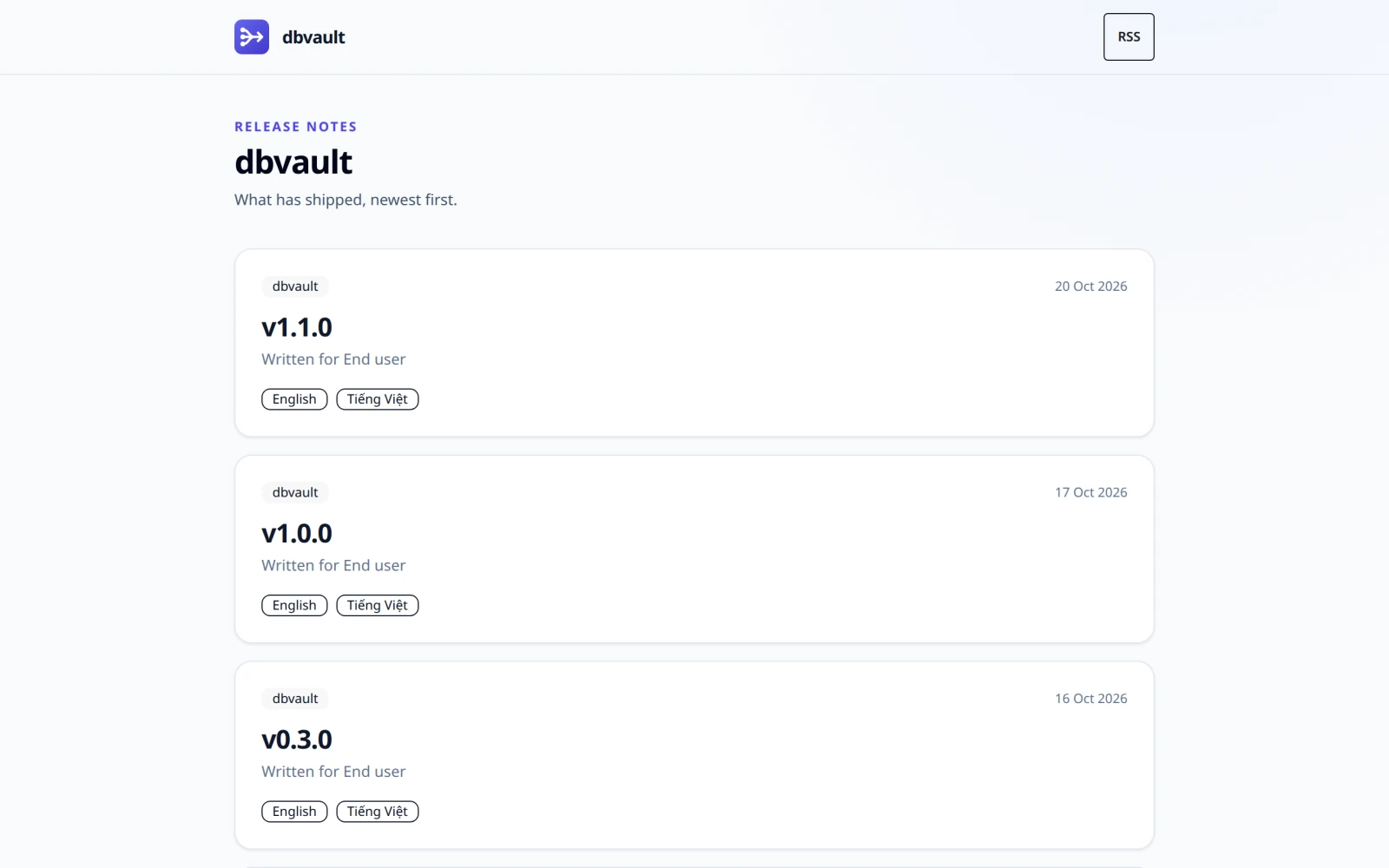
/changelog/{slug} | The Organization's release notes, newest first, cached for five minutes |
/changelog/{slug}/releases/{entry} | One note, permanent, cached for a day with an ETag |
/changelog/{slug}/rss.xml | RSS 2.0 with the 50 newest notes |
The {slug} is your Organization's address: one DNS label, made from its name when you
register. The Public changelog card on the Projects page shows it and lets an
administrator change it — which moves the changelog, so links already shared stop
working. GET/PUT /api/organization/slug does the same thing, and answers
400 organization_slug_invalid or 409 organization_slug_taken.
An entry is a snapshot: the Organization's name, the project, the version, the audience,
and the note as they read when it was published. Nothing edits or removes it afterwards,
not even direct SQL. Publishing the same note again is free — the action finds its own
entry and succeeds — while a rule that would publish different words for a release,
audience, and language that are already public fails as
public_changelog_conflict rather than rewriting what somebody may have read. A
public changelog action takes no secret and no configuration, and cannot be used by a
rule that fires on a schedule.
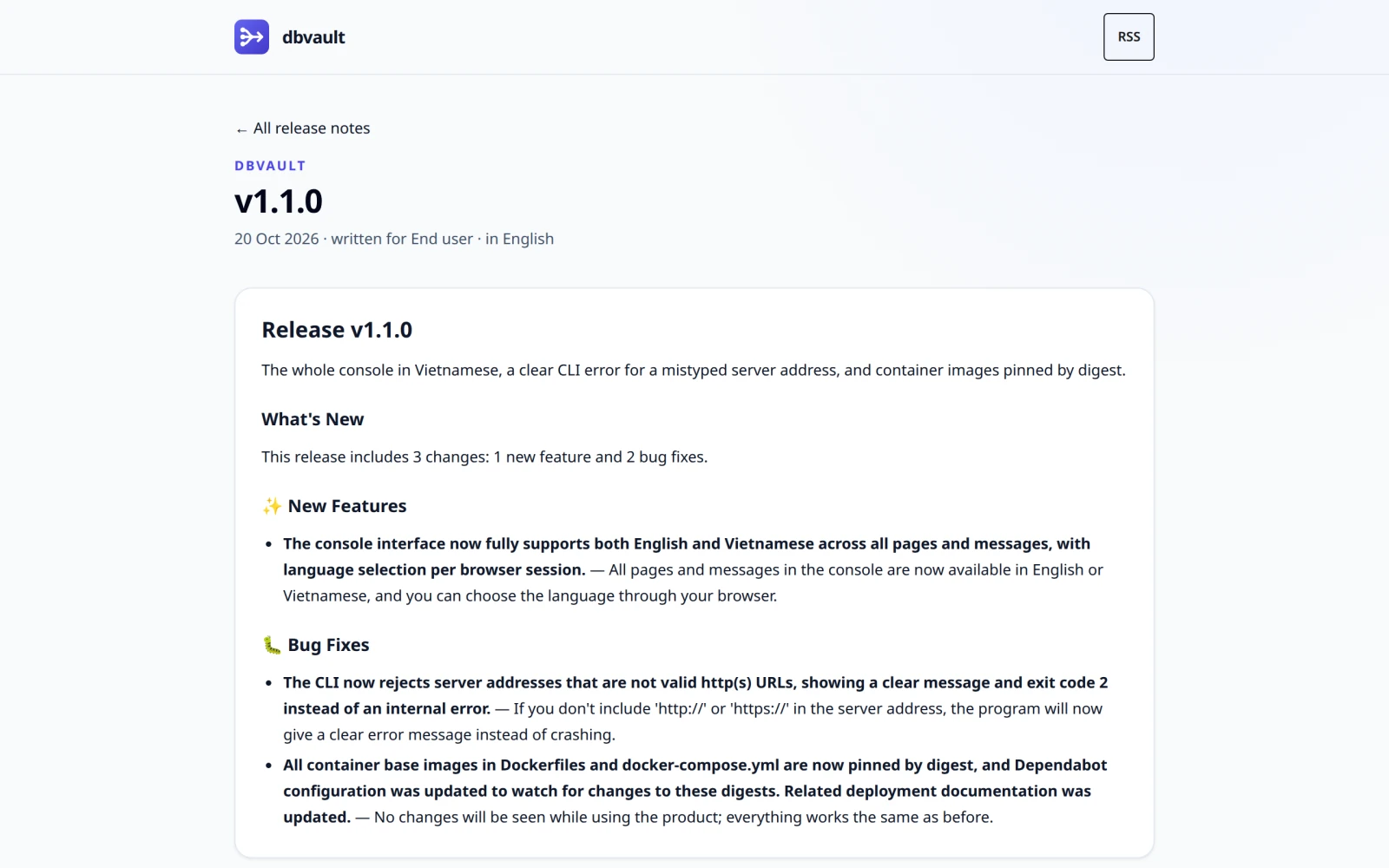
A release published for one audience in several languages, by one action per language,
is one card on /changelog/{slug}: it opens on the language published first, and lists
every language as a link named in its own language, such as English and Tiếng Việt,
with hreflang and lang. An entry's own page names its language. It does not list the
other languages: it is cached as immutable, and a language published later would be
missing from it. The page around a note follows the reader's interface language, so
<html lang> is that language and the note itself carries the entry's.
Set RELEASEFLOW_PUBLIC_BASE_URL to the address this deployment is reached at (default
http://localhost:8080); every public link — the canonical URL, the RSS items, the
address a run reports — is built from it and never from a request's Host header.
Setting RELEASEFLOW_PUBLIC_CHANGELOG_BASE_DOMAIN additionally serves each Organization
at https://{slug}.{that domain}/, with /releases/{entry} and /rss.xml beneath it.
Only GET is routed that way, only for exactly one label beneath the domain, and wildcard
DNS and TLS are yours to provision. Leave it empty and changelogs answer by path only.